连接 SANnav:SANnav events 选项卡中的错误消息 "Registration for telemetry profile: 'Profile_PortMetrics_[IP ADDRESS]' has failed on the switch:[IP address]: Error Connecting to Stream Server."
摘要: 在 SANnav events 选项卡中接收与遥测注册相关的错误消息。
本文适用于
本文不适用于
本文并非针对某种特定的产品。
本文并非包含所有产品版本。
症状
SANnav events 选项卡包含与少数交换机的遥测注册失败相关的多个事件。
在有问题的交换机上,使用 root 凭据发出命令 #telemetryapp --show all。
"Registration for telemetry profile: 'Profile_PortMetrics_{}' has failed on the switch: {} : Error Connecting to Stream Server.Server will not be able to collect high granular data"
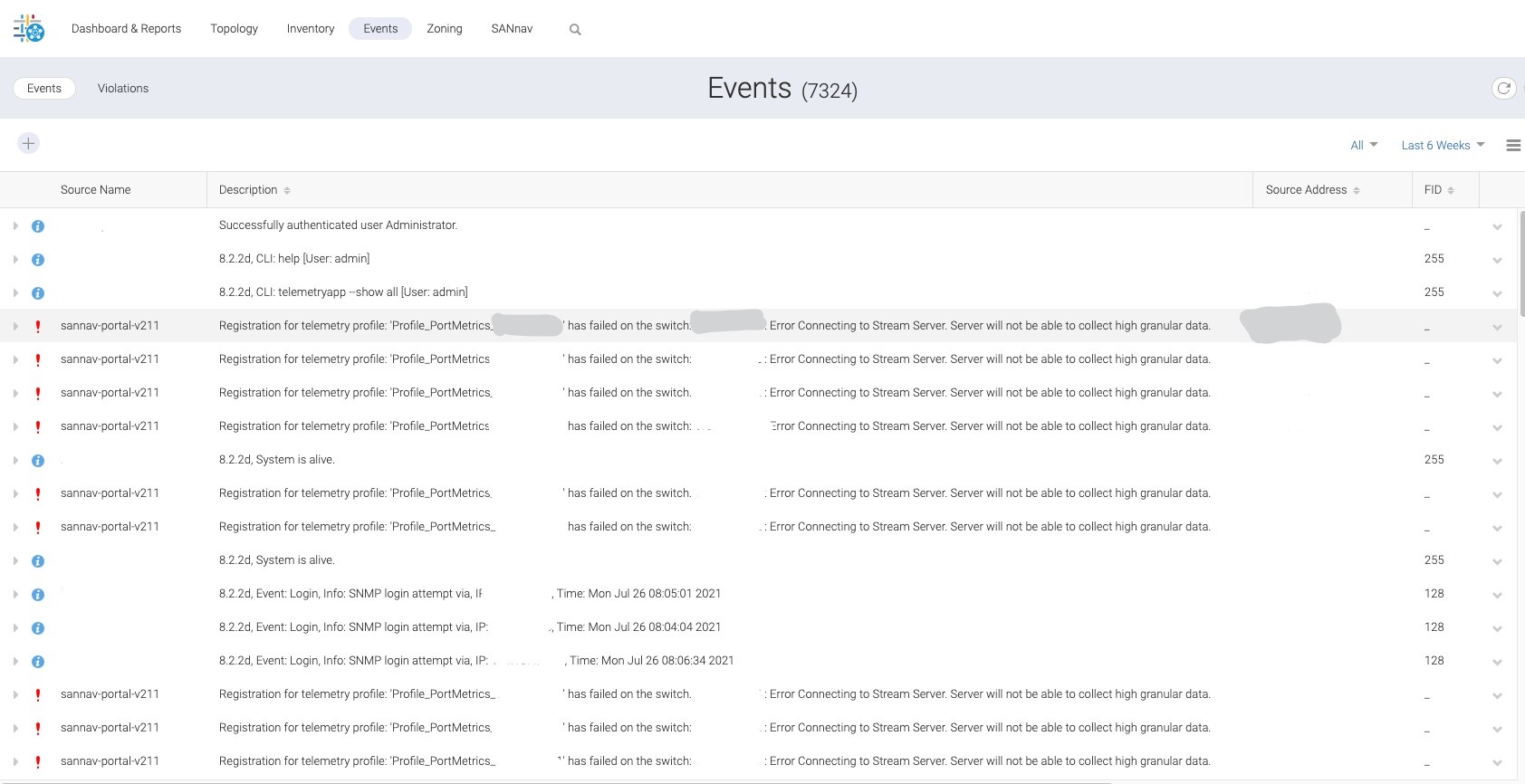
在有问题的交换机上,使用 root 凭据发出命令 #telemetryapp --show all。
Schema Server Configuration:
============================
Server Name : Brocade_Schema_Server_[]
Server IP : IP ADDRESS
Stream Server Configuration:
============================
Server Name : Brocade_Stream_Server_[]
Server IP : iP ADDRESS
Secure Protocol: SSL
Server State : Connection Error
Server Status : Stream Server Not Reachable
Profile Configuration:
======================
Profile Name : Profile_PortMetrics_[]
State : Profile Error
Status : Stream Server Not Reachable
Schema Server : Brocade_Schema_Server_[]
Stream Server : Brocade_Stream_Server_[]
Feature : PortMetrics
Interval : 2sec
原因
SANnav 与有问题的交换机之间存在 SSL 连接问题。此外,交换机未完全注册以进行遥测数据收集。
解决方案
要刷新交换机与 SANnav 之间的 SSL 连接,请执行以下行动计划:
- 登录到 SANnav。
- 转至 SANnav >Fabric Discover。
- 单击包含有问题的交换机的相关结构的 View 选项。
- 单击相关交换机,然后单击 Stop Monitoring 选项。
- 单击 Monitor 选项。
文章属性
文章编号: 000190250
文章类型: Solution
上次修改时间: 11 5月 2026
版本: 3
从其他戴尔用户那里查找问题的答案
支持服务
检查您的设备是否在支持服务涵盖的范围内。