安装 AVG Antivirus 后,Dell Pair 安装响应延迟
摘要: 本文提供有关安装 AVG Antivirus 时 Dell Pair 安装延迟响应的信息和解决方法。
本文适用于
本文不适用于
本文并非针对某种特定的产品。
本文并非包含所有产品版本。
症状
受影响的产品:
- Dell Pair
受影响的平台:
- Latitude 7320
- Latitude 7420
- Latitude 7520
- Latitude 7330
- Latitude 7430
- Latitude 7530
- Latitude 9330
- Latitude 9430
- Precision 5470
- Precision 5570
- Precision 5770
- Precision 7670
- Precision 7770
- XPS 9315
- XPS 9320
- XPS 9520
- 戴尔 Pro 13 Premium
受影响的操作系统:
- Windows 10 内部版本 10.0.19041 及更高版本
- Windows 11
当安装了 AVG Antivirus 的计算机时,用户可能会遇到 Dell Pair 安装响应延迟的问题。
提醒:延迟大约为一两分钟,安装一旦继续,就不会出现故障。
Dell Pair 的背景
Dell Pair 支持以下功能:
- 在戴尔设备(如鼠标和键盘)处于检测范围内时检测它们,以便使用蓝牙进行配对。
- 通过蓝牙配对设备。
原因
AVG 防病毒软件会导致安装延迟。
解决方案
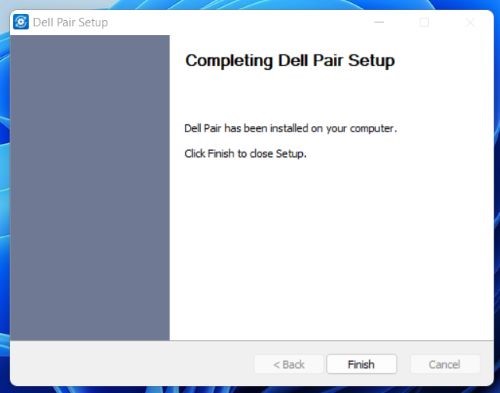
在计算机上安装 AVG 防病毒后,用户必须等待显示 Dell Pair 安装完成消息。
受影响的产品
Dell Pair, Dell Pro 13 Premium PA13250, Latitude 7320, Latitude 7330, Latitude 9330, Latitude 7420, Latitude 7430, Latitude 9430, Latitude 7520, Latitude 7530, Precision 5470, Precision 5570, Precision 7670, Precision 5770, Precision 7770
, XPS 13 9315, XPS 13 Plus 9320, XPS 15 9520
...
文章属性
文章编号: 000204223
文章类型: Solution
上次修改时间: 15 5月 2026
版本: 8
从其他戴尔用户那里查找问题的答案
支持服务
检查您的设备是否在支持服务涵盖的范围内。