使用触摸板或触摸屏时桌面文件夹无响应
摘要: 有关 Windows 11(版本 23H2 22631.2428)中无法使用触摸板或触摸屏拖动或单击桌面文件夹的信息。
本文适用于
本文不适用于
本文并非针对某种特定的产品。
本文并非包含所有产品版本。
症状
如果您使用触摸板或触摸屏,单击 Windows 桌面文件夹没有响应。
受影响的操作系统:
- Windows 11(版本 23H2 22631.2428)
受影响的型号:
- Latitude 5430
- Latitude 5431
- Latitude 5440
- Latitude 7030 Rugged Extreme 平板电脑
- Latitude 7230 Rugged Extreme 平板电脑
- Latitude 7320
- Latitude 7330
- Latitude 7430
- Latitude 7440
- Latitude 7640
- Latitude 7530
- Latitude 9330
- Latitude 9430
- Latitude 9440
- Precision 3470
- Precision 3480
- Precision 5470
- Precision 5480
- Precision 5570
- Precision 5680
- Precision 7670
- Precision 7680
- Precision 7770
- Precision 7780
- 戴尔 Pro 13 Premium
原因
这是 Windows 11(版本 23H2 22631.2428)的问题。
解决方案
Windows 热修复程序
Windows 修补程序 22631.2861 纠正了此问题,并在 Microsoft 商店中提供。
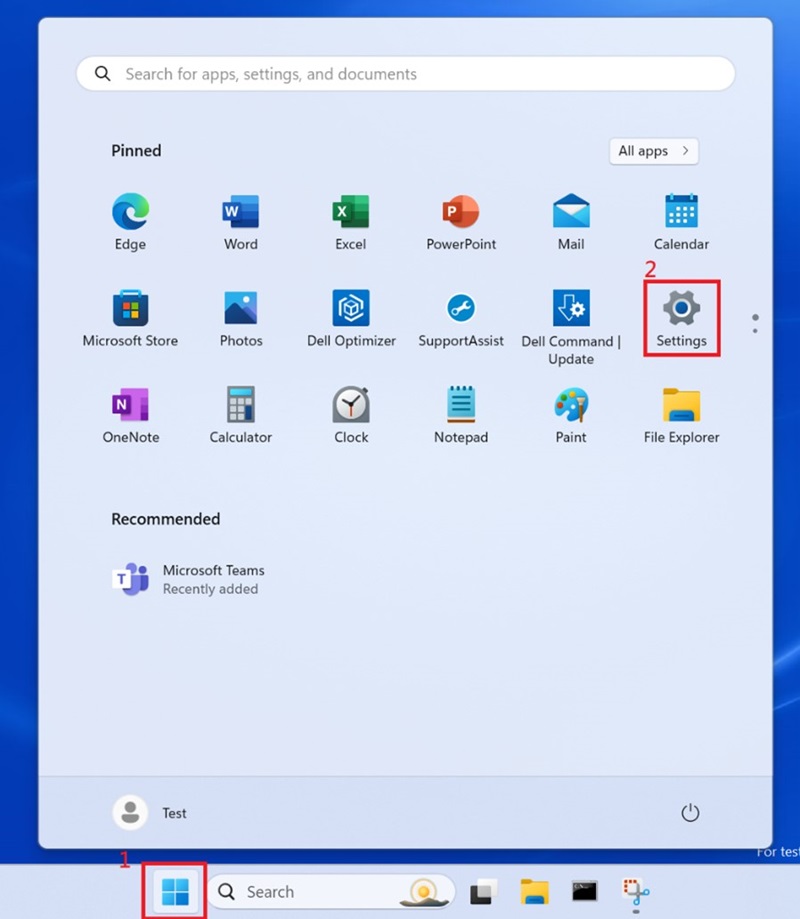
单击 Windows 框 并选择 设置。
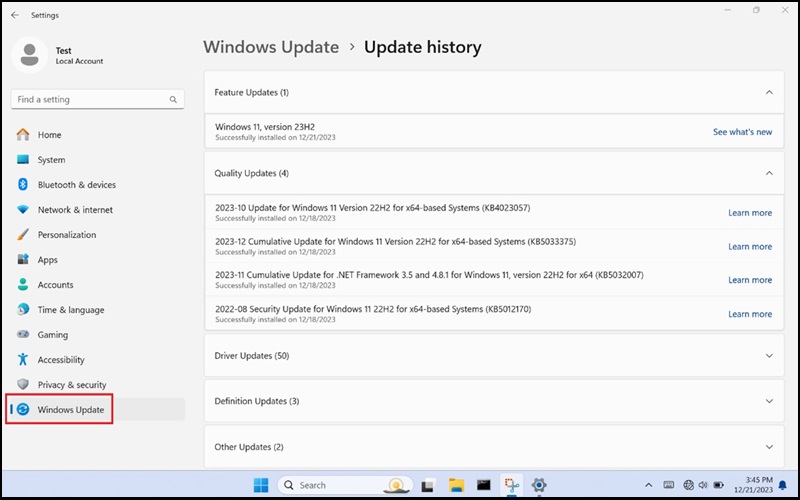
选择 Windows 更新 并更新 Windows。
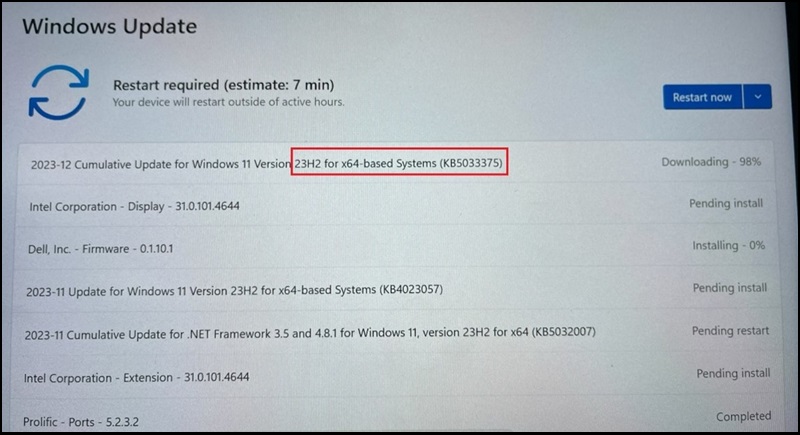
Windows 应更新至版本 23H2 22631.2861。
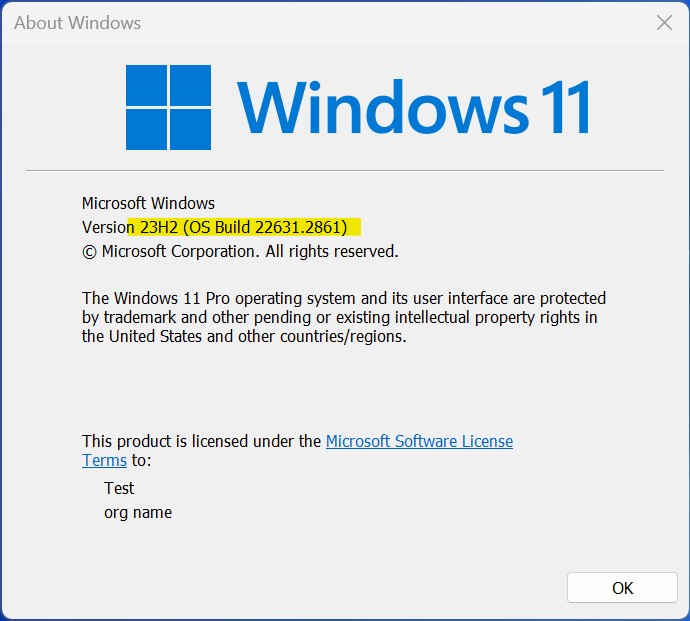
更多信息:2023 年 12 月 12 日 - KB5033375(作系统内部版本 22621.2861 和 22631.2861)
受影响的产品
Dell Pro 13 Premium PA13250, Latitude 7030 Rugged Extreme Tablet, Latitude 7230 Rugged Extreme Tablet, Latitude 7320, Latitude 7330, Latitude 9330, Latitude 5431, Latitude 5440, Latitude 7430, Latitude 7440, Latitude 9430, Latitude 9440 2-in-1
, Latitude 7530, Latitude 7640, Latitude 5430, Precision 3470, Precision 3480, Precision 5470, Precision 5480, Precision 5570, Precision 5680, Precision 7670, Precision 7680, Precision 7770, Precision 7780
...
文章属性
文章编号: 000220837
文章类型: Solution
上次修改时间: 19 5月 2026
版本: 9
从其他戴尔用户那里查找问题的答案
支持服务
检查您的设备是否在支持服务涵盖的范围内。