VMware: 打开虚拟机电源时报错"无法为 vGPU "profile_name" 初始化插件"
摘要: 本文章提供打开虚拟机电源时报错:无法为 vGPU "profile_name" 初始化插件 "/usr/lib64/vmware/plugin/libnvidia-vgx.so" (Could not initialize plugin '/usr/lib64/vmware/plugin/libnvidia-vgx.so' for vGPU "profile_name")的建议。 ...
本文适用于
本文不适用于
本文并非针对某种特定的产品。
本文并非包含所有产品版本。
说明
在ESXi中遇到guest OS 适用vGPU 模式无法开机,报错 无法初始化 vGPU "nvidia_a10-4q"的插件"usr/lib64/vmware/plugin/libnvidia-vgx.so"
for vGPU "profile_name") & “Could not initialize plugin "/usr/lib64/vmware/plugin/libnvidia-vgx.so' for vGPU "profile_name"
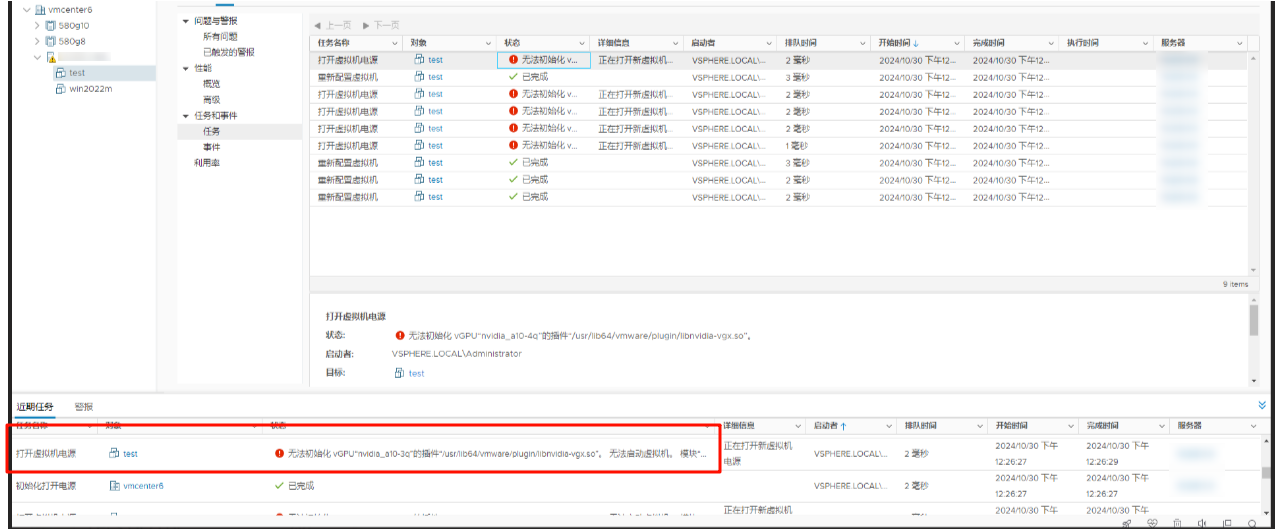
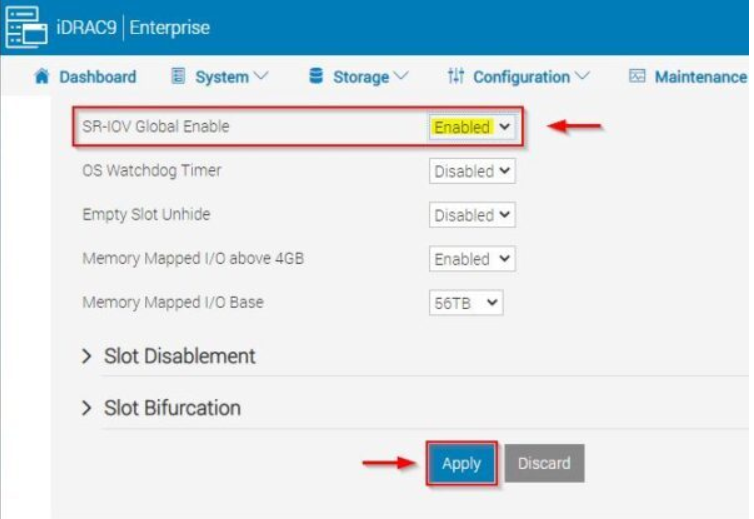
请检查如下项目:
1,确保 SR-IOV enabled (MMIO enabled)
2,vMware中检查是否为直接共享(vGPU) Shared Direct 而不是共享(vSGA)Shared ,参见Broadcom/vMware LKB 2151161 “Could not initialize plugin '/usr/lib64/vmware/plugin/libnvidia-vgx.so' for vGPU "profile_name"” error when powering on the VM
重启xorg 服务或重启ESXI host 修改生效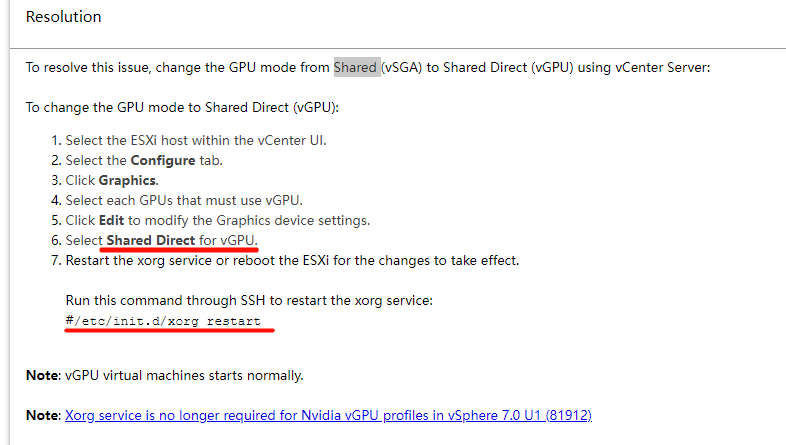
3,一些情况下需要时检查尝试Guest OS模式与MMIO设置,参见Broadcom/vMware LKB 2142307 vSphere VMDirectPath I/O and Dynamic DirectPath I/O: Requirements for Platforms and Devices
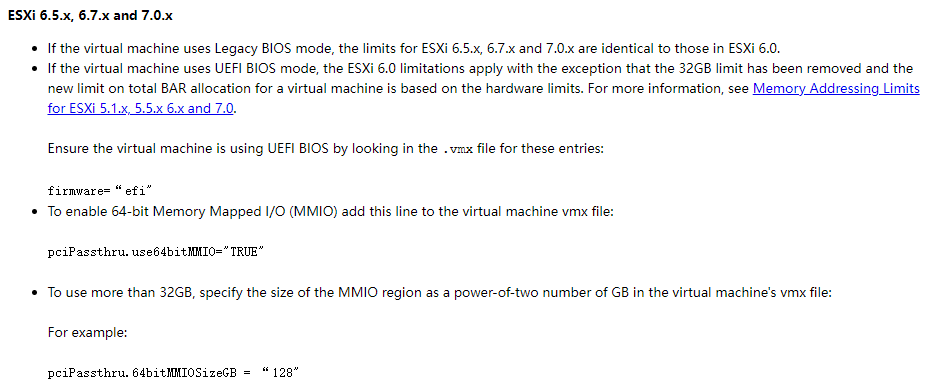
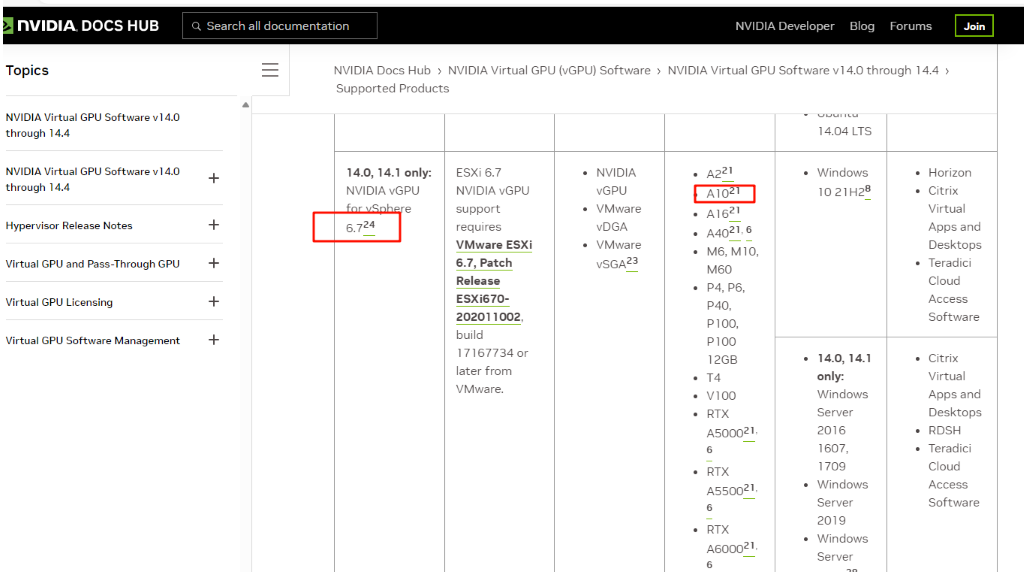
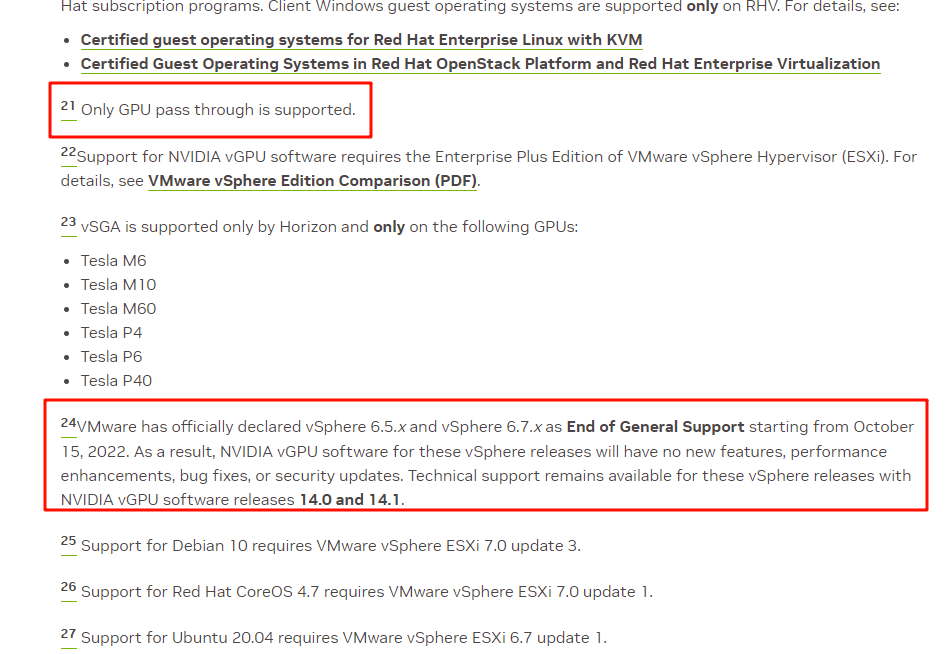
4,检查ESXI 版本/nVidia virtual GPU Software 版本/GPU module 支持情况, 如较早版本的ESXI 6.7,nVidia A2/A10/A16等只支持 pass through.
V14.0 -14.4 Supported Products - NVIDIA Docs
V15.0-15.4NVIDIA Virtual GPU Software v15.0 through 15.4 - NVIDIA Docs
V17.0-17.4 Supported Products - NVIDIA Docs
受影响的产品
VMware ESXi 6.7.X, VMware ESXi 7.x文章属性
文章编号: 000248752
文章类型: How To
上次修改时间: 05 3月 2026
版本: 4
从其他戴尔用户那里查找问题的答案
支持服务
检查您的设备是否在支持服务涵盖的范围内。