PowerProtect Data Manager: Alert SYS0003 for low capacity detection on the /logs mount point
摘要: The PowerProtect Data Manager appliance is generating alert SYS0003 in the environment indicating low capacity on the /logs mount point.
本文适用于
本文不适用于
本文并非针对某种特定的产品。
本文并非包含所有产品版本。
症状
The PowerProtect System Alerts shows:
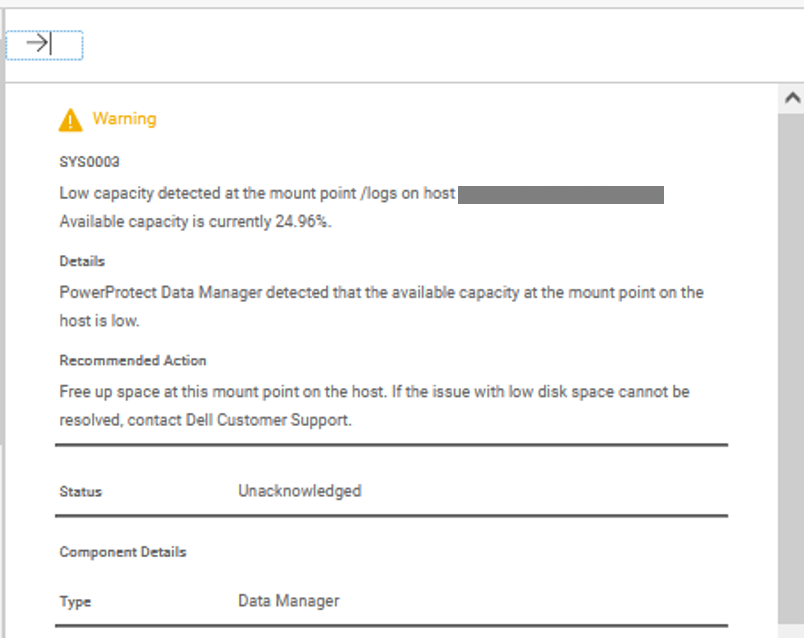
SYS0003
Low capacity detected at the mount point /logs on host (my-ppdm). Available capacity is currently 24.96%.
The Linux disk free (df) command output shows:
admin@my-ppdm:~> df -hT --type=xfs --type=ext4
Filesystem     Type  Size  Used Avail Use% Mounted on
/dev/sda3      ext4   29G   16G   13G  56% /
/dev/sdd1      ext4  4.8G  2.0G  2.5G  45% /agents
/dev/sdb1      ext4  9.6G  1.8G  7.3G  20% /reporting
/dev/sdf1      ext4  4.8G  3.0G  1.6G  67% /cdr
/dev/sdg1      ext4  4.8G  1.6G  3.0G  35% /search
/dev/sde1      ext4  9.6G  2.5G  6.6G  27% /vproxy
/dev/sdc1      xfs   489G   22G  467G   5% /data01
/dev/sda5      ext4   59G   40G   16G  72% /logs
/dev/sda2      ext4  192M   69M  109M  39% /boot
原因
The alert is raised when available capacity is less than 25%. The automatic log purge is triggered once the /logs used capacity is over 90%. The purge removes the oldest log files until the used capacity is 70% (>30% available).
解决方案
The automatic purge removes log files from all the PowerProtect daemons to increase the available space. If the logs need to be cleared before reaching the default 90%, remove the oldest compressed logs from the /logs directory until usage drops below 70%.
If the log retention must be lowered on the PowerProtect Appliance, contact Dell Support for assistance.
文章属性
文章编号: 000291695
文章类型: Solution
上次修改时间: 22 7月 2026
版本: 3
从其他戴尔用户那里查找问题的答案
支持服务
检查您的设备是否在支持服务涵盖的范围内。