如何認可 Dell Data Security 伺服器的原則
摘要: 瞭解如何依照這些指示認可 Dell Data Security 和 Dell Data Protection 伺服器的原則。
本文章適用於
本文章不適用於
本文無關於任何特定產品。
本文未識別所有產品版本。
說明
瞭解在 Dell Security Management Server (之前稱為 Dell Data Protection Enterprise Edition Server 或 Dell Data Protection Virtual Edition) 中認可原則的步驟。
受影響的產品:
- Dell Security Management Server
- Dell Security Management Server Virtual
- Dell Data Protection Enterprise Edition Server
- Dell Data Protection Virtual Edition 伺服器
受影響的版本:
- v8.0 及更新版本
必須先在 Dell Security Management Server 中儲存原則,然後再認可原則,以使任何變更在受管理端點生效。
Dell Security Management Server 的原則設定會因產品版本 v9.2.0 及更新版本或 v8.0.0 至 9.1.X 而有所不同。按一下適當的版本,以瞭解特定的步驟。如需版本控制資訊,請參閱 如何識別 Dell Data Security 伺服器版本。
v9.2.0 及更新版本
- 登入 Dell Data Security 管理主控台。
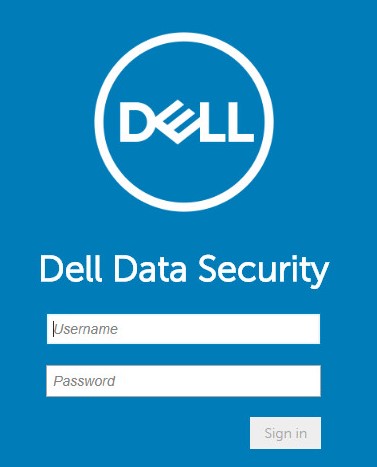 注意:如需詳細資訊,請參閱 如何存取 Dell Data Security Server 管理主控台。
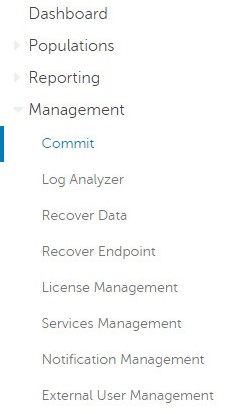
 - 在左側功能表窗格中,按一下管理,然後選取認可。
- 填入註解,當中詳述要認可的已儲存原則變更。
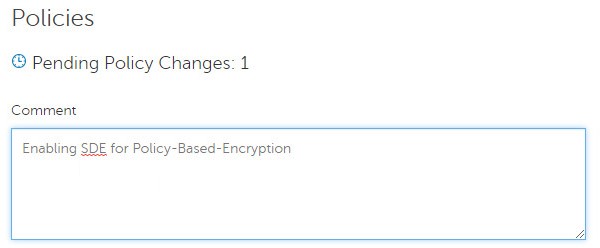
- 按一下認可原則。

v8.0.0 至 9.1.X
- 提交登入資料,以登入 Dell Data Protection 管理主控台。
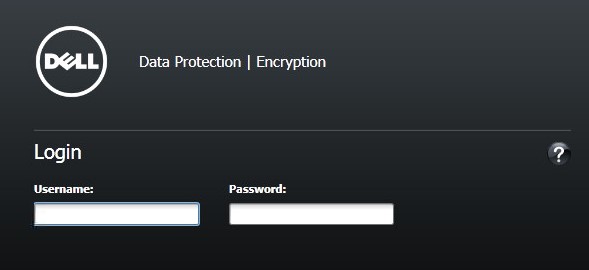 注意:如需詳細資訊,請參閱 如何存取 Dell Data Security Server 管理主控台。
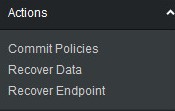
 - 在左窗格中,按一下認可原則。
- 填入註解,當中詳述已儲存的原則變更,然後按一下套用變更。
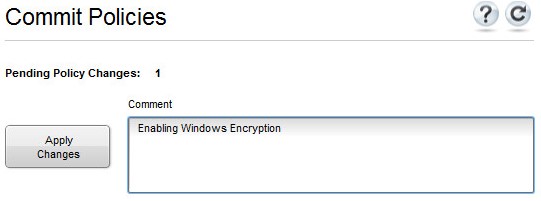 注意:待處理原則變更數字是根據受影響的原則、端點和網域數字指派。
如要聯絡支援部門,請參閱 Dell Data Security 國際支援電話號碼。
請前往 TechDirect,以線上產生技術支援要求。
如需更多深入見解與資源,請加入 Dell 安全性社群論壇。
其他資訊
影片
受影響的產品
Dell Encryption產品
Dell Data Security文章屬性
文章編號: 000123779
文章類型: How To
上次修改時間: 19 4月 2026
版本: 15
向其他 Dell 使用者尋求您問題的答案
支援服務
檢查您的裝置是否在支援服務的涵蓋範圍內。