PowerVault ML3 SKLM (Encryption Software)
摘要: Running SLKM Encryption on the PowerVault ML3. How to setup encryption on Dell PowerVault Tape Libraries.
本文章適用於
本文章不適用於
本文無關於任何特定產品。
本文未識別所有產品版本。
症狀
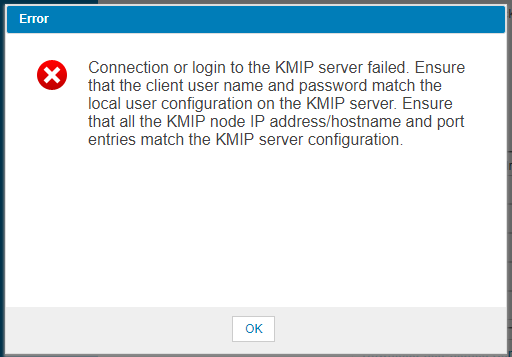
When running the Key Management Interoperability Protocol (KMIP) Wizard an error occurs when running the "Connectivity Check".
解析度
First we need to make sure the SKLM server can at least communicate with the ML3. Either open a browser to the ML3 from the SKLM server or run the ping command to verify.
Next verify that the port is not blocked. "netstat -a" will list all of the open TCP ports.
1. SKLM 2.6 or higher
Make the following change in the properties file on the SKLM server (SKLM 3.0 defaults to TLSv2 now):
Next verify that the port is not blocked. "netstat -a" will list all of the open TCP ports.
1. SKLM 2.6 or higher
Make the following change in the properties file on the SKLM server (SKLM 3.0 defaults to TLSv2 now):
c:\Program Files\IBM\WebSphere\AppServer\products\sklm\config\SKLMConfig.properties
TransportListener.ssl.protocols from SSL_TLS to SSL_TLSv2
After the change is made you will need to reboot the SKLM server to pick up the configuration change.
2. ML3
Next reconfigure the logical library for Library Managed Encryption (KMIP).
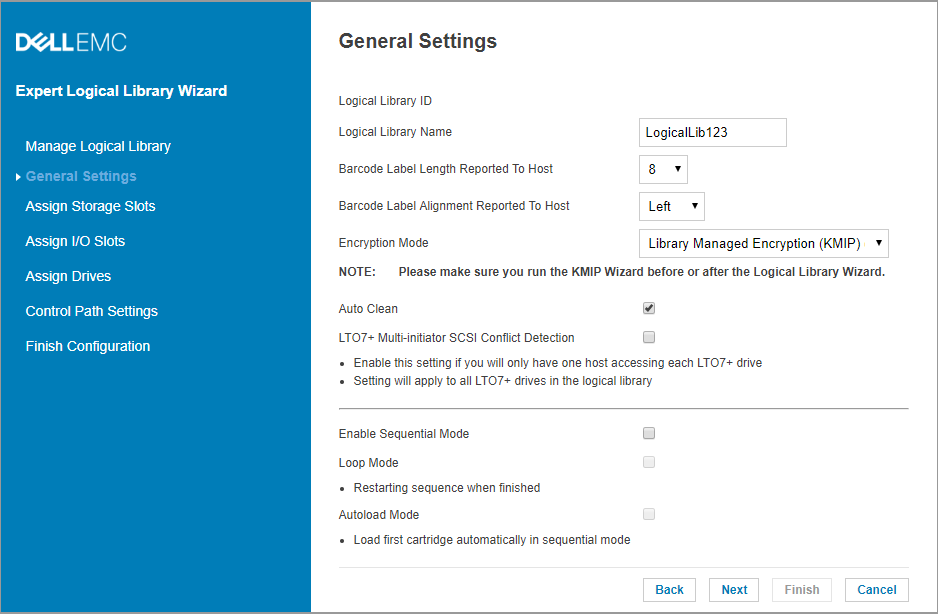
3. Login to the SKLM server and check for Pending client device connection certificate.
This will be on the "Welcome" screen under "Action Items"
Click on the request from the device and click "Accept and Trust". This may have already been done by customer if they have manually imported the certificate. If so you will not see the Pending
device list. Continue to step 4.
4. Run the Key Management Interoperability Protocol (KMIP) Wizard.
Click on the "Connectivity Check" and we should see a "Connectivity Check Successful".
Setup Summary should finish at this point.
受影響的產品
Dell EMC ML3, Powervault LTO6, PowerVault LTO7, PowerVault LTO8, PowerVault ML6000, PowerVault TL2000, PowerVault TL4000, PowerVault TL1000文章屬性
文章編號: 000143520
文章類型: Solution
上次修改時間: 01 5月 2026
版本: 4
向其他 Dell 使用者尋求您問題的答案
支援服務
檢查您的裝置是否在支援服務的涵蓋範圍內。