VMware Carbon Black Cloud Endpoint 因 Receive Segment Coalescence 而在安裝時停止回應
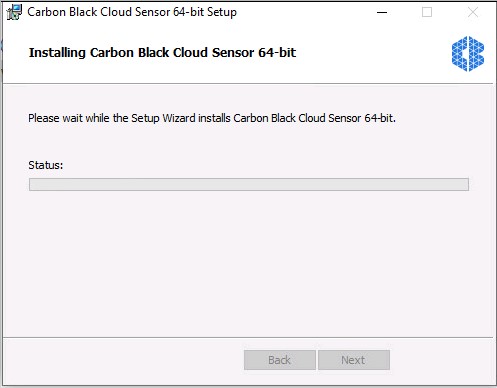
摘要: 如果網路介面卡上啟用了 Receive Segment Coalescence,則 Sensor Install 會停止回應,因為驅動程式無法完全支援 Receive Segment Coalescence。
本文章適用於
本文章不適用於
本文無關於任何特定產品。
本文未識別所有產品版本。
症狀
受影響的產品:
- VMware Carbon Black Cloud Endpoint
受影響的平台:
- Windows Server 2016
- Windows Server 2012
原因
如果網路介面卡上啟用了 Receive Segment Coalescence,則 Sensor Install 會停止回應,因為驅動程式無法完全支援 Receive Segment Coalescence。
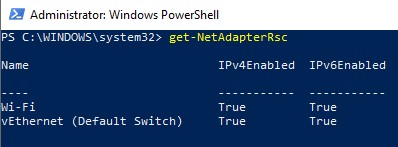
若要確認 Receive Segment Coalescence 是否已啟用,請開啟 PowerShell 提示並執行 Get-NetAdapterRsc,您會看到網路配接器名稱旁列出 True。
解析度
若要解決此問題,請以系統管理員身分開啟 Powershell,執行 Disable-NetAdapterRsc * 並重試安裝。
注意:安裝完成後,您可以在 Powershell 中執行 Enable-NetAdapterRsc,以重新啟用 Receive Segment Coalescence。
有關接收段合併的詳細資訊,請參閱 https://docs.microsoft.com/windows-hardware/drivers/network/overview-of-receive-segment-coalescing
如要聯絡支援部門,請參閱 Dell Data Security 國際支援電話號碼。
請前往 TechDirect,以線上產生技術支援要求。
如需更多深入見解與資源,請加入 Dell 安全性社群論壇。
其他資訊
影片
受影響的產品
VMware Carbon Black文章屬性
文章編號: 000182201
文章類型: Solution
上次修改時間: 08 5月 2026
版本: 13
向其他 Dell 使用者尋求您問題的答案
支援服務
檢查您的裝置是否在支援服務的涵蓋範圍內。