PowerEdge:Downloads.dell.com 顯示錯誤 403 禁止訪問
摘要: 客戶在 downloads.dell.com (別名 dl.dell.com) 上瀏覽目錄時,現在會看到錯誤 403 - 禁止存取:存取遭拒訊息。
本文章適用於
本文章不適用於
本文無關於任何特定產品。
本文未識別所有產品版本。
症狀
瀏覽 downloads.dell.com 上的目錄不再工作,因為使用者會看到錯誤 403 Forbidden:存取遭拒訊息。
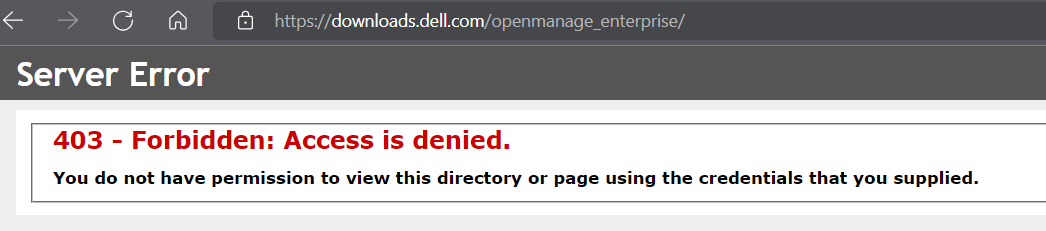
一些受影響的常用目錄包括:
https://downloads.dell.com/catalog

https://downloads.dell.com/openmanage_enterprise

https://downloads.dell.com/omimswac/ic/

https://downloads.dell.com/omimswac/dsu/
如果檔案 URL 已知,這不會影響直接下載檔案,以及在 OpenManage Enterprise 等主控台內進行線上作業 (目錄管理、韌體相容性和主控台更新)。
原因
最近的安全更改已從 downloads.dell.com 網站中刪除了目錄遍歷。
解析度
Dell IT 已將變更還原 90 天。受影響的計畫希望提供其他選項,以從 downloads.dell.com 存取檔案。
目前影響為:
目前影響為:
- 從以下位置手動下載檔案:
downloads.dell.com/catalog
- 手動下載 OpenManage Enterprise 升級檔案以進行離線安裝,使用
downloads.dell.com/openmanage_enterprise.
- 手動下載 Windows Admin Center 適用之 OpenManage Integration 的 Inventory Collector 和 Dell Server Update 公用程式
受影響的產品
Dell OpenManage Enterprise, OpenManage Enterprise Update Manager, OpenManage Integration with Microsoft Windows Admin Center, OpenManage Enterprise Power Manager, Catalog, Dell EMC OpenManage Enterprise
, OpenManage Enterprise Integration for VMware vCenter, Dell EMC OpenManage Enterprise Power Manager, OpenManage Enterprise Services, OpenManage Enterprise Update Manager, OpenManage Integration with Microsoft Windows Admin Center
...
文章屬性
文章編號: 000203442
文章類型: Solution
上次修改時間: 15 5月 2026
版本: 4
向其他 Dell 使用者尋求您問題的答案
支援服務
檢查您的裝置是否在支援服務的涵蓋範圍內。