NVP vProxy: NetWorker vProxy fails network configuration
摘要: The vProxy appliance is deployed with a static IPv4 address that never appears on the VM and does not respond; wickedd reports duplicate‑IP errors because the address is in use on the network. ...
本文章適用於
本文章不適用於
本文無關於任何特定產品。
本文未識別所有產品版本。
症狀
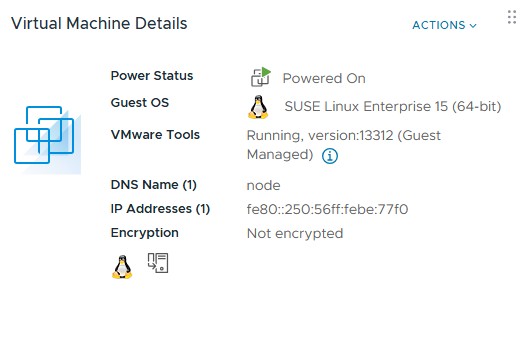
vProxy OVF is deployed with a specified IPv4 address but the deployed VM does not show the address and does not respond on the network to that address.
ip a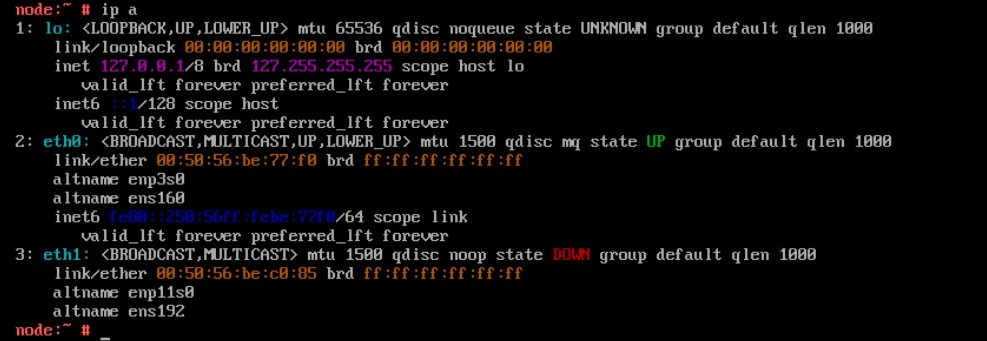
Reconfiguring the network parameters using the config_network.sh script fails to apply the static IPv4 address
/opt/emc/vproxy/bin/config_network.sh <Interface> <FQDN> <IP Address> <Netmask> <Gateway> <DNS List (comma separated)>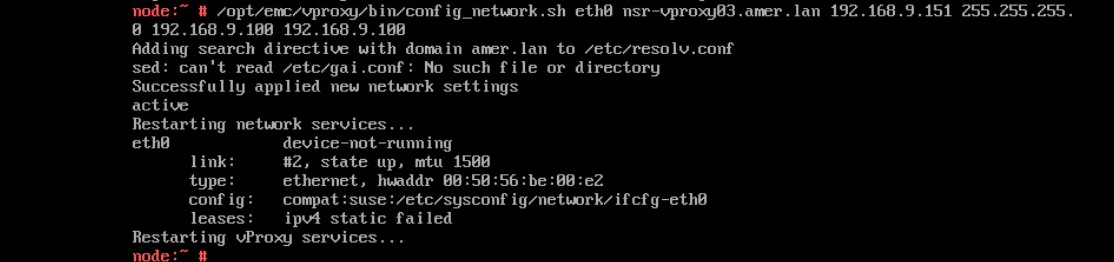
Status of the wickedd service shows duplicate IP address errors.
systemctl status wickedd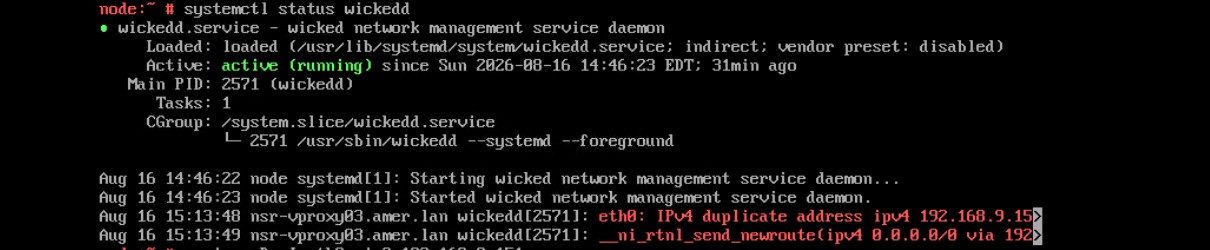
原因
解析度
Find a new unique address and use the following command to assign the new IP address.
- Log in to the vProxy and elevate to root.
- Run the following command.
/opt/emc/vproxy/bin/config_network.sh <Interface> <FQDN> <IP Address> <Netmask> <Gateway> <DNS List (comma separated)>*For more information, see NVP vProxy: How to Manually Change the vProxy Appliance Network Interface Settings
受影響的產品
NetWorker文章屬性
文章編號: 000499204
文章類型: Solution
上次修改時間: 17 8月 2026
版本: 1
向其他 Dell 使用者尋求您問題的答案
支援服務
檢查您的裝置是否在支援服務的涵蓋範圍內。