Canonical Ubuntu


The number one open source operating system powering millions of PCs and laptops around the world.
If you’re using Ubuntu for work, IT admins can manage Ubuntu PCs in mixed estates with the tools they’re already using.

Ubuntu on PCs
The secure, modern operating system used by millions
Ubuntu offers essential applications for web browsing, messaging, gaming, content creation, and office documents.
Use Firefox, Chrome, Discord, Steam, OBS Studio, LibreOffice with Microsoft Office compatibility, and more — for everything you want to do, Ubuntu has what you need.
Use Firefox, Chrome, Discord, Steam, OBS Studio, LibreOffice with Microsoft Office compatibility, and more — for everything you want to do, Ubuntu has what you need.
With regular updates and built-in security features, Ubuntu prioritise user privacy and system integrity, making it the secure choice for those who value data protection.
Ubuntu has always been free to download, use and share. We believe in the power of open source software; Ubuntu could not exist without its worldwide community of contributors.
Bring Ubuntu to your organization
Ubuntu combines enterprise-grade support, security and functionality with the best of open source.
Ubuntu Pro is the most comprehensive subscription for your open source stack: receive up to 12 years of security patches for Ubuntu Long Term Supported releases with coverage for over 36,000 packages.
Lower the complexity and cost of running a Linux desktop estate using Canonical’s in-field automation and monitoring tool, Landscape - included in Ubuntu Pro.
Lower the complexity and cost of running a Linux desktop estate using Canonical’s in-field automation and monitoring tool, Landscape - included in Ubuntu Pro.
To offer the best performance on Ubuntu, manufacturers such as Dell are pre-loading devices with Ubuntu certified images.
Canonical, the publisher of Ubuntu, is committed to working closely with Dell to optimise and certify Ubuntu on their laptops and PCs.
Canonical, the publisher of Ubuntu, is committed to working closely with Dell to optimise and certify Ubuntu on their laptops and PCs.
System Security Services Daemon (SSSD) and GPO are available by default to manage desktop settings. Ubuntu Pro users receive access to advanced policies like remote script execution and privilege management.
Microsoft Intune on Ubuntu enables custom policy compliance and gated access to corporate resources via the Microsoft Edge browser. Ubuntu also supports critical business and administration applications such as Powershell and Microsoft Teams.
Microsoft Intune on Ubuntu enables custom policy compliance and gated access to corporate resources via the Microsoft Edge browser. Ubuntu also supports critical business and administration applications such as Powershell and Microsoft Teams.

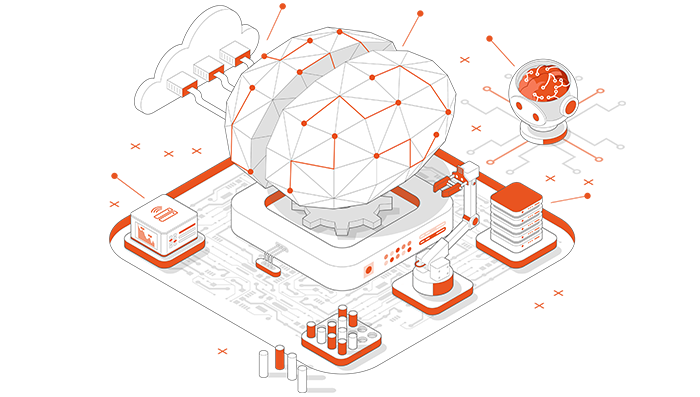
Ubuntu for Data Science
Ubuntu is the operating system of choice for data scientists, ML engineers, and AI enthusiasts
Ubuntu is simple to install and features an intuitive command line interface that can be integrated with the most popular machine learning frameworks, libraries and tools.
Python, Jupyter Notebooks, TensorFlow and PyTorch all enjoy support and timely updates from Canonical, the publisher of Ubuntu.
Python, Jupyter Notebooks, TensorFlow and PyTorch all enjoy support and timely updates from Canonical, the publisher of Ubuntu.
The Canonical Data Science Stack (DSS) is an out-of-the-box solution for data scientists and machine learning engineers.
It's an out-of-the-box environment for ML practitioners that enables building and optimizing models without worrying about dependency management, GPU access, or experimentation tracking capabilities — all while keeping costs low and their project data secure.
It's an out-of-the-box environment for ML practitioners that enables building and optimizing models without worrying about dependency management, GPU access, or experimentation tracking capabilities — all while keeping costs low and their project data secure.
As projects mature and additional resources are required, Ubuntu's scalability ensures you can efficiently run your workloads across the entire compute spectrum, from desktops and servers to clouds and data centres.