

Unsolved
1 Rookie
•
6 Posts
0
3874
February 17th, 2023 11:00
AW2723DF, horizontal lines and black screens
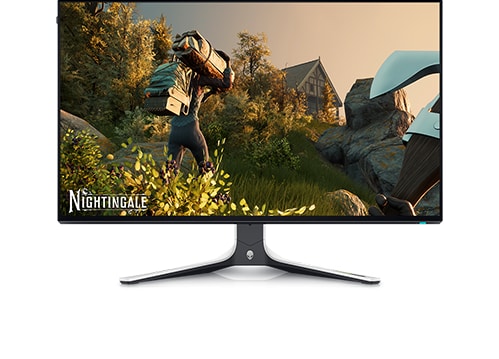
Alienware 27 Gaming Monitor AW2723DF
I get horizontal lines and black screen for 4-5 seconds in my monitor randomly. Sometimes when I open my PC I have no issues. But other times I keep getting these horizontal lines and the black screens. I found a workaround changing the refresh rate from 240Hz to 140Hz and then switch it back. But I don't know if this is harmful for my monitor or my monitors adapters is damaged for some reason.
No Events found!
Vanadiel
8 Professor
•
7.1K Posts
•
29.7K Points
0
February 18th, 2023 08:00
What's the temperature of the GPU and CPU when you play games?
DELL-Chris M
Community Manager
•
56.9K Posts
•
232.1K Points
0
February 18th, 2023 10:00
Our users need more data =
* What PC model?
* What operating system?
* What GPU/video card?
* Have you updated to the latest GPU/video card driver?
Changing Hz will not harm the AW2723DF. The AW2723DF User's Guide shows us that is has three video in ports (HDMI #1 2.0 144Hz/HDMI #2 2.0 144Hz/DP 1.4 280Hz). I would start the troubleshooting by testing all three from your unknown video card using the provided DP and HDMI cables.
KOSTASTSIOU
1 Rookie
•
6 Posts
0
February 18th, 2023 13:00
no i don't have g-sync enabled because i get frame drops in the games .
i dont need it either . monitor is so good by itself
KOSTASTSIOU
1 Rookie
•
6 Posts
0
February 18th, 2023 13:00
So i use:
CPU: 11th Gen Intel(R) Core(TM) i5-11400 @ 2.60GHz
32 GB RAM
Graphics card NOW:Gigabyte RTX 4080
(i used TUF Gaming 3060TI for one month with the monitor and i had the same issue)
Z590 PRO WIFI motherboard
i also took a video of the monito going black screen 5 minutes ago, following these horizontal white lines
KOSTASTSIOU
1 Rookie
•
6 Posts
0
February 18th, 2023 13:00
CPU Core temperature : 42 - 53
GPU : 40 - 55
Vanadiel
8 Professor
•
7.1K Posts
•
29.7K Points
0
February 18th, 2023 13:00
I am assuming you have g-sync enabled in the Nvidia drivers?
motempo
1 Message
0
March 3rd, 2023 19:00
I'm having this same issue with my monitor. Using a Asus TUF 4090. It actually did it when I first got my monitor, but I updated the firmware and monitor driver and it worked fine for a couple months. Now it started doing it again. If I start windows at 240hz, it will do it. If I change it to 144hz, and then go back to 240hz it will be fine. But each time I reboot at 240hz, or start up at 240hz, it does it. I've tried uninstalling and reinstalling monitor driver, I've tried using DDU and reinstalling Nvidia drivers, I've tried changing the DP to a different one and still have the same issue. Not sure what to do.
KOSTASTSIOU
1 Rookie
•
6 Posts
0
March 4th, 2023 04:00
still having the same issue here
SETENA
1 Message
0
March 14th, 2023 11:00
Having the same problem, I solve it by overdrive the monitor to 280Hz with monitor's DSC on. Or turn off the DSC of the monitor, and will work fine at 240Hz. You can find DSC option in monitors control panel, above the PIP/PBP.
KOSTASTSIOU
1 Rookie
•
6 Posts
0
April 18th, 2023 11:00
how can i overdrive the monitor ?
tapirath
9 Posts
0
October 5th, 2023 14:15
I've had this problem too.
With AMD cards it would be random black screens for couple seconds.
With NVIDIA cards it would be both black screens and horizontal lines.
There are 2 solutions
1- Turn off DSC from monitor settings which would force monitor to have 8-bit color depth per channel @240hz
2- Keep DSC on go to NVIDIA or AMD control panel and turn 10-bit color.
Matt_Williams94
1 Message
0
December 25th, 2023 23:20
I know this is somewhat old but I had to add to this. Got this monitor a couple months ago and haven’t had an issue until today. I put a 4080 in my pc this morning and and instantly started having this problem. I found that unplugging and replugging the cable would fix it as well as turning off the monitor and back on and turning dsc off. I thought my 4080 was done for straight out of the box. Glad to see it’s just this