

Unsolved
2 Intern
•
12 Posts
11
27787
September 6th, 2022 17:00

AW3423DW, randomly turns black
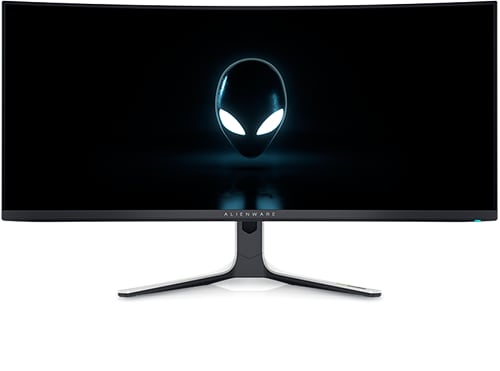
Alienware 34 Curved OLED Monitor AW3423DW
My AW3423DW randomly goes black for about 10 seconds and shows the "DP Input Message" when it comes back:
- No obvious pattern, frequency roughly once an hour
- M0B102 firmware
- In windows 11 and in games
- Latest drivers installed (GPU is RTX 3080)
- G-Sync enabled in Windows and full screen mode
- 144Hz and 165Hz, I'm currently trying other refresh rates to see if that helps
- Occurs on two AW3423DW units that I tested but not on an older AW3420DW screen
- Happens with 3 sets of DP cables and two AW3423DWs so unlikely to be a hardware issue
- Issue has not yet happened when combining two AW3423DWs as a single "surround display"
Has anyone experienced this or has ideas for a solution?
No Events found!
Mattpi
1 Message
0
December 7th, 2022 20:00
Same thing here... any news from Dell? My problem seemed to start when I received a replacement for one I had to rma. But I was also trying alot of other things to fix the previous one, like windows updates, driver updates and the like. I feel like the problem may be tied to hdr in some way. For instance, I played about 8 hrs of eve online (with windows 11 auto hdr) the other day and saw nothing, but switched to bf5 (with actual hdr support) and saw it happen twice in 30 minutes. The first time I noticed it was while playing cp2077 just as I exited a building.
wooot99
1 Message
0
December 11th, 2022 02:00
Hi, I recieved my AW3423DWF two days ago and it seems to have the same problem.
- RTX 2070 super
- Win 11
- AW connected via DP
- another Monitor connected via HDMI
Kind Regards
Vanadiel
8 Professor
•
7.1K Posts
•
29.7K Points
0
December 11th, 2022 06:00
I have the exact same model and experienced no issue at all. What are the monitor settings, refresh rate etc...?
chrisjmartini
5 Posts
0
December 12th, 2022 08:00
Not able to edit my original response, but model is AW3423DW. Also, even after switching to manual input select on HDMI input, Monitor has started to go blank again about 2 to 3 times per minute.
chrisjmartini
5 Posts
0
December 12th, 2022 08:00
I am having this issue as well:
Based on these findings, it seems like this may be a monitor firmware issue and not hardware. A firmware update might fix it.
Vanadiel
8 Professor
•
7.1K Posts
•
29.7K Points
0
December 12th, 2022 08:00
The DW has no user upgradable firmware. I have the DWF version of this monitor without any issues. Can you try lowering the refresh rate? It might have something to do with DSC.
Vanadiel
8 Professor
•
7.1K Posts
•
29.7K Points
1
December 12th, 2022 08:00
There are 2 versions of this monitor, DW and DWF. It's important to list which version you are experiencing this issue on.
Vanadiel
8 Professor
•
7.1K Posts
•
29.7K Points
1
December 12th, 2022 09:00
So if you connect just the DP cable to the monitor and only use the DP connection, what happens?
chrisjmartini
5 Posts
0
December 12th, 2022 09:00
The refresh rate is set to 60 hz at the moment on HDMI connection to the mac. I've had to now disconnect the monitor as the issue is so frequent, I am unable to work with it.
chrisjmartini
5 Posts
0
December 12th, 2022 10:00
PC to monitor via display port connection (3440x1440, 144hz), no other connections. So far no issue, but is usually fine for first several (10 - 15) mins before the monitor begins going blank several times per minute. Will report back after a couple of hours.
chrisjmartini
5 Posts
2
December 12th, 2022 12:00
UPDATE:
It appears to be the auto input select as others have reported
Vanadiel
8 Professor
•
7.1K Posts
•
29.7K Points
0
December 12th, 2022 12:00
That would make sense.
SnifferSensei
4 Posts
1
December 13th, 2022 05:00
I'm having the same issue...followed all of the suggestions in previous posts. I only have one input to the monitor via DP. Disabling my second monitor as suggested lowered the frequency of the issue, but did not eliminate it. For a while, I thought I was accidentally hitting the win-key, but I disabled that via Corsair iCue and it didn't help. Happens two to three times per match in Overwatch. I don't notice any pattern or correlation to anything that's going on at the time. It is behaving as though you've hit alt-tab to go back to the desktop - or been pulled back to the desktop by a windows notification BUT the appearance of the "DP Input" notice from the monitor (and the time it takes to switch) implies that it's related to something like a refresh rate change as previously noted here. I matched the refresh rate for my desktop and I can switch with alt-tab instantly back and forth from Overwatch with no blanking and no "DP Input" notice, but the notice is always there when it blanks out in a game. It's as though the monitor identifies a mismatch in refresh rate at points during the game and switches itself accordingly.
Vanadiel
8 Professor
•
7.1K Posts
•
29.7K Points
0
December 13th, 2022 09:00
Remove everything besides the single cable and the single monitor, and see if the issue persists or not.
SnifferSensei
4 Posts
0
December 13th, 2022 13:00
The pixel refresh notice is definitely suspicious, but for me, the blanking happens every few minutes for the duration of my gameplay, which is usually two to three hours.