

Unsolved
2 Intern
•
12 Posts
11
27614
September 6th, 2022 17:00

AW3423DW, randomly turns black
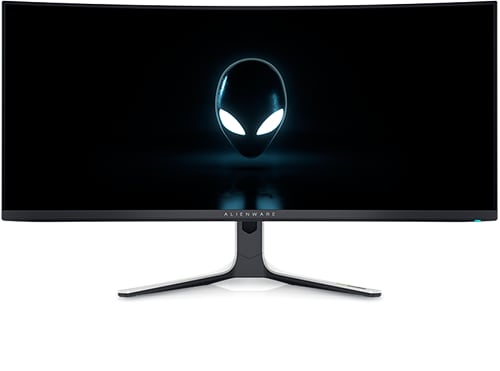
Alienware 34 Curved OLED Monitor AW3423DW
My AW3423DW randomly goes black for about 10 seconds and shows the "DP Input Message" when it comes back:
- No obvious pattern, frequency roughly once an hour
- M0B102 firmware
- In windows 11 and in games
- Latest drivers installed (GPU is RTX 3080)
- G-Sync enabled in Windows and full screen mode
- 144Hz and 165Hz, I'm currently trying other refresh rates to see if that helps
- Occurs on two AW3423DW units that I tested but not on an older AW3420DW screen
- Happens with 3 sets of DP cables and two AW3423DWs so unlikely to be a hardware issue
- Issue has not yet happened when combining two AW3423DWs as a single "surround display"
Has anyone experienced this or has ideas for a solution?
No Events found!
wsladaritz
1 Rookie
•
11 Posts
0
May 16th, 2023 17:00
I made a bold move towards trying to find a solution to this issue. Deleted all nVidia drivers. Took my 2080 ti out. Put in a 4070. Checked the box for clean install during the driver installation. Haven't had any issues for 5 days now. So now I'm leaning towards a driver issue or a beginning to fail 2080 ti after 3.5 hears of use. Curious what GPU you other guys are using.
In case someone wants to duplicate what I did for drivers:
Add/Remove programs
Delete nVidia - everything
Reboot
launch GeForce Experience to download new drivers
During first page of install, check the clean installation box and proceed normally
Reboot
Post back if that fixes the problem so other people can know. I'm sure alot more people view this than post on it.
I'll follow up if issue returns so this can be removed as a solution.
Spudpick
4 Posts
0
May 21st, 2023 17:00
Black screen problem here also. Seems to work when second monitor is disconnected from system. This is ridiculous for a product this expensive to have an issue like this.
Already have monitor RMA/replaced once but problem persists. I am a professional that works from home. Using a single monitor is NOT an option.
Vanadiel
8 Professor
•
7.1K Posts
•
29.7K Points
0
May 21st, 2023 18:00
I know some are blaming this on a dual monitor setup driver issue, but I highly doubt it.
I ran dual monitor setups for years, without any issues. As soon as I replaced my main monitor with this one, I started having totally random black screens on it after a few months of use. My secondary monitor never exhibits this behavior.
Some have claimed it happens when they get up from their chair, attributing it to static or EMF discharge. There's a 65 inch OLED behind me, it never blacks out when I get up from my chair. So I don't think it's the issue.
For the DW, some users have to unplug the power socket from the wall to have it come back. Luckily that never happened to me (yet) and mine always comes back after a handful of seconds and it seems only the DW exhibits this issue. The DWF seems to always return to normal operation without the need to unplug it from the wall.
I specifically have it hooked up to a non-Alienware system, without ever having installed any Alienware software on my system. So that cannot be the issue either.
In my opinion, it's a hardware issue, and I am leaning towards the power circuit. That would explain why some have to unplug it from the wall, as the power circuit is not returning back to operational state unless it's drained first.
Hopefully I am completely wrong, and a future firmware update will fix the issue.
I am also hoping it's due to the following drivers being pushed by Windows update. However, nobody from Dell has ever been able to explain to me what these drivers are for and why they are being pushed by Windows update:
Alienware - Extension - 2.0.4.0
Alienware - SoftwareComponent - 2.2.1.4
Again, I specifically made it so no Alienware software was ever installed on this system.
Spudpick
4 Posts
0
May 21st, 2023 19:00
Yes, you are right. Other people are having this same issue without a dual monitor setup. Also, I was just running the monitor while second monitor was disabled and it black screened again, and although it seems to happen less frequently than with two I confirm a single monitor setup is not the solution.
This has been an issue for many people for months now, the only response I've seen from Dell is that they are looking into it. I am disappointed that a problem like this could persist for so long.
Professionals choose products from companies like Dell for reliability. We put trust in a brand that the product will work as stated. But, no clear solution has been provided to the community since late 2022, only statements that they are looking into this.
I am interested to see if a manual removal/backdate of that windows driver solves the issue. Thanks for some direction to work towwards.
Unfortunately I feel disappointed with this whole scenario at this point.
Spudpick
4 Posts
0
May 21st, 2023 20:00
Switched my second monitor, non-AW3423DW monitor, to 'Main Display'. Haven't had a black screen in approx. 1.5 hours.
For other people having this problem please switch second monitor to 'Main Display' & report back.
Thanks
Vanadiel
8 Professor
•
7.1K Posts
•
29.7K Points
0
May 22nd, 2023 08:00
Well, mine only does it maybe once or twice a week. Since it always comes back after some seconds, I can live with it.
But not happy with it considering the price I paid for this product.
At least I don't have the scratches on the screen some others have reported...
wsladaritz
1 Rookie
•
11 Posts
0
June 4th, 2023 17:00
New info I picked up from reddit. Someone reported getting an RMA replacement with firmware M0B105 which confirms changes are being made and there is hope for getting a replacement that fully functions.
Also found a MUCH quicker fix than reseating power or video cables. Use Windows key + CTRL + SHIFT + B to reset the video driver. Has successfully worked for me twice now.
Once the blanking problem starts it seems to happen very often, multiple times a day, and usually two failures within 5 minutes of each other. I have had success with no issues for over two weeks at a time by installing new graphics drivers with the CUSTOM and CLEAN INSTALLATION settings.
Really hope this gets read and helps alleviate some of the frustration around this amazing monitor. Because like you others, i'm afraid to go through with RMA and end up getting something worse.
wsladaritz
1 Rookie
•
11 Posts
0
June 6th, 2023 19:00
Just want to confirm this is not a solution.
I was using my AW3423DW as a second monitor connected to my work laptop this morning. Had the issue of screen going black and unresponsive 3 times. But each time I was able to easily resolve by using the WIN+CTRL+SHIFT+B driver restart. That laptop doesn't have a dedicated GPU, just iGPU from the processor with display port output. After today I can believe without a doubt this is a 100% monitor problem that can only be resolved by RMA.
ickerson
1 Rookie
•
3 Posts
0
June 6th, 2023 22:00
Just want to add to this. I had this issue several times after a couple of hours sometime ago. It went away when I directly plugged in my monitor into the wall outlet. When it happened I was plugging it in an extension cord.
wl_ps
1 Message
0
June 7th, 2023 15:00
Have had the AW3423DWF for 3 months now and this issue just started happening for me. It's set up as a second monitor and I only game on it. Now the screen blacks out for a few seconds mid-game in intervals of about an hour or so.
It's plugged in to Alienware Aurora R15 Ryzen with a 4090 card. Win HDR off. Pixel refresh set to standby mode. My main monitor is an Acer XB273K and it doesn't have any issues.
Haven't yet checked firmware and cabling but came across this thread while doing research so thought I should share my issue as well.
xork242
4 Posts
0
June 7th, 2023 15:00
I'm on my 5th AW3423DW. My friend has one with no issues.
1st - Screen would go black for 5 seconds or so, frequently, but only while gaming. I thought it was overheating
2nd - RMA new unit. Did not have the black screen issue, but the monitor would freeze when switching inputs most of the time, requiring physically unplugging the power cable
3rd - Refurbished unit, not usable at all, stuck in some sort of test mode I couldn't get it out of, just displaying whole colors
4th - Refurbished unit, had severe burn in. I could see the last user's desktop icons and start menu/bar
5th - RMA new unit. Back to dealing with the screen going black for ~5 seconds, but only when gaming.
I'm still testing, but it seems to only happen when Windows 11 has HDR turned on. Superior HDR is kind of the whole appeal of this panel, so leaving that off is an unacceptable solution.
I'm beyond frustrated & tired of playing the hardware lottery with Dell, especially when they ship out poorly QAed replacement units. Really hoping for a lasting solution to this.
xork242
4 Posts
0
June 7th, 2023 16:00
I moved to HDMI from DisplayPort and haven't seen the issue yet, over the little testing I've done so far (~15 minutes of play). My old HDMI cable limits me to 60fps, so I'm ordering an HDMI 2.1 cable as well as a brand new DisplayPort cable to do further testing.
xork242
4 Posts
0
June 8th, 2023 19:00
Reporting that this issue has been eliminated for me after switching to brand new cables. Both HDMI & DP are working fine, even with HDR turned on.
Even if your cables seem to be working fine, gaming with HDR seems to stress them in some way that contributes to this problem. Buy a highly recommended one on amazon for $8, see if it helps!
Dell's support (treating you like a criminal, asking you to take photos with a piece of paper with the ticket number on it), and QA on replacement units is still atrocious.
Here's hoping I don't start encountering this issue again a couple months in, as has been reported by several folks.
Alfredo232
1 Message
0
June 10th, 2023 07:00
Can someone check if Pin 20 (DP_PWR) on the included dp cable is unconnected?
AW34ISASCAM
3 Posts
0
June 14th, 2023 21:00
sounds about right. 3rd one ive dealt with stupid black screen issue. how did this make it through QC