

Unsolved
40 Posts
0
4756
October 14th, 2022 17:00
Aurora R10, CPU fan error after Kraken 120 install
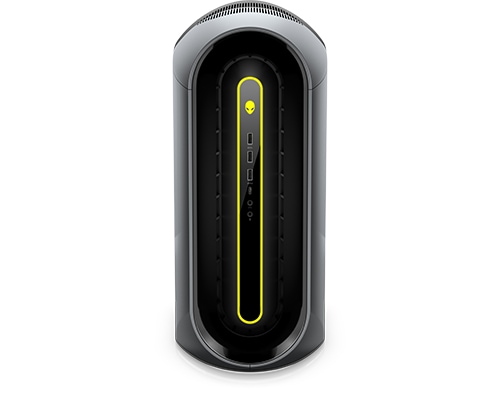
Alienware Aurora Ryzen Edition R10
Hey, I installed a Kraken 120 water cooler in my Aurora R10. But I am now getting a CPU Fan error on startup. Does anyone know how to fix this?
No Events found!
Vanadiel
8 Professor
•
7.1K Posts
•
29.7K Points
0
October 14th, 2022 17:00
These systems are very picky when it comes to aftermarket hardware support.
Also, was the original system liquid cooled, or was it air cooled?
The common AIO installed on these is the Corsair H60. There are several threads about this on the forums and I am sure one of the people who have experience with the H60 will chime in.
slk77
40 Posts
0
October 14th, 2022 17:00
Hey, thanks for your reply. It was originally air-cooled. I previously asked around in the forums about an alternative to h60, since it has been out of stock for a while(see the link below). Someone recommended the Kaken 120.
https://www.dell.com/community/Alienware-Desktops/Aurora-R10-Corsair-H60-black/m-p/8276999#M62999
ProfessorW00d
6 Operator
•
2.4K Posts
•
10.2K Points
0
October 14th, 2022 20:00
You are going to have a couple issues that will throw the diagnostic startup error. You should get the VRM heatsinks that come installed on the liquid cooled R10 it is 2 parts
Then you will need a fan or fans that pass the startup diagnostic test. This is a moving target as it can potentially change with each BIOS revision. The Ryzen R10 has historically preferred Noctua NF-A12x25 PWM fans, but I am not 100% sure it will work today. That fan also comes in a Black Chromax version if tvrd brown it not for you. The fan comes with a Y-slpitter adapter cable, so you can add it to your Kraken fan in a push/pull configuration, if you choose. Drop some photos of you mod.
slk77
40 Posts
0
October 18th, 2022 08:00
Will the stock fan fit with the radiator and fix the issue? Also, are heat sinks necessary to bypass the diagnostic startup?
slk77
40 Posts
0
October 18th, 2022 10:00
Lol, I am paranoid now. Side note, last year when I ordered this PC, it came with a 1tb mechanical hard drive. I installed a Western Digital M2 drive to which I cloned my Mechanical hard drive onto it. However, I started to receive a BSOD from time to time. Since installing the Liquid Cooler, I am receiving the BSOD every day. Should I reinstall Windows?
Vanadiel
8 Professor
•
7.1K Posts
•
29.7K Points
0
October 18th, 2022 10:00
If I am not mistaken the VRM heat sinks provide a connection to GND. Without them you are missing the GND connection, so it will throw an error each time.
So yes, you need them for that reason and the above reason. Although I always doubted the idea you can cool a VRM without a heatsink by blowing hot CPU cooler air over the components...
slk77
40 Posts
0
October 18th, 2022 10:00
Yikes. Ok, I ordered the fan and heatsinks then. Would you recommend I reinstall the air fan until the stuff gets delivered? I live in the Caribbean so it will be a couple of weeks.
ProfessorW00d
6 Operator
•
2.4K Posts
•
10.2K Points
0
October 18th, 2022 10:00
The stock fan can be installed on the radiator, but I think it will be too thick to do a push/pull configuration. With a liquid cooled system, lacking the VRM heatsinks will throw the diagnostic startup error. You can fool the system into detecting an air cooled CPU by connecting a fan to the CPU_FAN mobo header. However, the VRM heatsinks are there for a reason. With an air cooled CPU, the pancake fan is blowing air directly over the VRMs and keeping them cool. With a liquid cooled CPU, there is no fan, hence the VRM heatsinks. If you blow a voltage regulator, you are buying a new motherboard . . . at minimum.
ProfessorW00d
6 Operator
•
2.4K Posts
•
10.2K Points
0
October 18th, 2022 11:00
If you live in the Caribbean you must have a small table fan around the house. You can take off the side panel and open the PSU swingout contraption (add stabilization support as needed) and just blow the fan inside the case at the CPU area. This should be temporary until your parts arrive.
Vanadiel
8 Professor
•
7.1K Posts
•
29.7K Points
0
October 18th, 2022 11:00
Depends on the BSOD stop code.
ProfessorW00d
6 Operator
•
2.4K Posts
•
10.2K Points
0
October 18th, 2022 11:00
What CPU and GPU temperatures are you seeing now with the liquid cooling? Is there and specific task you are attempting when the BSOD appears . . . or totally random?
slk77
40 Posts
0
October 18th, 2022 13:00
The GPU temps tend to remain around 56 degrees. Though I have not monitored the GPU temps that much.
With the liquid cooler installed, the CPU temperature when doing minimal tasks like watching youtube stays between 45-51 degrees (it was 55-65 degrees when air cooled). I am a filmmaker and animator, so when working on heavy projects in Premiere or after effects, as well as rendering, my CPU temps would spike to 80 degrees now (95 degrees when air-cooled).
Before installing the liquid cooler, I would get the BSOD sometimes when rendering, playing a graphics-intensive game like cyberpunk, or sometimes just from having multiple tabs open on Chrome.
Since I installed the liquid cooler, I have been getting BSOD sometimes just leaving the computer on idle (though I would have youtube paused, or after effects open in the background).
ProfessorW00d
6 Operator
•
2.4K Posts
•
10.2K Points
0
October 18th, 2022 14:00
Try blowing that table fan into the open case and see if that helps the BSOD.
slk77
40 Posts
0
October 28th, 2022 13:00
Hey, I got the parts today. Is there a tutorial on how to install the heat sinks? Also, do I need thermal paste for that installation?
slk77
40 Posts
0
October 28th, 2022 16:00
Okay. Thanks for the pic. I will post pics when I complete the installation. One more question, the Kraken water cooler has an extra cord to power the LCD. Is there a port to plug it in on the motherboard?