

Unsolved
This post is more than 5 years old
3 Posts
0
383486
December 29th, 2013 08:00
Computer keeps restarting itself with no known prompt
I've had this computer for 3 and a half years now, and only a week after I got it, this problem started happening. At first, I thought it was just malware, and after running my antivirus program and getting things cleaned up, it happened less frequently and I thought I had solved the problem. But as my 1 year warranty began to run out, I decided to confront Dell with the issue and see if they could help me fix it.
The problem goes like this:
I'll start up my computer (after having shut it down correctly using the start menu) and everything will run fine. I'll log on, my startup programs will open, and I'll begin doing whatever it is I needed to do. Then, out of nowhere, my computer will restart itself. I won't know when it'll happen, I won't know why, there will be no window that pops up saying that my computer needs to restart for a Windows update or anything. I'll just be working on something in Photoshop or browsing the Internet and suddenly, black screen, computer shutting down, computer starting back up, Dell startup screen and then the message prompt you get from holding down the power button while the computer is on (a hard shut down) that says "Your computer was not shut down properly. You can boot with Safe Mode, Safe Mode with Networking, or Start Windows Normally." I don't exactly know what it says from memory because there's a timer that counts down for me to make my choice, but I always start back up normally.
Now, sometimes my computer will start up normally with nothing wrong, and then repeat this same restart process again, or it'll be nice and not do this for the rest of the day. Sometimes it'll stay up for another 10 minutes before deciding it wants to restart again. I have no idea when it'll happen, and so it's frustrating.
When I contacted Dell to get this fixed, we ran through every possible test you could do. I did a regular system restore, I left my computer on overnight to have them monitor it, I reinstalled hard drives, I had the motherboard replaced, I had the power cord replaced and I even went so far as having a complete factory reset done on it. That last part seemed really cheap, though, because I lost the Microsoft Office I paid extra for when ordering the computer, and not only a week after did my computer start doing the resetting business again. So not only have I lost money, but I still have a faulty machine even after asking several times if I could just have it replaced with a new one, just to be rejected.
So, my question is: Is there any fix for this? What exactly is wrong with my computer? I have run through every possible problem, but nothing adds up, and with a factory reset it shouldn't still be doing this. If anyone has any answers, even the answer of "You may just need to get a new computer" I'll gladly take it. I just need to know what's causing this.
Here are some screenshots of my computer's specs, and what programs run at startup, if that's any help at all.
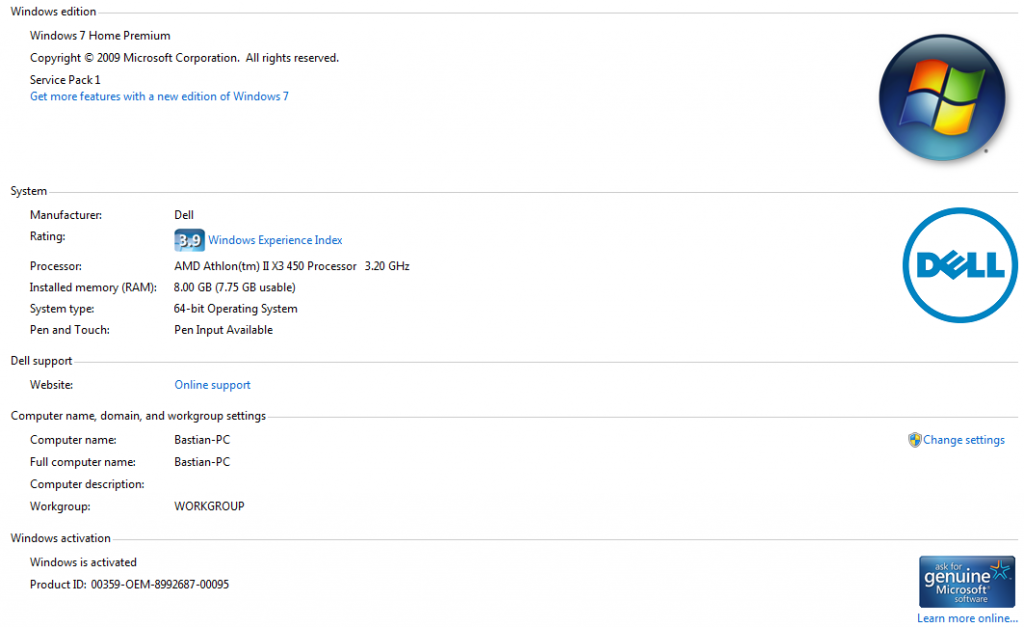
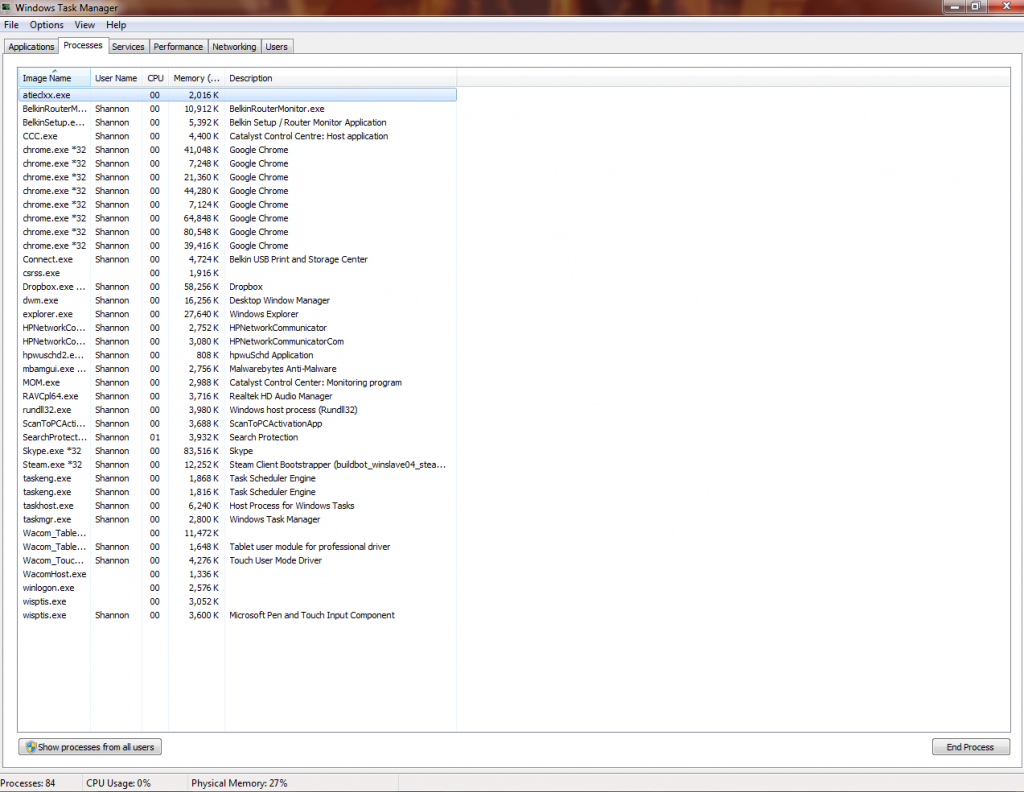
For the record, the processes listed here, aside from Chrome as that's what I'm using, are programs I haven't touched since one of these infamous computer resets. I just booted up my computer after the restart, opened Chrome, and wrote this post.
osprey4
6 Operator
•
34.2K Posts
0
December 29th, 2013 10:00
Hi Raiyna,
Please provide the model. Just to confirm, the hardware diagnostics did not show any problems, right?
rdunnill
8 Professor
•
8.8K Posts
•
35.3K Points
0
December 29th, 2013 11:00
This could be a malfunctioning power supply.
Raiyna
3 Posts
0
December 29th, 2013 12:00
Yes, the diagnostics showed nothing wrong, that's why we just replaced the motherboard and power plug just to be safe.
Here's what you're looking for, I think?
Raiyna
3 Posts
0
January 7th, 2014 17:00
Bump, because I still can't find what the problem is. It's been doing this all day and there are still no error messages of any kind.
osprey4
6 Operator
•
34.2K Posts
0
January 7th, 2014 17:00
I'm not a proponent of replacing parts without diagnosing the problem. Since the hardware diagnostics do not show a problem, I think it's going to be difficult for you to solve the issue. So I think the best approach is to bring the machine to a local computer shop for repair.
OSUrob
1 Message
0
November 20th, 2014 14:00
Did you ever get this problem solved? I have the same exact issue and it has troubled me for a long time. My warranty is out so I tried to diagnose with Dell over the phone. I can get mine to "reboot" by simply moving the tower case a little. It's almost like there is a short someplace. I thought it was the power button because sometimes it doesn't turn on when pushed. It will eventually turn on after pressing it a few times. I replaced that with a new switch ($30) from Dell and I thought I had it fixed but no. Mine is very sporadic and may not happen every day. But it may happen several times in one day.
I saw your post and wondered if you had it fixed. My next idea is to replace the power supply. Mine is always plugged in to a UPS so it is getting a fixed, constant power all of the time.
Any thoughts you have are greatly appreciated.
speedstep
11 Legend
•
47K Posts
0
November 21st, 2014 05:00
Newer Dells require PURE SINE WAVE ups or the ups will not switch fast enough to provide uninterrupted power. Cheap Square wave UPS units are not sufficient.