

Unsolved
1 Rookie
•
5 Posts
0
788
May 1st, 2023 07:00
G3 15 3500, camera stopped working
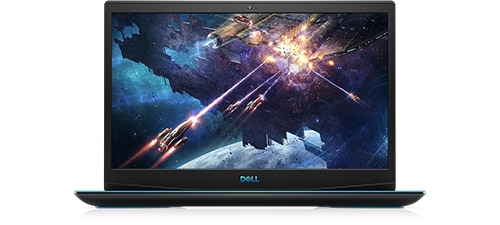
Dell G3 15 3500
Hi,
Our G3 15 3500 had Windows 10 but the camera "disappeared" 8 months ago. Upgrade to Win11 didn't help a bit. We tried all possible and impossible solutions to no avail. It's very very frustrating. Is that a problem on Dell side or Microsoft side? Please help resolve this. The laptop is hardly 3 years old!
Thank you.
No Events found!
crimsom
9 Technologist
•
6.1K Posts
0
May 1st, 2023 08:00
G Laptops (Inspirons) are not Alienware Laptops - Dell Community.
DELL-Chris M
Community Manager
•
56.9K Posts
•
232.1K Points
0
May 1st, 2023 09:00
OmTatSat,
To receive assistance from Dell Chat support, they need to first verify the warranty status and ownership. Then you must troubleshoot with them. Click the "Get help now" icon on the right to start a live private chat session. Provide to them the private G3 15 3500 Service Tag and all of your troubleshooting.
OmTatSat
1 Rookie
•
5 Posts
0
May 1st, 2023 09:00
Thanks for your answer.
It's out of warranty...That means I can get paid support only?
AdrianG001
6 Operator
•
4K Posts
0
May 1st, 2023 23:00
Make sure the camera is enabled in the BIOS of your Dell laptop. Restart or power on the computer. When you see the Dell logo during POST, press the F2 key once a second to enter the System Setup. NOTE: When the computer boots into Windows, restart the computer and try again.
OmTatSat
1 Rookie
•
5 Posts
0
May 3rd, 2023 01:00
Thanks.
Yes I've checked the Bios as well, camera was enabled.
I even tried disabling it, restarting the machine, then again enabling it but this trick didn't work...
How can I escalate this problem? I believe Dell engineers could figure it out. It seems like a driver issue, although there is always a chance that the camera itself has gone bad.
OmTatSat
1 Rookie
•
5 Posts
0
May 9th, 2023 09:00
Someone with an answer?
Even if the answer is "No Answer", that would be appreciated more than utter silence.
Thank you
Chino de Oro
11 Legend
•
8.4K Posts
•
46.4K Points
0
May 9th, 2023 10:00
A connection cable may have came loose. The camera assembly is attaching along to the laptop lid. Review this video to see if you are handy enough to work on your device. If not, send it to a repair shop of your choice.