

Unsolved
1 Rookie
•
1 Message
0
4650
October 17th, 2022 18:00
XPS 8950, no audio?
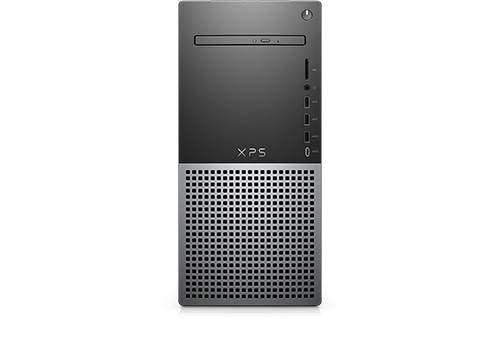
XPS 8950
I have just purchased my new Dell XPS 8950 and I have not been able to get the computer to play a single sound. I have tried everything from switching speakers, checking connections, and switching ports. I have also downloaded the latest RealTek High Definition Audio driver from Dell website (it's green-checked on Control Panel). I have run audio test after test trying my monitors speakers as well as my external Bose speakers and I cannot get the computer to play a sound. After reading mrb1980's post I believe I have a faulty sound board but don't know the process to have this fixed. Someone please help. Thanks in advance!
No Events found!
RoHe
12 Elder
•
45.2K Posts
•
172.6K Points
0
October 18th, 2022 17:00
There is no "sound board" in the XPS 8950. Realtek Audio is on the motherboard.
Go to the Win 11 Sound settings screen and make sure Output is set to "Speakers/Headphones (Realtek Audio)".
This PC model uses Waves MaxxAudio Pro as its audio control panel. So make sure Waves is installed and loads at boot. Look for a "W" icon* on taskbar near clock. If you don't see it, look on Startup tab in Task Manager and make sure Waves is listed and enabled to start at boot.
Once you're sure Waves is loading at every boot, shut down normally and disconnect all speakers from PC. Now boot PC and get to desktop.
Assuming you want to use those external BOSE speakers, plug in Front L/R speakers into #10, see here. Wait for Waves to pop up and ask what you connected. Pick best option from the list Waves offers.
If you have Rear L/R speakers, plug them into #2 in that same image. Wait for Waves to pop up and ask what you connected.
If you have Side L/R speakers, plug them into #3, and wait for Waves...
If you have subwoofer, plug it into #8 and wait...
When all your speakers are connected, open the Waves Control Panel and click Playback icon. Turn the Equalizer on by moving the slider to the right. Scroll down and make sure Select Output Device is set to the best option. You can now configure Waves for type of music and set bass and other settings.
Save the profile with a new name by clicking the disc icon at lower right of screen. Don't use any of Waves' pre-set names. You can save different profiles for different types of music, and give each one a unique name. You can change the profile used in the Waves panel whenever you want. Last one used will be automatically loaded at next boot.
*If Waves is loading at boot but the W icon isn't visible, open Taskbar settings and under Notifications, click "Select which icons appear...". and give permission for the Waves icon to appear on taskbar.
Let us know if this helps...
RoHe
12 Elder
•
45.2K Posts
•
172.6K Points
0
October 19th, 2022 11:00
And one more thingy... When you're configuring the Waves Playback control panel, make sure the speakers aren't muted (bottom line on Playback screen).
DELL-Cares
Moderator
•
27.8K Posts
•
610 Points
0
October 22nd, 2022 21:00
Hello there!
I'm Priya one of the Managers at Dell Social Media Support. I’m glad to hear that the service has been completed. Did you get a chance to test it to check if it's working fine now?
I was reviewing this case and wanted to thank you for all your efforts while working with us. I hope we were able to provide you with a satisfactory support experience.
Do let us know if you have any other areas of improvement to suggest, as it will help us to work on them and provide our customers a better support experience. Otherwise, please reach out to us anytime if you have any questions or concerns, and we’ll be happy to look into them and assist you.
We’ll now close this case.
Thanks again for your time and patience.
Best regards,
Priya
Manager
Dell Social Media Team
DELL-Jesse L
Moderator
•
17.9K Posts
•
69K Points
1
October 24th, 2022 03:00
Update = After completing troubleshooting, a DELL-Cares agent setup a part replacement.
Mizan27
1 Message
0
April 26th, 2023 17:00
Hi,
I also bought the same desktop computer possibly 4 months ago and I never got audio working. I updated the realtek drivers today through Dell SupportAssistant and still not able to hear anything. What am I missing?
Thanks in advance for your help.
Mizan
RoHe
12 Elder
•
45.2K Posts
•
172.6K Points
0
April 26th, 2023 19:00
@Mizan27 - Are you using speakers connected to the audio output ports on rear of your PC or are you using (NVidia) audio over HDMI to speakers built into a monitor?
Did you make the Windows Sound and Waves MaxxAudio settings changes I posted above?
You may need to contact Dell Tech Support to see if you need a part replacement, as @DELL-Jesse L said about the OP in this thread...