

Unsolved
1 Rookie
•
10 Posts
0
323
January 18th, 2023 08:00
Aurora R1, top I/O panel part number needed
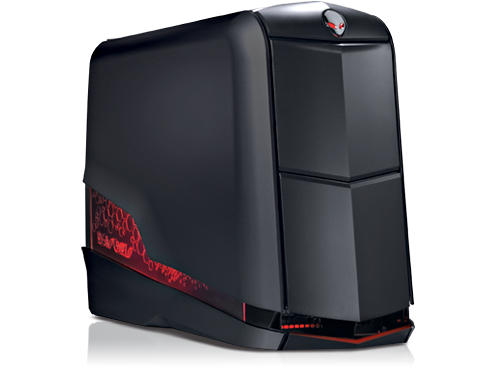
Alienware Aurora
Hi, I broke the headphone jack on my R1. Anybody know the part # for replacement? I found one for the R3 but not sure if it is backwards compatible?
No Events found!
Tesla1856
10 Wizard
•
17.9K Posts
•
71.3K Points
0
January 18th, 2023 09:00
Aurora-R2 might be the same, but not R3 or higher. Examine/Compare PDF Service-Manuals.
Other options include:
a. Alternatively, plugging-into the back sockets.
b. Use one of these. This also allows you to easily switch between speakers and headset from TaskTray (no physical unplugging of cables each time).
Yeah, I still have a working Aurora-R1 also. I know of a working SATA-3/600 PCIe Addin card for your SSDs if you are interested. Lets us run our SSDs at full-speed finally (about twice as fast as previously allowed with just on-board SATA-2-300 interface). Works great and allows C-Drive to still be bootable.
j0nx
1 Rookie
•
10 Posts
0
January 18th, 2023 10:00
Thanks, I didn't think about option B. Yeah R3 has USB 3 so didn't think it would work.
Was the SSD solution for me?
Tesla1856
10 Wizard
•
17.9K Posts
•
71.3K Points
0
January 18th, 2023 13:00
Sure ... if you are going to keep the machine a while longer.
I would assume that by now your C-Drive is a SSD. That card will allow your SSDs to run at full speed finally (instead of reads around 275, they will be around 550).
I finally put one in my Aurora-R1, and now that I see the speed increase, I realize I should have done it long ago. I use mine as a HTPC on my Home-Theater projector ... Kodi (with Harmony remote) and games in Steam's Big-Picture-Mode with a Sony DS4 Controller.
DELL-Chris M
Community Manager
•
56.9K Posts
•
232.1K Points
0
January 19th, 2023 14:00
5W6MX Aurora R1/R3/R4 front I/O port standard
3NPG0 Aurora R1/R4 front I/O port ALX
Aurora R2 is not showing at all on the parts page. We can assume it uses same parts as Aurora R1 and Aurora R3.