

Unsolved
1 Rookie
•
5 Posts
0
779
March 4th, 2024 03:14
Aurora R10, replacement motherboard issues
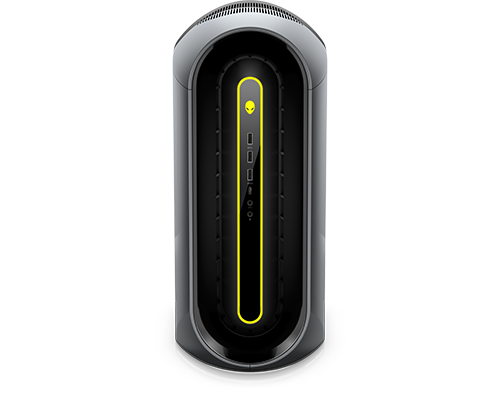
Alienware Aurora Ryzen Edition R10
Hi Everyone,
I have an Alienware Aurora R10 desktop that stopped working some time ago. The computer would power on but never enter start up and nothing would ever display on the monitor. I brought it into a Micro Center and they ran some diagnostics on it. They found all the parts were working correctly except the motherboard which has essentially gone bad.
The motherboard is an AMMTS-SH NWN7M. I got a new one and installed it in the computer, but now it won't even power on. There is a button on the power supply that when pressed, will light up green and power all of the fans, but hitting the power button doesn't do anything.
Does anyone have any ideas what the issue might be? Is this indicative that the "new" motherboard is not working as well? My knowledge/experience with computer hardware is very limited so I appreciate any suggestions. I'm planning to contact Dell support this week but wanted to post here as well.
Thanks!
ProfessorW00d
6 Operator
•
2.4K Posts
•
10.2K Points
0
March 4th, 2024 05:20
Have you changed any other components beside the motherboard?
Try a new CR2032 coin cell battery.
What are your rig specs?
Ztd516
1 Rookie
•
5 Posts
0
March 4th, 2024 21:10
@ProfessorW00d
Thanks for your response. The only component we changed was the motherboard and I tried a new CR2032 battery but still no luck.
Here are the computer specs:
Let me know if you need any other info.
Thanks!
ProfessorW00d
6 Operator
•
2.4K Posts
•
10.2K Points
0
March 4th, 2024 22:42
@Ztd516 where did you get the replacement motherboard? Did you install the new motherboard yourself??
Could be an indication of another failed motherboard, or could be a bad power button, or . . . many other possibilities.
Drop some clear photos of the inside of your rig so we can see what you have going on.
Ztd516
1 Rookie
•
5 Posts
0
March 5th, 2024 00:13
@ProfessorW00d I bought it from a third party retailer (Tech for less). I don't believe Dell sells these motherboards anymore since it's an older model. My brother installed it for me.
I'm attaching some pictures. I tried to get everything but let me know if something is unclear. I'm also including a pic of the inside of the front panel which should have the connection to the power button. There is an empty slot in the front panel, but I'm not sure what it would be used for.
ProfessorW00d
6 Operator
•
2.4K Posts
•
10.2K Points
0
March 5th, 2024 04:49
@Ztd516 Those are good photos! It looks like your brother did a great job installing the motherboard. I do not see anything amiss inside the case. The one thing you can triple check is the top connector on the power button board. I believe it is that connector that signals the PSU to power-up. Take it off and make sure the pins are straight and making good contact.
When you you press the button on the PSU to spin-up the fans, does the Alienhead power button blink any diagnostic code?
Ztd516
1 Rookie
•
5 Posts
0
March 6th, 2024 00:34
@ProfessorW00d Thanks! I opened the front panel up again and made sure the top connector on the power button board was in correctly (looked like the pins were straight too).
When I press the button on the PSU, there is a bulb below it that lights up green. The CPU, GPU and case fans all power on. But none of the front LED's come on (including the power button). Once I let go of the button, all fans turn off.
Real_Boy85
2 Intern
•
203 Posts
0
March 10th, 2024 20:57
@Ztd516 I would try to upgrade the BIOS to the new motherboard.
ProfessorW00d
6 Operator
•
2.4K Posts
•
10.2K Points
0
March 11th, 2024 00:46
You could also try a jump start . . . if your brother is up to it.