

1 Rookie
•
8 Posts
0
1403
June 6th, 2023 12:00
Aurora R13, BIOS boot order keeps changing
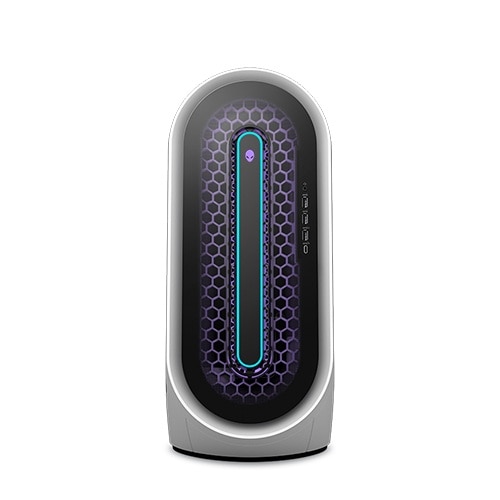
Alienware Aurora R13
I have an Alienware Aurora R13 with a SSD and an external HDD that is used for storage. For two months now whenever I boot up my computer it goes to Alienware diagnostics and says no hard drive detected. I found out this is because my BIOS boot order was out of order Nic ip4, Nic ip6 and Windows Boot Manager, when I put Windows Boot Manager at the top it seemed to have fixed the problem. However now it keeps going back to the first order whenever I power it up and putting the Windows Boot Manager at the bottom. How to I fix this so Windows Boot Manager is permanently at the top. Other Info, in Bios First HDD it says none, even when HDD is plugged in and I can still use the drive when on desktop.
filbert
6 Operator
•
1.8K Posts
0
June 7th, 2023 12:00
Definitely. One of my laptops normally boots from its internal drive. I use an external USB hard drive for backups. If I forget to disconnect that USB hard drive when I'm done, next time when I try to boot, the laptop tries to boot from the USB hard drive and fails because there is no bootable OS on it. I get an error message about lack of boot partition, at which point I disconnect the USB drive and then boot the laptop normally.
crimsom
9 Technologist
•
6.1K Posts
0
June 6th, 2023 14:00
Hi @LionfromtheN0rth welcome to this free user-to-user Alienware laptop discussion forum.
HOW TO CHANGE BOOT SEQUENCE - Dell Community.
Please note there may be additional assistance on the Dell Alienware Desktops Support Forum.
LionfromtheN0rth
1 Rookie
•
8 Posts
0
June 6th, 2023 15:00
as I said in my post I did this but when I would turn it on again, it keeps switching back how do I stop that?
Vanadiel
8 Professor
•
7.1K Posts
•
29.7K Points
0
June 6th, 2023 15:00
Is the external HDD a bootable device?
LionfromtheN0rth
1 Rookie
•
8 Posts
0
June 6th, 2023 15:00
That could be but it only does it when I have an external hdd plugged in. It boots completely fine without it
filbert
6 Operator
•
1.8K Posts
0
June 6th, 2023 15:00
BIOS settings can be lost if the CMOS battery (also called coin-cell battery) is weak. I wouldn't normally expect this to be an issue for a relatively new computer, but it's possible. They are cheap, so I suggest that you install a new CMOS battery.
Whenever touching components or working inside a computer, wear a grounded wrist strap, also called anti-static wrist strap, ESD wrist strap, or ground bracelet. It's a cheap and sensible precaution. Rest the laptop on an anti-static mat or at least a reasonable alternative such as corrugated cardboard. (Repeatedly touching a metal case part is not sufficient mitigation with modern components.)
mattyb3
7 Practitioner
•
1.7K Posts
•
8.4K Points
0
June 6th, 2023 15:00
Note: Post moved to the Alienware Desktop section.
LionfromtheN0rth
1 Rookie
•
8 Posts
0
June 6th, 2023 16:00
No
Iain K Mackay
2 Intern
•
176 Posts
0
June 7th, 2023 03:00
Easy fix. Plug in the external drive after you boot. I do it all the time as I move between PC and Laptop. Just remember to use the "Safely remove hardware" when you unplug so you do not risk corruption.
LionfromtheN0rth
1 Rookie
•
8 Posts
0
June 7th, 2023 06:00
But that’s not what I want, it was working before the last bios update or is this something that because the last Dell bios update broke it, I have to wait for the next one and hope they fix it?
LionfromtheN0rth
1 Rookie
•
8 Posts
0
June 7th, 2023 11:00
Could it be that the computer is trying to boot from the hdd and that's why its failing to find it and the boot manager keeps switching?
LionfromtheN0rth
1 Rookie
•
8 Posts
1
June 7th, 2023 16:00
I’m just gonna deal with the plug in after boot, thanks to everyone who tried to help.