

Unsolved
1 Rookie
•
18 Posts
0
617
January 30th, 2024 07:20
Aurora R13, will not power on
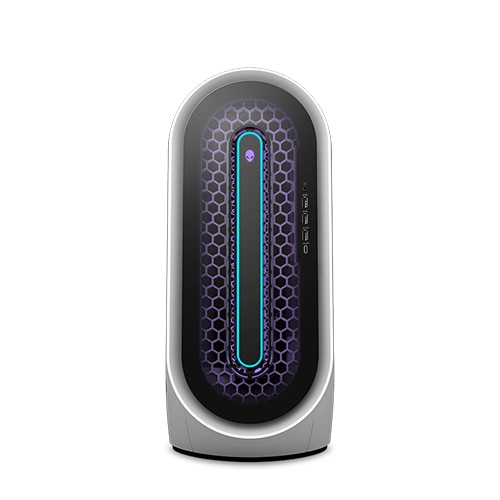
Alienware Aurora R13
This machine was purchased Jan 2021 and has worked absolutely flawlessly since. Until tonight.
There was a brief power hit (we get a lot of those). I have a lot of surge suppression (whole-house as well as local to the computers) and everything else came back OK as per usual. But my flagship gaming computer, the R13, will not power up.
Symptom: If I unplug it from wall power and then replug it, there is a brief flash of white LED and the fans spin up for about 1 second, then there is a quiet "click" and it powers itself off again. I have tried unplugging and holding down the power button for 30 sec and then plugging in. No change.
Have googled a couple of hints here and there about shorting out 2 pins on the mobo to recover from this state (I may get desperate and try that) but so far nothing really solid. Personally I'm inclined to suspect the PSU.
Dell's C/S website is incredibly unfriendly. I allowed support coverage on this machine to lapse about 1 year ago -- not really deliberate, just never noticed that it expired. So they probably will not even talk to me now, but I've tried to contact them (their web page timed out).
The thing has been so incredibly robust and reliable that I haven't done backups for a while (oops). But it's not my working machine, so if I do have to start over from a fresh install it won't be the end of the world.
So the big question in my mind now is power supply, or mobo? Or did Dell push out a badly broken firmware revision (have heard rumours that they may have bricked a few R12s back in the day with a bad update)?
I have bench tools and am not afraid to take stuff apart, but I sure hope it's not the mobo. I'm hoping it's the PSU which imho was a bit underspecified at 750w (I push the 3090 pretty hard with VR gaming).
If anyone has a pretty firm idea of the most likely cause of this failure mode, I am all ears. That's a very, very expensive paperweight now sitting on the table, ouch. I'm in shock.
JOcean
11 Legend
•
12.6K Posts
•
69.5K Points
0
January 30th, 2024 18:13
I would doubt a firmware update as the cause as this happened right after the power anomaly. More than likely a PSU issue. Is the green LED lighting up on the PSU? Try unplugging everything from the PSU except the MB. Also though you have surge protection a UPS is more robust (you did not state whether the main PC was connected to a UPS). If you are looking for a higher wattage PSU then this one is available from Dell and is shown compatible with the R13.
Vanadiel
8 Professor
•
7.1K Posts
•
29.7K Points
0
January 30th, 2024 19:38
You can also try a hard reset: Hard reset
If all else fails, as a last resort you could try a coin cell battery remove/reinsert: Coin Cell Battery
Tazling
1 Rookie
•
18 Posts
0
January 30th, 2024 21:29
@JOcean Hi, thanks for the words of wisdom. The green LED on the PSU lights up briefly when plugged in to wall power, then blinks off then on again (meanwhile fans start to spin, then there is a quiet Click) then green light off for keeps as the box shuts down. All of this takes 1 second or so. the click sounds like a solenoid.
I am thinking the 750w may be a little under spec for my 3090 and several SSDs; I'm doing mostly VR gaming which keeps the fans running at high speed for a couple of hours at a time.
so the 1000w -- if guaranteed to be same form factor -- might be a good idea. I have blown up a Hackintosh PSU 2 years ago ... not directly correlated to power hit, but our power is not very high quality here, we are often undervoltage like 110, 109 measured at wall outlets.
do I have to buy from Dell? have they "proprietised" the PSU as well as the mobo?? honestly I love this machine ... it's the first prebuild I've ever bought aside from laptops, I've always rolled my own before, but the gaming rig was so spendy I kinda hated the risk of self-building so gritted my teeth and shelled out for pre-built and warranty. but I don't love Dell :-)
if a local UPS would extend the lifetime it might be worth it. not cheap, but neither is replacing the PSU every 2 years.
DELL-Chris M
Community Manager
•
56.9K Posts
•
232.1K Points
0
January 30th, 2024 21:50
You could do a web search by part number for a possible 3rd party seller of our OEM Aurora R13 1000W PSU =
RD0G0 Delta
R61D8 Delta
43YPM Acbel
(edited)
Tazling
1 Rookie
•
18 Posts
0
January 30th, 2024 22:27
@DELL-Chris M Thank you. Nothing personal, by the way. I'm sure many people who work for Dell are very nice, very competent, etc.
google tells me Deltas are better than Acbels... so off I go to learn more.
Tazling
1 Rookie
•
18 Posts
0
January 31st, 2024 00:49
@JOcean ordered part... long wait...
JOcean
11 Legend
•
12.6K Posts
•
69.5K Points
0
January 31st, 2024 17:44
@Tazling Happy to help out!
after68
1 Message
0
February 23rd, 2024 20:45
@Tazling So was it the power supply? I have the exact same issue.
Zgatrel
2 Posts
0
February 29th, 2024 13:33
@Tazling bumping. Any success? This just happened to me, I am not computer savvy, this thread is the best I have found on the issue so far. Going to take a shot in the dark based on the information here.
Ill update in a few weeks if I have any luck @after68
Zgatrel
2 Posts
0
March 9th, 2024 20:35
Update.
Replaced the power supply with Dell 1000W Power Supply | Dell USA
Still having this problem.
Raghav111
1 Message
0
March 23rd, 2024 09:58
Hi guys
I have the same problem. I have not used R13 for a while & when i powered it on it briefly powers on & shuts down like the first post.I have removed the coil cell & tried everything but the same problem persists
ARRGHHHHHHH . I have purchased many business AIO'S from dell and are running without any problems & this happens with R13 after the warranty has expired
Tazling
1 Rookie
•
18 Posts
0
March 30th, 2024 01:38
UPDATE
I ordered a genuine Dell 1000w PSU, which took weeks to arrive. Swapped it in, didn't fix the problem.
In discussion on Reddit I found someone who had the exact same problem and fixed it with a mobo swap. So I ordered a used mobo off Ebay. More days waiting for that to show, even more days waiting for backordered KryoSheet, but finally everything arrived. So yesterday evening and today I gritted my teeth and did it.
Antistat mat, ground strap, tools -- all set up -- worked very carefully to tear it down, bag all parts in antistat plastic. Swapped in new (used) mobo, reconstructed (very carefully). Ticklish installing the KryoSheet.
Very disappointed because -- while the PSU problem is fixed (green light stays on, fans stay on) -- the machine will not go into boot sequence. Flashes 4 amber 2 white, which per the manual means 'problem with CPU power connection". I have reseated all the power connectors on the mobo. No change.
So the depressing possibilities seem to be: a) I got sold a bum mobo by an Ebay ripoff artist, b) despite all my care I zapped something during disassembly or reassembly. I'd really love to hear some other theory that is less depressing -- anyone seen this error message before and fixed the problem?
I did try replacing the 2032 CMOS coin cell, btw. More in hope than expectation, but it was worth a try. Didn't fix anything.
Have to say, I am kind of done with Alienware at this point :-( Bought this machine brand new at very high cost, it lasted for about 2 years (just long enough for my extended warranty to lapse) and now it's a paperweight. I could try to get a brand new mobo from Dell (for beaucoup bucks!) and give it another shot, or ... I could just take the SSD, hard drive, and 3090 GPU and start over with a home build. Maybe I could even install my boot SSD in slot 2 on a new machine and rescue my Steam game progress...?
I could try to get Dell to fix it, but it's out of warranty... and I live rural/remote so there's no Dell repair outlet anywhere near ... I'd have to ship it (at big expense) somewhere far away, and then pay yet more big bucks for the repair. sigh.
I thought when I bought this crate that the Alienware name meant quality and reliability. In the 2 years and a bit since purchase I've learned that this is no longer the case. I've built 2 Asus ROG mobo Hackintoshes (in big clunky HAF XB chassis) and at 4 years and 7 years old respectively they are still running fine without a single hiccup ever. So I'm really not impressed by the R13. Buyer's remorse! ouch!
Bummer.
Tazling
1 Rookie
•
18 Posts
0
March 30th, 2024 01:38
@Zgatrel sorry for not monitoring this thread while I was waiting for parts. I just posted an update. It is not cheerful.
Tazling
1 Rookie
•
18 Posts
0
March 30th, 2024 01:39
@Raghav111 I feel your pain (I also let my warranty lapse rather than renewing, because the machine ran flawlessly for 2 years). Ouch.
rchoi23
1 Rookie
•
1 Message
0
May 1st, 2024 22:49
I have same issue here, I was going to replace power supply but I guess it's not the solution...