

2 Intern
•
10 Posts
0
1681
July 20th, 2022 17:00
Aurora R9 continuous reboot loop
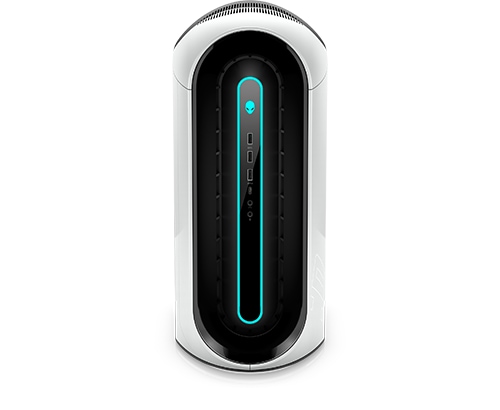
Alienware Aurora R9
I am wondering if anyone else has had issues with their Alienware Aurora R9 just shutting off while in the middle of using it and getting stuck in a reboot loop where it will try to reboot and then shut off before it can again and just keep repeating itself with this process. I have reset my computer to reload windows 10 thinking it was a windows issue and it just did it again. I am looking for any suggestions on how to fix this.
No Events found!
Vanadiel
8 Professor
•
7.1K Posts
•
29.7K Points
0
July 30th, 2022 11:00
Disable automatic restart. Sounds to me like you have a BSOD that is likely hardware related if installing the OS gave the same results. Disable automatic restart
tbrecker
2 Intern
•
10 Posts
0
July 31st, 2022 07:00
Unavailable to the user NT\Authority\System SID (S-1-5-18) from address LocalHost (Using LRPC) running in the application container Unavailable SID (Unavailable) This security permission can be modified using the Component Services Administrative tool."
tbrecker
2 Intern
•
10 Posts
0
August 31st, 2022 08:00
I replaced the psu and power cord and now it is no longer doing this and works fine.
tbrecker
2 Intern
•
10 Posts
0
August 31st, 2022 08:00
I replaced the psu and power cord and now it is working just fine finally.
redxps630
11 Legend
•
16K Posts
•
81.9K Points
0
July 20th, 2022 22:00
First try replace cmos battery w a brand new cr2032, although pc is 3 years old.
then clear cmos settings by motherboard jumper.https://www.dell.com/support/manuals/en-us/alienware-aurora-r9-desktop/alienware-aurora-r9-service-manual/clearing-cmos-settings?guid=guid-4a18ef2a-3315-4441-9f77-64b292e14842
tbrecker
2 Intern
•
10 Posts
0
July 30th, 2022 09:00
tbrecker
2 Intern
•
10 Posts
0
July 30th, 2022 09:00
tbrecker
2 Intern
•
10 Posts
0
July 30th, 2022 14:00
tbrecker
2 Intern
•
10 Posts
0
July 30th, 2022 15:00
Unfortunately, this did not work. I no sooner got it done and the computer crashed and it went right into the reboot loop. I do not use it for gaming. I use it for photo editing and the only hardware is my keyboard, mouse and printer. I have an external harddrive to that I plug in when I am editing but it does this even if that is not connected. When it is doing this the computer does not stay on long enough while repairing or running the bios to finish but the few times it has it said no issues with hardware. I am at a loss.
Vanadiel
8 Professor
•
7.1K Posts
•
29.7K Points
0
July 30th, 2022 17:00
Try the event viewer to see what is logged. Event viewer