

Unsolved
1 Rookie
•
11 Posts
0
70
December 19th, 2025 12:08
m15 R1, Alien FX not working
Hi all,
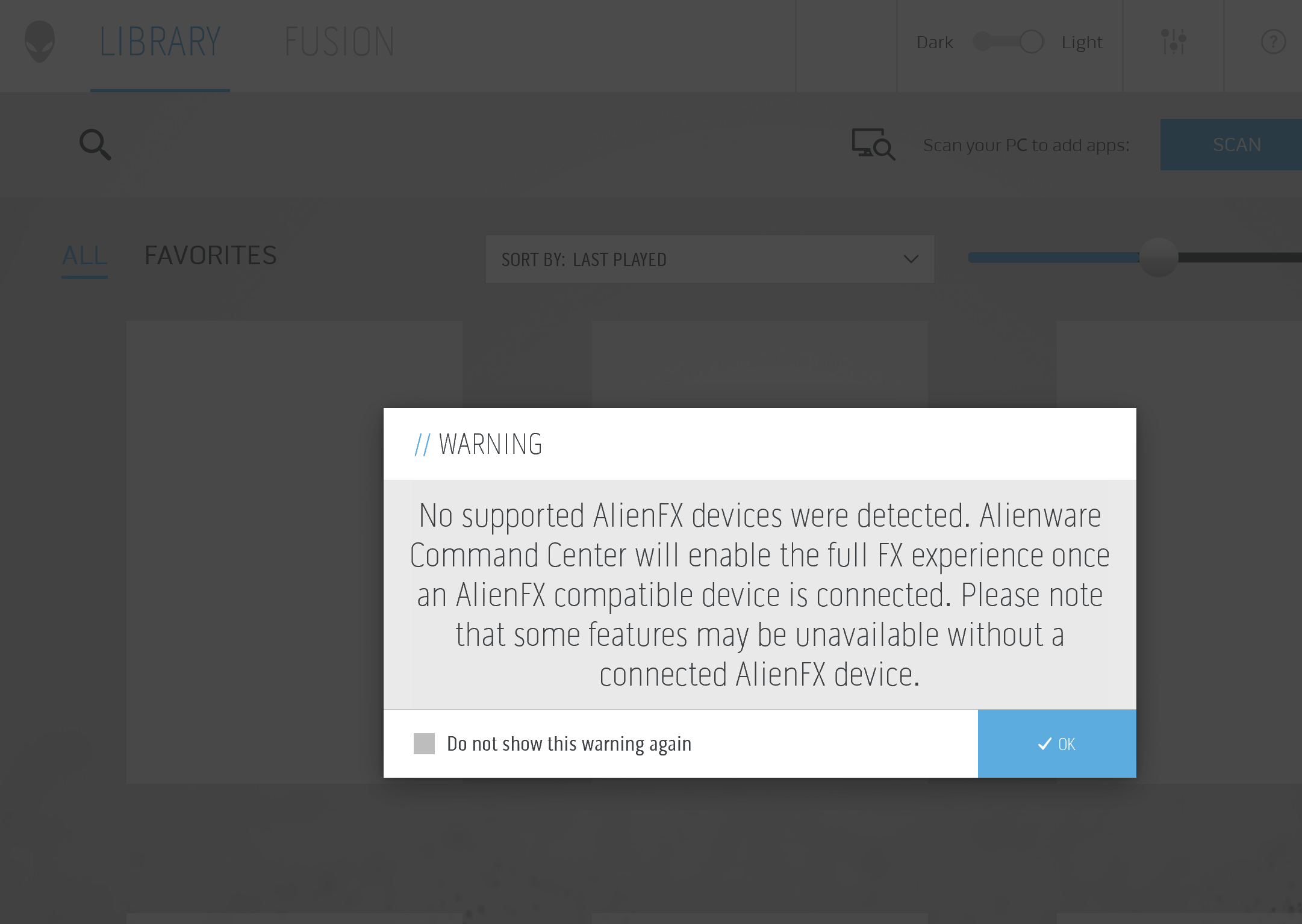
Having issues with my Alien FX not working anymore? I get an error when I now launch Command Center. I'm running Windows 11. Anyone aware of any issues? Has Alien FX on m15 R1 model been removed?
Kind Regards,
Tom
No Events found!
DELL-ChrisM2
Community Manager
•
1.6K Posts
•
7.3K Points
0
December 19th, 2025 12:23
No. The AWCC (Alienware Command Center) AlienFX lighting customization feature is not removed. The 7 year old m15 R1 is validated by Dell to use up to AWCC 5.10.2.0 (no longer available).
* Open Settings --> Apps --> Install apps
* Find Alienware Command Center
* Click the 3 dots
* Click Modify
* Click Repair
* When done restart the m15 R1
(edited)
Smithy1988
1 Rookie
•
11 Posts
0
December 19th, 2025 12:33
Hi,

I tried that and it didn't work.
Kind Regards,
Tom
DELL-ChrisM2
Community Manager
•
1.6K Posts
•
7.3K Points
0
December 19th, 2025 13:40
Try uninstalling AWCC. Restart when done. Then install the full version 5.10.2.0 (no longer available). Restart when done.
(edited)
Smithy1988
1 Rookie
•
11 Posts
0
January 4th, 2026 17:02
Still getting the same issue, I uninstalled the application, rebooted and the run the full installer. I still get the following error.
mattyb3
7 Practitioner
•
1.7K Posts
•
8.4K Points
0
January 5th, 2026 22:16
How did you uninstall AWCC? You need to use Revo Uninstaller. The steps below are what you need to try. If this doesn't work then you may have to reinstall Windows from scratch. If that doesn't work then you may have a hardware issue, which would probably mean a new motherboard.
Download Revo Uninstaller
- Use Revo to remove AWCC, AW OC Tools, and anything else linked with AWCC
- At the end of the uninstall for each of those apps, tell it to do an advanced scan for leftover bits
- Delete all files/folders and registry entries for each of those apps using Revo
- REBOOT YOUR MACHINE (DO NOT SKIP THIS STEP)
- Download the AWCC installer from https://dell.com/support using your machine's service tag to ensure you get the correct version for your system
- Install AWCC, OC Tools etc again
- REBOOT YOUR MACHINE (DO NOT SKIP THIS STEP)
- Try again, and see if it now works
Smithy1988
1 Rookie
•
11 Posts
0
January 6th, 2026 20:17
Shame it didn't work, looks like it must be a hardware fault.... :( thanks anyway for the help