

Unsolved
3 Posts
0
382
January 12th, 2023 11:00
m15 R1, Games and Apps not working, crashing
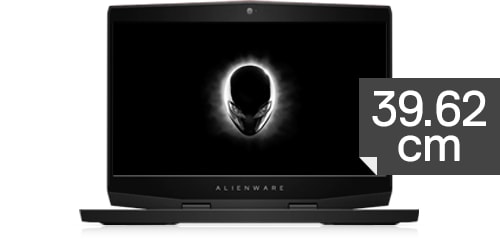
Alienware m15
Hello, sorry if there's another thread for this kind of problem but I couldn't find it anywhere online.
Recently I purchased a used Alienware m15 R1 with the specifications below, but now the problem is I couldn't open up some games and apps.
For example, I installed the "Forza Horizon 5, Hitman 3, Cyberpunk 2077, Mount & Blade 2 Bannerlord, FM 2023" and I can only run Forza Horizon (for some time before it crashes and there's no error message or anything) and FM 2023 (with no issues whatsoever) but there are problems with the others.
For example, Hitman 3 doesn't open at all, Cyberpunk gives an error message every time, M&B tries to open itself and then crashes without giving any message at all.
Then I installed Star Wars Jedi Fallen Order just to try if I can open it and it required an EA app which I installed and when I logged in to EA app even EA app is crashing, just closing itself up.
My drivers (all of them) are up to date to Alienware support page. My Windows updates are up to date as well. But for some reason, this is keep happening and I can't find a solution anywhere. Wherever I check there's the same recommendations like "update your driver, check the game's files, delete the game and load again" but even I did all of them this is keeps happening and this forum is the only chance I have left it seems.
Here's my system specifications:
Intel Core i7-8750H CPU @ 2.20GHz 2.21
16GB Ram
NVidia GeForce RTX 2060
Please if anyone could help me, appreciate it. Thanks in advance.
gokhandilek
3 Posts
0
January 14th, 2023 11:00
No answer? Please if anyone could help me with this problem.
crimsom
9 Technologist
•
6.1K Posts
0
January 14th, 2023 13:00
Hi @gokhandilek welcome to this free user-to-user Alienware laptop discussion forum.
Please look to see what OS (C:) boot drive is installed. For gaming, the operating system should be installed on an ultrafast M.2 2280 PCIe NVMe drive (not a slow SATA drive). The M.2 OS (C:) NVMe drive partition format should have the modern GPT format so that BIOS boot list option UEFI is enabled.
The storage capacity of the OS (C:) boot drive should be 2TB with all installed applications less than 1TB, so that temporary files for graphic intensive games can be quickly unpacked and used.
Support for Alienware m15 Storage is rarely updated, and the Crucial System Advisor database is a good source for the current Alienware m15 | Memory RAM & SSD Upgrades | Crucial.com. Although PCIe 4.0 x4 NVMe drive cards are easy to purchase and backwards compatible, the Alienware m15 Chipset PCIe bus is PCIe Gen 3.0 x4. Consequently the Samsung SSD 970 EVO Plus PCIe 3.0 2TB or the Samsung SSD 990 PRO PCIe 4.0 NVMe 2TB could be installed. Shop around for a competitive purchase.