

Unsolved
2 Posts
0
1344
August 27th, 2022 12:00
m15 R7, will it work with the Oculus Rift S?
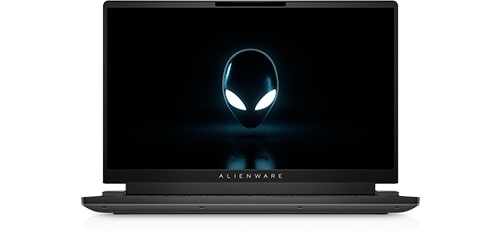
Alienware m15 R7
I have an old Oculus Rift S that I would like to work with my new Alienware m15 R7 laptop. It has the NVIDIA GeForce RTX 3080 Ti graphics card.
The Oculus Rift S has DP connection. I've used a DP to Thunderbolt adapter, but Oculus doesn't recognize it.
After reading up on it, it seems Oculus has to connect to a port directly connected to the graphics card. In my case this is an HDMI port. I can't find anything recent but it looks like Oculus Rift S and HDMI don't really work together, but it's all old stuff. Is there any way around this?
Cheers
No Events found!
crimsom
9 Technologist
•
6.1K Posts
1
August 27th, 2022 13:00
Hi @dobbin welcome to this free user to user Alienware laptop discussion forum.
This old 2021 Knowledge Base Article includes the Oculus Rift compatibility check tool which may provide a fix. Connecting the Oculus Rift VR Headset to the Alienware 13 R3, 15 R3 and 17 R4
Laptops supporting Oculus Rift S (2022 in India) - Oculus Community - 948866 (oculusvr.com)
dobbin
2 Posts
0
August 30th, 2022 08:00
Thanks for getting back to me @crimsom .
The first article is for the Oculus Rift that has a hdmi cable which would plug directly into the graphics card on my machine but unfortunately, I have an oculus rift with a display port cable.
The 2nd link is interesting but I have no idea how to put the laptop into performance mode for the oculus. I've read articles talking about using the command centre but that doesnt seem to do anything.
Any ideas?
owlab
1 Message
0
November 5th, 2022 11:00
Hi @dobbin
I have the same problem. I have a Rift S which works perfectly with my M15 R2 (mini display port). I have a new M15 R7 with 3070ti and it doesn't work. Did you try to connect with HDMI. Did you fixed the problem with another solution?