

1 Rookie
•
1 Message
0
6430
February 17th, 2023 03:00
m15 R7, wizard interrupted before AWCC installed
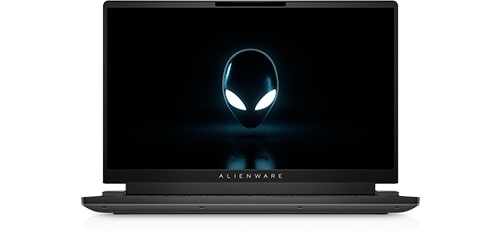
Alienware m15 R7
the wizard was interrupted before alienware command center package manager could be completely installed problem how do i fix it?
No Events found!
macauf
1 Rookie
•
14 Posts
0
April 28th, 2023 08:00
I don't have the elcsetup.exe in the details tab.
tinmanjo
11 Posts
0
April 29th, 2023 11:00
I wanted to share a solution that worked for me when I ran into a frustrating problem trying to install software on my computer. I had a Blue Screen of Death (BSOD) on Windows 11, and afterward, I just couldn't get this particular program to install no matter what I did. I was about ready to give up, but then I found a solution that worked!
Basically, I had to delete all the files in my user app data temp folder (you can find it at C:\Users"User"\AppData\Local\Temp) and the Windows temp folder. Then, I tried to install the program again and let it fail. That's when I looked at the log file that was created, and it showed me that there was a problem with something called InstallShield. I found the folder that was causing the issue (it was in C:\Program Files (x86)\InstallShield Installation Information), deleted it (mine was {D9FFE2A8-3C65-4AAD-9939-D58F8090559B}), and tried the installation again.
It took longer than I wanted, but the good news is that it worked! I hope this solution works for you too if you run into a similar problem.
glasstitanium
1 Rookie
•
9 Posts
0
May 1st, 2023 04:00
i installed this with new version AWCC, i dont know if new update comin. but if stuck like before just do the same step
glasstitanium
1 Rookie
•
9 Posts
0
May 1st, 2023 04:00
what step installation when installation got stuck? i got stuck when AWCC_CORE and then installation interrupted, like this
THEsurgical
1 Message
1
May 31st, 2023 16:00
This is what fixed it for me:
Problem: I need to "reinstall" AWCC because my laptop fans are stuck at spinning on highspeed. So it's really loud. And the only way to fix that is to reinstall AWCC so I can control the fan speed again.
Solution:
All the forums kept saying I needed to clear the registry items that came with the initial installation of AWCC. The only version of AWCC that would reinstall with no issues was the oldest version on the Dell Website. After installing that, I uninstalled it with Revo Uninstaller, did an advance scan, and deleted all items in the registry. Rebooted the machine.
Then I downloaded the most recent version of AWCC. **When installing the latest AWCC, I ran the exe "As Administrator" and the installation actually went through. After AWCC was installed ran the program to make sure it started properly, then I restarted the machine again.
Then I noticed that the Fusion Tab on AWCC wouldn't load. And a couple options on the dashboard just kept showing the "loading" sign. So then I installed the latest version of the OC Controls on the Dell Website. Ran the file "As Administrator" then rebooted the machine.
The Fusion tab still wouldn't load in the AWCC, so I found a file on Dell's Website called "Fusion Service". I downloaded that, "Ran as Admin", then rebooted the machine again.
After installing those 3 things, AWCC ran perfectly fine with no problems.
Let me know if you have any questions, hope this helps!
AgainstTheWind
1 Message
1
June 14th, 2023 11:00
Thank you very much! Your solution worked perfectly for me. The only difference was that I did not have to do anything extra to get the Fusion Tab activated - it worked fine right after installing the latest AWCC.
lujk
1 Message
0
September 13th, 2023 09:06
@tinmanjo Thank you! I did this (although when some of the temp files didn't want to delete, I just sorted by modified time to see the most recent files, to easily find the log when running the Install Wizard to see where it failed). For me, the folder named when it ran into the error also had the path in the InstallShield Installation Information folder, but wasn't actually showing up there, so I just deleted the whole InstallShield Installation Information folder, and when I tried the install wizard again, it worked.
Possibly, for someone else with the problem, it may be worth just deleting C:\Program Files (x86)\InstallShield Installation Information and running the installer again. Then I ran the installer another time to add packages.
(edited)
GraemeWilly
1 Rookie
•
25 Posts
0
October 31st, 2023 21:24
Dell has had this issue for YEARS. I was used this being a problem on Dell Command Update, and the home version (Dell Update), since 2017, so I was not surprised to see that Alienware Command Center also had this issue, though I finally ran into this in 2021, when I got a Dell G15 gaming laptop and now, again, on my Alienware Aurora.
The issue:
You can't uninstall AWC for the same reason you can't install it, which is that downloading another installer fails to uninstall/ install it, as does manual removal. The problem may have started either with a broken app that does not run, or a simple need to update it to the latest and fails to remove it all, thereby rendering the app unusable but also uninstallable. Again, the same issue exists for Dell Command Update/ Dell Update and Alienware Update. It's just a Dell software quirk I've been dealing with, both, in IT and in my personal life, for 6 years strong now.
What I did:
1. Download Revo Uninstaller (free version)
2. Open Revo and remove ALL references to Alien Command Center that you can remove (see below), by right-clicking on the entries and selecting uninstall:
A.) Alienware Command Center Package installer
B.) Alienware CC Components for AWCC
C.) Alienware FX Display001 Smart Installer
D.) Alienware FX Display Smart Installer
E.) Alienware OC Controls
[After right-clicking to uninstall, use the Advanced option and hit the scan button after each uninstall and it will find any registry extensions and program files associated with the app. Delete them.]
3. Insure the %localappdata% location is expunged of the AWCC cache files in the Downloaded Installation folder and Temp folder (just delete all the contents within the Temp folder).
4. Insure the Program Files and Program Files (x86) is free of any Alienware folders containing an Alienware Command Center folder.
[The Program Files folder that it appears in depends on the version installed. Older versions may be in the x86 folder. Check both, in case you have remnants of an older version as well.]
[Make sure not to delete any other Alienware folders you wish to keep, such as Alienware Update etc.]
5. Same as above, make sure the Program Data folder also does not have an Alienware with a sub-containing Alienware Command Center folder, if so? Delete the Alienware Command Center related folder.
6. Now that everything should be gutted, if you open your Services.msc or just glimpse the Services section of task manager, you'll probably notice that an AwccService is still there and running! Note, the spelling of the service, in case I'm off here. If you don't see this service, skip step 7.
7. Open an elevated command prompt and type SC stop AwccService and SC delete AwccService.
8. Now, the tedious bit. Open Regedit and backup your registry using the file menu, then run a search for AWCC, by performing a CTRL + F. Delete any keys for AWCC. Press F3, to quick search the next result.
[You'll notice a few keys can't be deleted. It's fine. These are likely to do with the AWCC (.sys) driver files.]
9. Restart
10. Next, download the latest version of AWCC applicable to you (you may need to do some hard Googling to find it and it may vary, based on which model Alienware you have. For me 5.5.52.0 is the latest for my Aurora R15) and run the installer. This time the install should look different--like it's doing more and going through the entire install.
11. Restart, when prompted
12. Coming back online and looking at your start menu, you'll probably notice that AWCC is still not installed, despite the lengthier install. Okay then!
13. Run the AWCC setup installer again, but this time opt the "repair" option.
14. Reboot when prompted and grab the arms of your chair really tight and pray.
(edited)
Peter McC
1 Rookie
•
1 Message
•
2 Points
0
February 14th, 2025 17:15
@GraemeWilly This all seemed promising and I followed it to the letter, however although the installation certainly did a lot more it still failed at the same point ... the installation of AWCC_Core. Wizzard Interrupted.
I've tried all the suggestions on various forums but can't get past this.
M15 WIndows 11 trying to install Alienware-Command-Center-Application_WXY88_WIN_5.9.2.0_A00.