

Unsolved
2 Intern
•
51 Posts
•
2 Points
3
338
February 23rd, 2025 12:08
m16 R1, ongoing performance issues, fix STAPM limit, #2

Alienware m16 R1 AMD
<Started your own thread. DELL-Admin>
i bought the m16 r1 4080 12gb, AMD 7845 a week ago, everything is updated but this is causing a lot of problems!
I am writing to urgently request a resolution for a significant performance issue affecting the Alienware m16 R1 AMD laptop. Despite being marketed as a high performance gaming laptop, my device suffers from severe performance degradation during demanding tasks, and I believe the culprit is the STAPM limit being continuously enabled in the BIOS.
The following issues have been observed:
• Severe Wattage Drops:
During gaming or other demanding tasks, the CPU wattage has been observed to drop to as low as 35W, which greatly undermines the expected performance.
• CPU Clock Throttling:
After approximately 10 minutes of gameplay, the STAPM limit consistently reaches 100%, causing the CPU clock speeds to drop significantly (down to around 800 MHz), and the system fails to recover full boost—even when the CPU temperature is around 80°C.
• Underwhelming Gaming Experience:
Games that should run smoothly experience frame rate drops, stuttering, and overall degraded performance, even when in reduced settings.
• BIOS Version Concerns:
I currently have BIOS version 1.15 installed. However, I noted that previous BIOS versions (1.13, 1.14, and 1.15) have been removed from Dell’s website without clear communication regarding the issues or changes, raising concerns about potential design or configuration shortcomings related to the current BIOS.
I have taken all reasonable steps to mitigate the issue, including updating the BIOS, drivers, and firmware, but the problem persists. Given that this is not an isolated case and that other users have reported similar problems, I respectfully request that Dell consider providing a BIOS update or firmware revision that either addresses the performance throttling directly or includes a user-accessible option to disable the STAPM limit.
This issue is severely impacting the gaming and overall performance expected of a premium Alienware product. I trust that Dell values its customers and will prioritize a solution for this critical problem.
Thank you for your immediate attention to this matter. I look forward to hearing about steps to resolve the issue as soon as possible.
If Dell is unable or unwilling to resolve the issue directly, please advise on alternative workarounds that might allow us to disable or adjust the STAPM limit.
Please fix this issue. I bought this laptop to have high performance but this is so bad. AMD variant is causing so much problem. Have this fixed please!
I bought the laptop from a local shop in Pakistan. There is no official Dell support here.
<Dell sold and warranted it in the USA. We cannot know how it got Pakistan. The USA warranty expires on October 24, 2025. DELL-Admin>
I bought this machine thinking that this is going to be a replacement of my setup but i keep getting some type of errors. Sometimes it is windows related, sometimes it is AWCC, and when gaming it is related to STAPM. I thought dell support is amazing but having this laptop, their premium laptop, I am heartbroken. The worse they can do is reply to this post saying we are working on it.
DELL-Cares
Moderator
•
27.7K Posts
•
454 Points
2
February 25th, 2025 08:04
Hi,
Sorry to hear you're having issues and I see you are looking for technical assistance. If you need our help, you can [click here](http://del.ly/61214LPARM) to send us a private/direct message and we will be happy to assist you.
Just make sure to include your service tag (don't share this on this thread, only in a private message) and we'll be happy to look into it!
smtaqimz
2 Intern
•
51 Posts
•
2 Points
0
February 26th, 2025 20:47
Hello, @DELL-Cares , i have messaged you but there is no response
DELL-Chris M
Community Manager
•
56.9K Posts
•
232.1K Points
0
March 5th, 2025 12:59
Log the HWiNFO monitor data for 20 minute duration while =
1. Standard Windows OS usage
2. Gaming
* Download/install the free Portable version of HWiNFO
* After download, extract it and execute“HWiNFO64.exe” > Click “Start” button >
* Click the “Sensor” button as red mark part , it will pop-up another window
Click “Logging Start” button as red mark part. Choose a location to save the logs when finish logging
After normal use and gaming for 20 minutes each, click “Logging Stop” button as red mark part. It will create a log file in the folder you chose earlier.
smtaqimz
2 Intern
•
51 Posts
•
2 Points
0
March 6th, 2025 02:32
@DELL-Chris M 20 mins gaming
normal usage link
DELL-Chris M
Community Manager
•
56.9K Posts
•
232.1K Points
1
March 12th, 2025 13:31
After checking the CPU and GPU temperatures, these temperatures are no higher than 85 degrees
and doesn't see 'pro hot' has been triggered.
Run the FurMark test while capturing logs with HWiNFO
* Download/install Geeks3D FurMark 1.38.1.0
* Run the FurMark Test
* Choose GPU Stress Test
* Set your desired resolution and click GO to start the test
* Select the CPU burner and click Start to start the test
smtaqimz
2 Intern
•
51 Posts
•
2 Points
0
March 16th, 2025 22:24
lags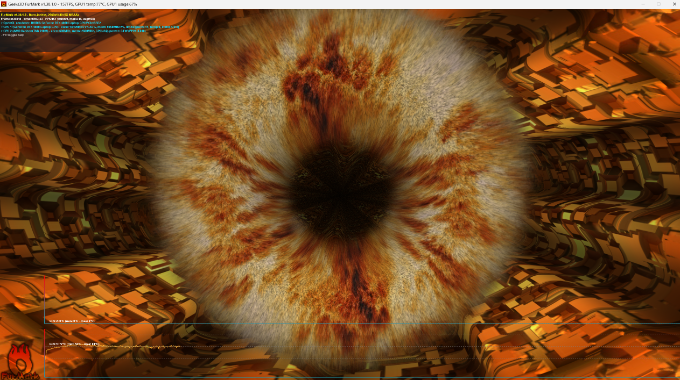
https://docs.google.com/spreadsheets/d/1xzBmqbRlPox7qXBfGnoQijSuWiFMdsRsL8kLXk7JPbE/edit?usp=sharing
smtaqimz
2 Intern
•
51 Posts
•
2 Points
0
March 16th, 2025 22:25
@DELL-Chris M https://docs.google.com/spreadsheets/d/1xzBmqbRlPox7qXBfGnoQijSuWiFMdsRsL8kLXk7JPbE/edit?usp=sharing
Cihan Can
2 Intern
•
46 Posts
•
8 Points
0
March 17th, 2025 22:08
@DELL-Chris M Please check Stapm Limit value when throttle happens.
smtaqimz
2 Intern
•
51 Posts
•
2 Points
0
March 24th, 2025 10:36
@DELL-Chris M anyupdate?
DELL-Chris M
Community Manager
•
56.9K Posts
•
232.1K Points
0
March 24th, 2025 12:45
@smtaqimz No. The team is aware of the thread and logs provided.
AIsak
1 Rookie
•
3 Posts
•
2 Points
0
March 29th, 2025 06:10
@smtaqimz I have the same problem as you on my Alienware M16 R1 AMD 7845HX RTX 4080, the STAMP is very poorly configured because of their bios updates, they even blocked version 1.14, 1.13 as if they never existed. The only solution I can suggest is to sell your laptop. I'm about to sell mine and I can assure you that you will be happier getting rid of this garbage and buying a laptop from some other brand, since Dell workers will never deign to fix their own disasters in their bios updates.
ricardotrut
2 Intern
•
15 Posts
•
2 Points
0
April 4th, 2025 02:59
@DELL-Chris M
Hello Chris, Any update?
I got my motherboard replaced today, and the issue is still happening. STAPM hits 100%, and both CPU and GPU wattages drop drastically same as before. This is not thermal throttling; CPU temps don’t even hit 100°C, yet performance tanks every single time. A motherboard swap didn’t fix it, so clearly this is a BIOS or firmware issue. This happens in every AWCC power mode. Performance, Balanced, Quiet all of them throttle like crazy. Overdrive holds stable GHz a bit longer, but even that crashes after 10–15 minutes of gaming.
DELL-Chris M
Community Manager
•
56.9K Posts
•
232.1K Points
0
April 4th, 2025 13:12
@ricardotrut No. The team is aware of the thread and logs provided.
DELL-Nat M
Community Manager
•
3.7K Posts
•
20.9K Points
0
April 15th, 2025 11:57
Hi everyone,
Dell is seeking a capture to further investigate the issue. If you are out of warranty and would like to assist, please reach out to our tech support team by clicking the Get Help Now icon located at the bottom right corner of this page, and inform me here so I can escalate this internally.
smtaqimz
2 Intern
•
51 Posts
•
2 Points
1
April 16th, 2025 17:06
please escalate it, i have explained and given all the information and yet there is no fix after months of talk and back and for.....