

1 Rookie
•
3 Posts
0
2950
July 11th, 2022 06:00
Dell Support Assist Installation always failed
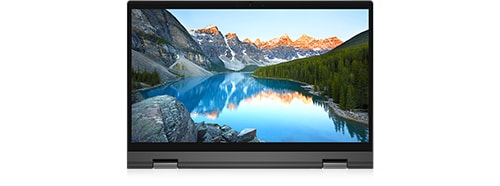
Inspiron 7306 2-in-1
Anybody can advise, that the Dell support assist has failed to install on my Inspiron 7306 laptop and is showing Installation failed. Please reboot your PC and try again." I did but the same result...
No Events found!
XPS_Man
7 Practitioner
•
2.4K Posts
•
12K Points
0
July 11th, 2022 13:00
follow this guide from start to end
You may find that a few thing I am recommending to delete are already deleted from your computer so skip those steps.
1 Use Microsoft's Installer :
This step is crucial as Microsoft's uninstaller disables the services as well. Choose SupportAssist and uninstall, Uninstall Dell updates by running the the uninstaller again. If Support Assist doesn't show in List ignore this step.
Reboot (important)
C:/ Program Data/ PCDR
C:/ Program Data/Supportassist
C:/ Program Data/Dell/Dell data volt
C:/ Program Files/ Dell/Supportassist
C:/ Program Files/ Dell/ Dell data Volt
C:/ windows/Temp (everything inside the folder
Remove these Registries
Navigate to HKEY_LOCAL_MACHINE\SYSTEM\CurrentControlSet\Services key.
Delete Dell hardware service, Delete Dell client management service, Delete Dell updates.
Open device manager > system devices : If you see 2 Dell dala volt devices, please uninstall the second one.
last step : Download dot net
https://dotnet.microsoft.com/en-us/download/dotnet/thank-you/runtime-5.0.17-windows-x64-installer
if it's already installed, installer will give you option to repair or remove, choose remove and reboot.
Install again.
Reboot
install SupportAssist
Aubreymay01
1 Rookie
•
3 Posts
0
July 12th, 2022 07:00
I did all your advice but sad to say all doesn't work and say Installation failed. Please reboot your PC and try again, any other solution, please advise...
AdrianG001
6 Operator
•
4K Posts
0
July 12th, 2022 06:00
You could try these steps.
via the control panel uninstall SupportAssist, this should remove both versions of SupportAssist in apps and features.
Under Services, verify the following five services are removed.
Dell Data Vault Collector, Dell Data Vault Processor, Dell Data Vault Service API, Dell Hardware Support and Dell SupportAssist
Delete folder "C:\ProgramData\PCDr\"
Delete folder "C:\ProgramData\SupportAssist"
Delete C:\Program Files\Dell\DellDataVault
download below exe, right click and run as admin.
https://downloads.dell.com/serviceability/catalog/SupportAssistInstaller.exe
Aubreymay01
1 Rookie
•
3 Posts
0
July 24th, 2022 10:00
Dear Adrian,
I follow your advice step by step but sad to say still failed. Please let me know if there has another option.....
Thank you...
buyer dell
2 Posts
0
July 28th, 2022 14:00
thank you... finally I installed SA