

1 Rookie
•
9 Posts
•
40 Points
0
141
July 22nd, 2026 06:08
Disk cloning using SupportAssist
I cloned (or so I thought) internal 256 GB ssd to a 1 TB ssd that is in a USB enclosure. This is the only way I can do it because XPS 8930 has only one M.2 ssd slot on the system board.
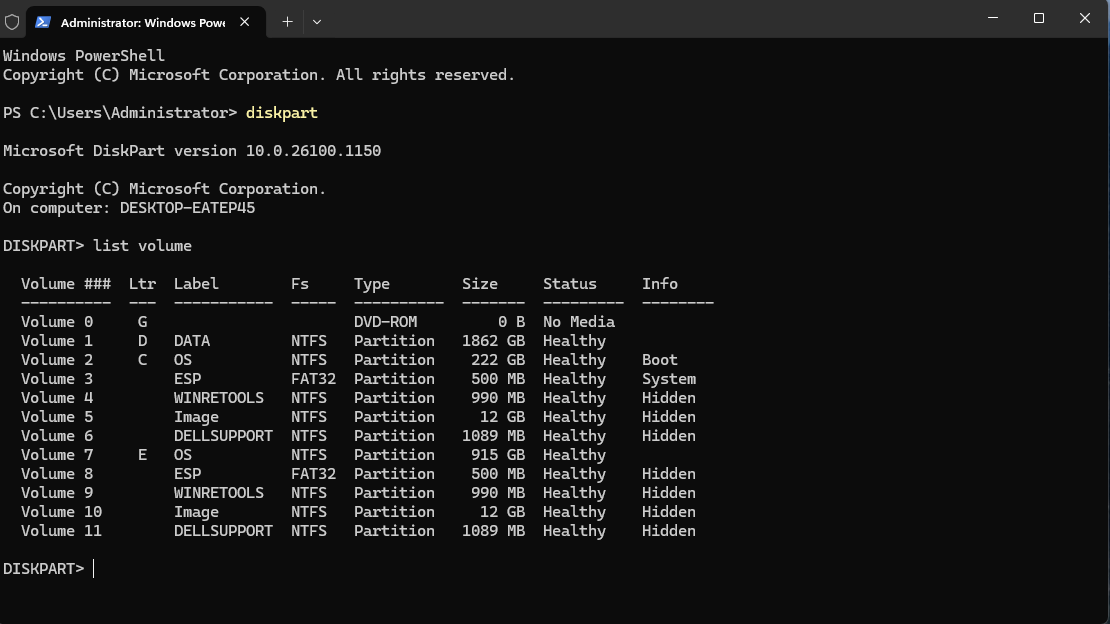
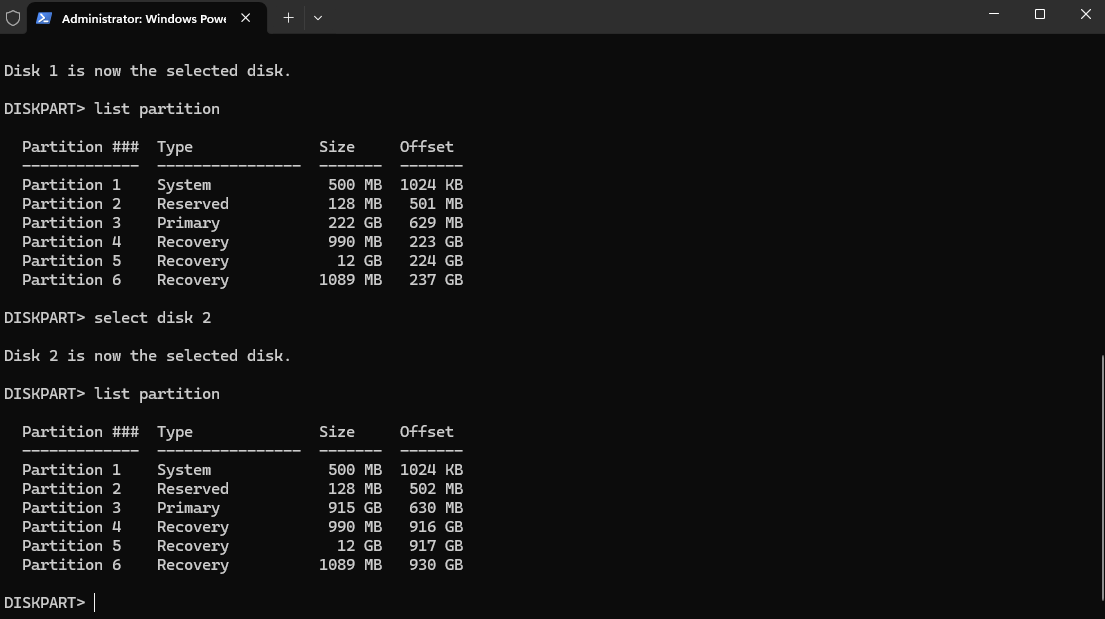
I then tried to boot from the target ssd and I got an error 0x7B - Inaccesible_Boot_Device. As can be seen from the snips, the crucial item, 'Boot' is not on the target ssd, nor is it marked as bootable in This PC.
So, there is no point in swapping the disks.
I would like to hear any advice, views etc about this.

No Events found!
Tesla1856
10 Wizard
•
18K Posts
•
71.5K Points
0
July 27th, 2026 18:27
There is a separate board for SupportAssist issues
https://www.dell.com/community/en/categories/supportassist-for-pcs
I personally would suggest you use a dedicated clone/imaging program. As part of my backup-strategy (on my Windows computers) I use Macrium Reflect. I like it because it always works.
- It "clones drives" if I ever need to.
- it creates Drive-Images and has the option the Verify the Image after creation.
- It's Rescue-Flash-Drive can restore backups to "bare metal".
A couple of years ago ... I used (free) CloneZilla on my grand-nephews computer and it seemed fine.
Other popular commercial softwares are Acronis and EaseUS. One of those might still have a "free for personal use" version.
ljg1227
1 Rookie
•
9 Posts
•
40 Points
1
July 28th, 2026 00:11
@Tesla1856 Thanks, I used EaseUS. A few problems at first, probably because I did something wronk, but it's OK now.