

2 Posts
0
439
January 5th, 2023 10:00
G3 3500 ssd is full
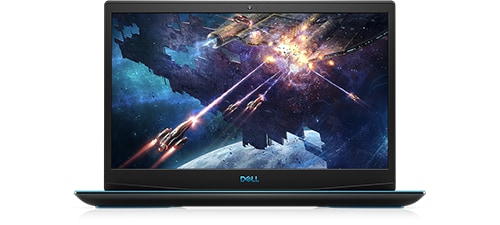
Dell G3 15 3500
My G3 is about a year old. It has 8gb ram, 1 m.2 256mb and the open spot for a 2.5” sata ssd. Adding the 2.5 should be the easy button, but I would like to replace the m.2 with a 1Tb stick to keep the speed. I would also, in the future like to dual boot Linux too from the m.2.
I understand that I would need to clone the 256 on to the 1Tb with 3rd party software and there can be problems booting from usb.
I’m looking for input from people that know more than me.
Thanks Markinwi
No Events found!
JOcean
11 Legend
•
12.6K Posts
•
69.5K Points
0
January 5th, 2023 12:00
You can create an image and either send it to a 2.5" drive in the system or send it to an external drive. Now if you have a 3 cell battery then you can install a 2.5" drive in the system. Alternatively you can purchase an M.2 enclosure and place the new M.2 drive in the enclosure. Then you can clone the old drive to the new one. To create an image or clone the drive use a program such as Macrium Reflect Free available here. They have a number of tutorials on their site. You can also find videos on YouTube here for a tutorial.
If you clone the old drive you won't have to worry about booting from a USB drive. If you image the drive then create a Macrium Rescue Disk to boot from. F12 at boot should get you into the boot menu.
AdrianG001
6 Operator
•
4K Posts
0
January 5th, 2023 23:00
Run Windows 10 Disk Cleanup. Be sure to click System Files checkbox.
You probably have tons of Windows 10 update files.
Markinwi
2 Posts
0
January 6th, 2023 14:00
I have the new m.2 and an USB adapter, waiting for a new heat sink from Dell. I ran the cleanup and have some breathing room now. I downloaded macrium reflect free v8, made the rescue usb and booted it to verify it works. So as soon as the heat sink shows up I’ll give it a shot.
Thanks to JOcean and AdrainG001 for the advice.
Markinwi
JOcean
11 Legend
•
12.6K Posts
•
69.5K Points
0
January 20th, 2023 17:00
Happy to help out!