

Unsolved
1 Rookie
•
1 Message
0
3505
March 31st, 2022 17:00
INACCESSIBLE BOOT DEVICE - booting from SD Card
Hi all,
I have a 2021 DELL Latitude 5520
I am wanting to boot from an SD card as a 2nd operating system to the one installed on the internal SSD.
I used "WinToUSB" to copy an ISO of windows 11 onto an SD card, but as soon as i reboot and select "SD" card as the bootable device from the boot menu, it starts loading up and after about 30 seconds i get the "your device ran into a problem and needs to restart" "STOP CODE: INACCESSIBLE BOOT DEVICE"
The funny thing is... if i take the SD card out of the on board SD card slot on the laptop, put it into a card reader, and insert it via USB, the boot up into windows 11 works perfectly. not a hitch at all.
but when i place it back into the internal card reader, while the card IS detected via boot menu, the boot never sucseeeds.
Id rather not have to insert the dongle every time i want to boot to windows 11, and using the internal slot is much faster too than my old card reader which is a bit sluggish.
any ideas thoughts or suggestions would be a HUGE HELP! THANK YOU ALL
Gautam k
11 Posts
0
April 1st, 2022 01:00
Sir actually i won't recommend booting windows from sd card because the read and write speed of a sd card and pendrive is very slow and dell laptop don't have proper support for booting from sd card.
AdrianG001
6 Operator
•
4K Posts
0
April 8th, 2022 03:00
Run the Diagnostic tool on system by following steps below:
1. Power off system and then disconnect all peripherals - Printer, external drive, flash drive, etc....)
2. Power on system, quickly start tapping the F12 key continuously. In the boot menu, stroll down to diagnostic and then click on it. After quick tests, click on Hard Drive and then click 'Thorough Test Mode'. Report back any error code.
Giorgio Di Betta
1 Message
0
September 9th, 2022 01:00
I have the same issue. Dell XPS 13 9310, Win 10 Pro installed on HD, SD card 128GB in laptop SD slot with Ubuntu, accessible and readable when Win is on. But if I reboot, F12, choose SD card, it won’t proceed. If I put SD card in a USB card reader, F12 boot works fine and Ubuntu boots fine. BIOS option to boot from SD card is active.
Is it possible to fix this issue, and to boot from SD with SD card inserted in Laptop SD slot?
user_6d4665
1 Rookie
•
2 Posts
•
2 Points
0
September 20th, 2025 13:56
Same issue: impossible to boot with USB stick or SD card. Perhaps a BIOS configuration problem.
I do the tests advised by AdrianG001 . No error.
Model: Dell Latitude 7310
Here are some screenshot of my bios.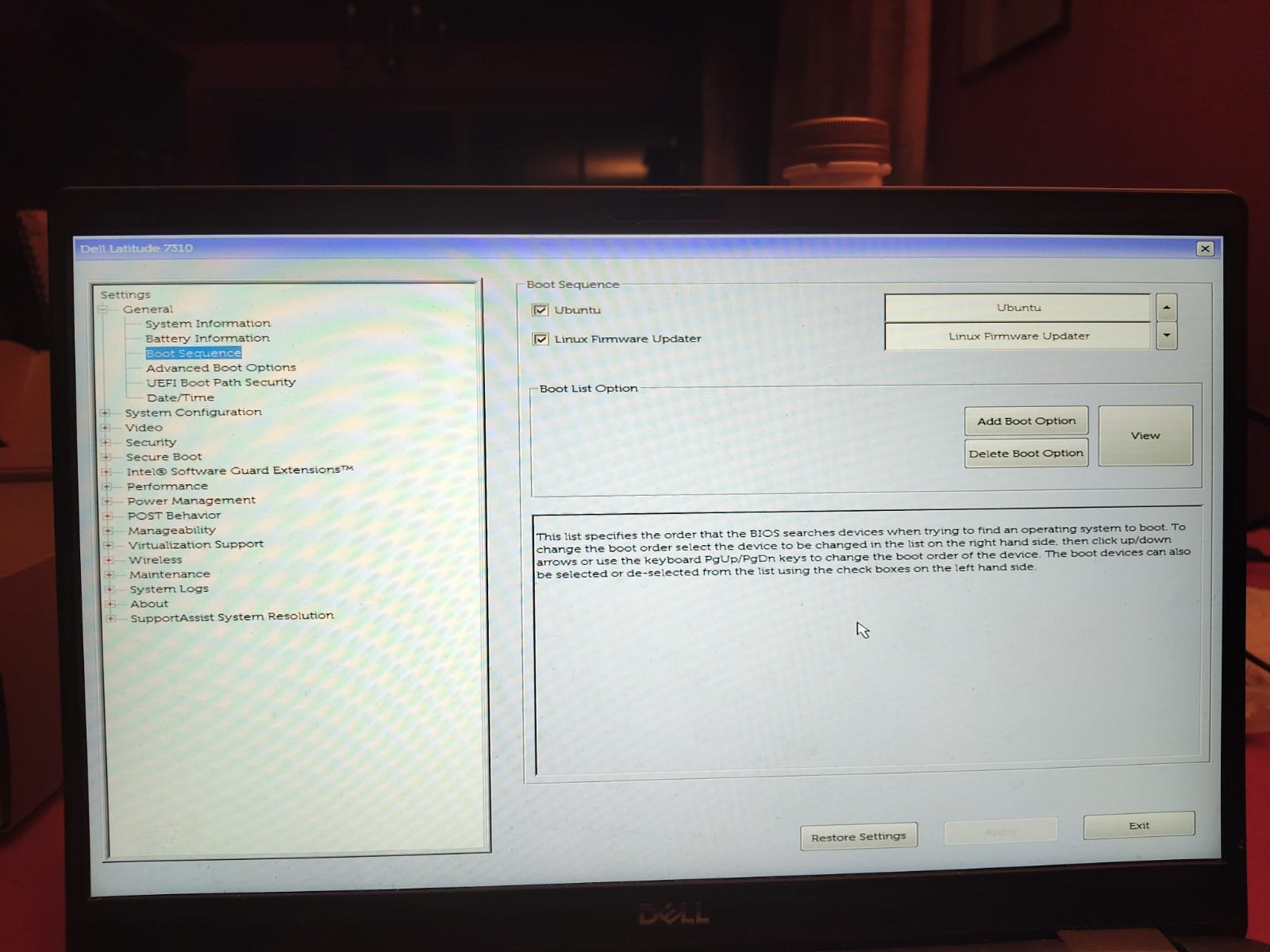
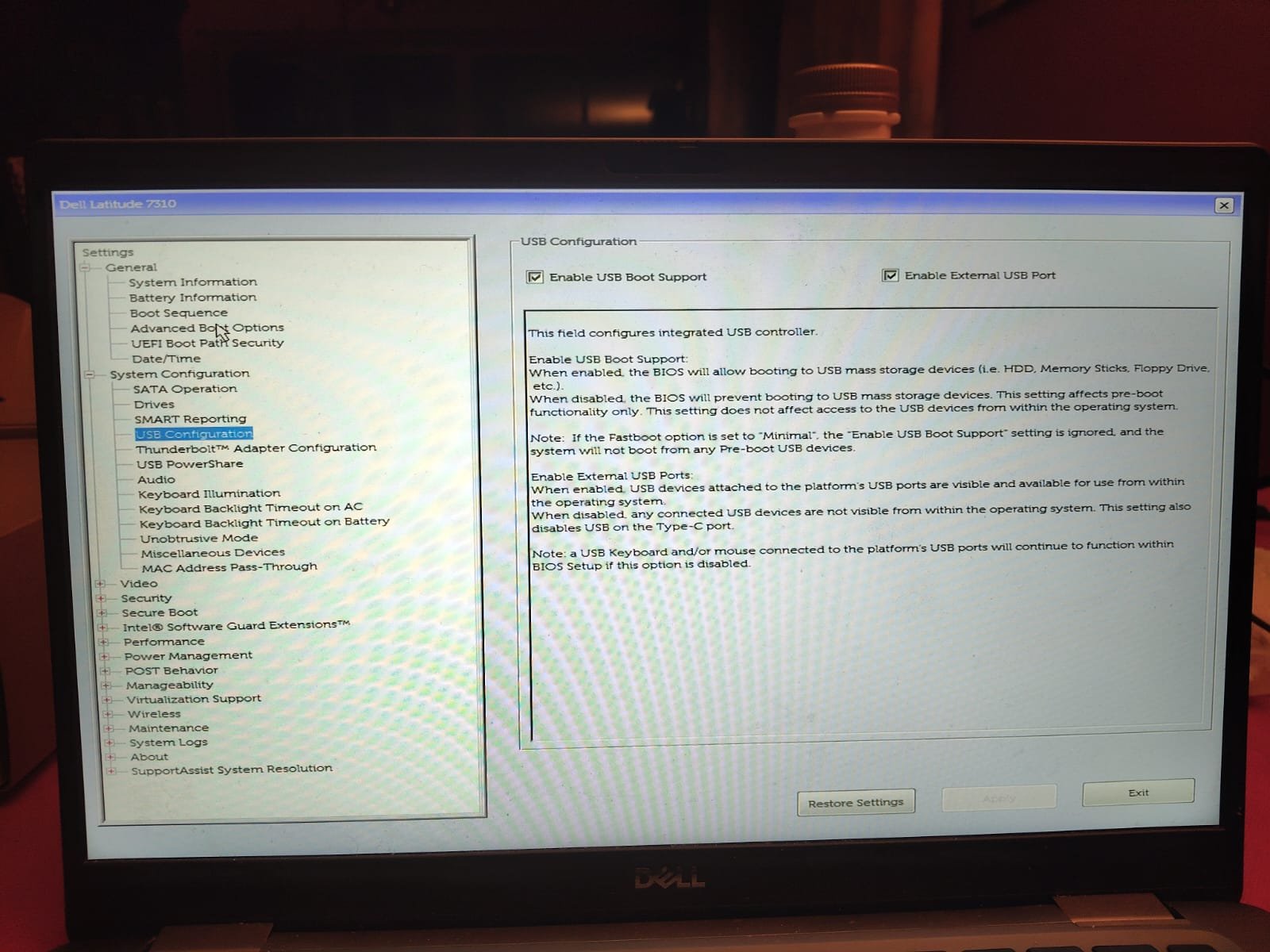
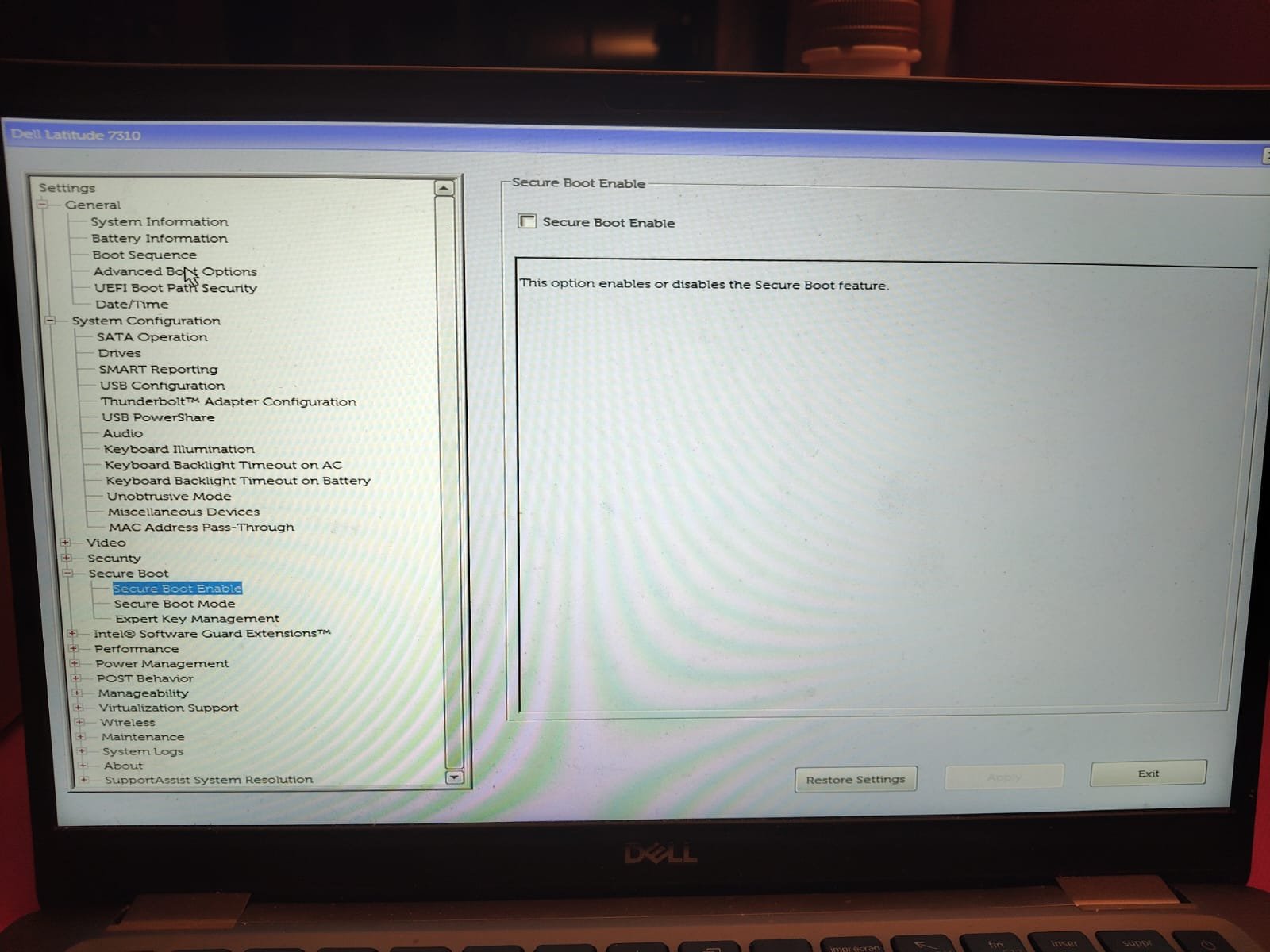
(edited)
user_6d4665
1 Rookie
•
2 Posts
•
2 Points
0
September 22nd, 2025 15:13
This was due to improper preparation of the USB drive (incorrect partition scheme). After burning the drive with "usb-creator-gtk," the drive is correctly detected at startup, and Debian boots normally.