

Unsolved
1 Rookie
•
3 Posts
0
1464
March 3rd, 2023 18:00
Screen upgrade on Inspiron 15-5559
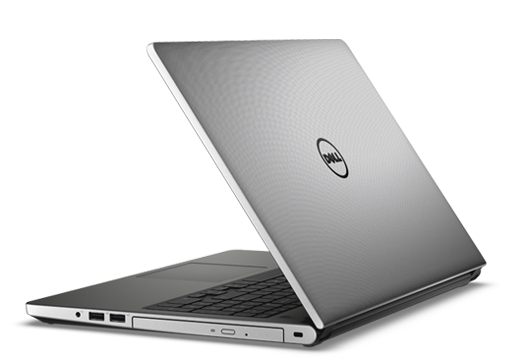
Inspiron 5559
My brother gave me his old Inspiron 15-5559 which had a bad motherboard. I found a replacement used one on fleabay (with a better processor!!), installed it, and it works great now!
The existing factory installed screen works fine too, except that I don't like it! I want to upgrade it to IPS, FHD 1080p, with a matte finish (from TN, WXGA 1366 X 768, glossy). I've swapped out many a laptop screen in my day and have the electrical and mechanical skills to do it. A screen like I hope to install runs about $60.
I know in the days of yore laptops were really picky about screens and you pretty much had to install an EXACT replacement. But everything I've been reading indicates they have become, well mostly, standard, and that you only need to match: The size, the connector type (# of pins, size) and position, and whether or not it includes mounting tabs. Thus as I understand it I should be able to install (nearly) any screen that matches size, connector, and tabs. There is also the matter of the cable, and how many wires (or lanes) it includes but my research seems to indicate that a FHD 1080p requires no more than the WXGA. (But if I was to try and go any higher than FHD, assuming I could even find one, I might need to change the cable).
Am I correct on all this so far? Are there any other specs I need to match to such as voltage or protocols? Is going from TN to IPS gonna be an issue?
ejn63
12 Elder
•
31.4K Posts
•
154.9K Points
0
March 3rd, 2023 18:00
There's more to a screen replacement than what you've listed. While it is true that newer systems often do not require different wiring harnesses, this model has several different ones depending on how it is configured. And remember that notebook systems are coded to work with a specific set of LCDs (the EDID is programmed into the system firmware). An unrecognized screen could mean no display before the operating system loads -- or no display at all, or a garbled image.
You can't just drop in a new panel and be assured it will work. And beware that LCD sellers generally won't take back a panel once you've opened the package.
You may want to check with parts-people.com, which can validate compatibility based on the service tag of your system.
Kflash08
5 Journeyman
•
699 Posts
•
3.1K Points
0
March 10th, 2023 19:00
Personally, I would stay with the glossy finish. Yes, it does reflect like a mirror depending on your work environment, but the colors, contrast and sharpness will be better compared to a matte finish. With a matte finish, darks will look washed out (because the matte finish is defusing the backlighting across the screen) and the screen will look hazy at times. Also know that IPS displays are not that good at showing dark details, and the matte finish will make matters even worse.
DoctorWizard
1 Rookie
•
3 Posts
0
March 10th, 2023 19:00
DoctorWizard
1 Rookie
•
3 Posts
0
March 12th, 2023 07:00
Kflash08: "Personally, I would stay with the glossy finish. Yes, it does reflect like a mirror depending on your work environment..." Excellent advice which I would echo for most people and most environments, including my own. But for where and how I will be using this laptop both glare and viewing angles are an issue. For content creation where color and contrast will matter I will be using my far more powerful desktop with dual 24" monitors.