

Unsolved
5 Posts
0
324
June 1st, 2023 13:00
Unable to Boot from USB
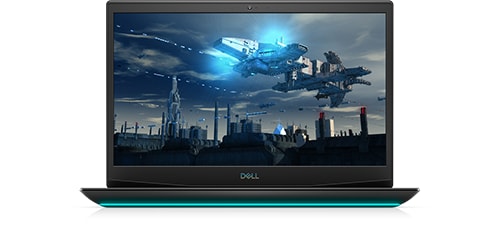
Dell G5 15 5500
So, I get a 0xc0000001 error and need to do a system restore. I've tried both the Dell system recovery software and rufus with a Windows 10 iso. I have also attempted to use secure boot on and off. In all cases, after I choose to boot from the UEFI usb I see the Dell Screen and then get a blank blue screen for a few moments before the PC shuts down. Any recommendations on what to try to get this resolved?
I've also done BIOS resets and that has not helped.
No Events found!
NuclearMonkey
5 Posts
0
June 1st, 2023 14:00
Was there a recent windows 10 update that could potentially be the cause of the problem?
filbert
6 Operator
•
1.8K Posts
0
June 1st, 2023 14:00
Did you change the boot order in BIOS or use F12 to enter the one time boot menu to select the Windows installer flash drive? If so, does the installation process begin?
NuclearMonkey
5 Posts
0
June 1st, 2023 14:00
Sorry. I forgot to mention that I tried Microsoft's Media Creation Tool as well. It's definitely an issue with the machine as no matter what I try I end up with the same blue screen.
NuclearMonkey
5 Posts
0
June 1st, 2023 14:00
Tried both with the same results.
filbert
6 Operator
•
1.8K Posts
0
June 1st, 2023 14:00
You can create the Windows installer flash drive in Rufus, but you must select the right options. Since it hasn't worked for you, I suggest that you use Microsoft's Media Creation Tool to create a bootable flash drive of Windows installer.
I wrote a post detailing how to install Windows. It may be helpful to you.
filbert
6 Operator
•
1.8K Posts
0
June 1st, 2023 16:00
That should make no difference to your installer.
It's odd that it fails right after the BIOS screen (Dell logo), that all you see is a blue screen. That's not what I would expect. At this point, I would be inclined to run Dell Diagnostics:
Immediately after pressing the power button to turn on the laptop (or after clicking the Reboot command), press and hold (or repeatedly press) F12 to enter the One Time Boot Menu, select Diagnostics and press Enter. The Dell Diagnostics will test major hardware components. Choose to run the extended tests.
NuclearMonkey
5 Posts
0
June 8th, 2023 17:00
So, I finally got diagnostics to run and did a is restore. But when I restarted, I ended up with the exact same problem. I removed the battery for a hard reset and still nothing worked. I beginning to think it has to be a memory problem. I’ve done both basic and standard test as well as the test during recovery. All were passed, I’m at my wits end with this.
I don’t know if a mentioned that I can access the bios during the blue screen. Esc, F8, F12 bring up appropriate menus. Enter brings up the Dell logo for what I think is another boot attempt.