

1 Rookie
•
1 Message
0
1192
January 27th, 2023 16:00
Installing Windows 10
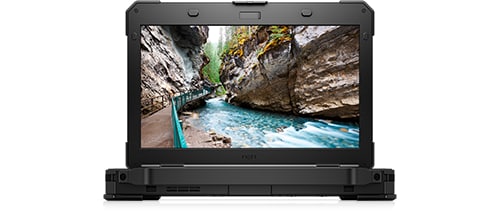
Latitude 5424 Rugged
I am trying to install Windows 10 on a Dell Latitude 5424 Rugged
I went into the BIO's and turned on Legacy boot so I can boot from a USB.
Here are the steps I follow.
Start Laptop in boot F'12
Choose USB
Chose install windows 10
Format and delete Partition's
Create New partitions
Accept the License terms
Select Install Now
It goes to 100% then says it needs a restart. Once it restarts it loads from the USB again.
If I remove the USB it says
No Boot Device found. Press any key to reboot.
I have uploaded some pictures. I am not sure they will help. The laptop was working fine before I tried to reinstall windows. Lol.
Thank you so much for your time!
Chris
No Events found!
JOcean
11 Legend
•
12.6K Posts
•
69.5K Points
0
January 27th, 2023 16:00
You want the UEFI boot which shows your USB flash drive. I would leave the BIOS in UEFI and AHCI mode. You don't have to delete and format partitions. Just delete all the partitions and Windows 10 will create the proper partitions and format the destination drive. This YouTube video should help as it is a step by step tutorial.
One question, did you download the media creation tool from the MS site here or use Rufus? I would only use the media creation tool.
bobby9561
5 Posts
0
January 28th, 2023 00:00
hello
you can try this process may be help you
You can download the official Windows 10 installation media for free from Microsoft and complete a clean install.
Go to Microsoft's Download Windows 10 page, and click “Download Tool Now”, and run the downloaded file.
Next “Create installation media for another PC”.
ConnectEBT