

Unsolved
2 Intern
•
514 Posts
0
931
January 16th, 2023 14:00
Latitude 3520 Clean Install Windows 10 Pro
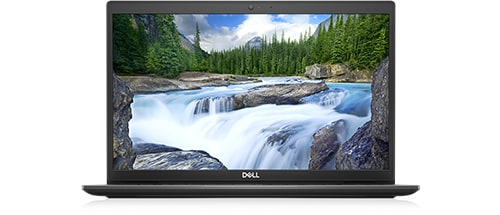
Latitude 3520
My Dell Latitude 3520 I ordered it with Windows 10 Professional with Windows 11 License.
The laptop came installed with Windows 10 21h1. An old version of Windows.
It may have been older I cannot remember. But I had a hard time getting it updated. I did not want to go through all the updates. I decided to just do a clean Install.
I got to the part where you select the drive on Windows 10 Pro USB (ISO Created with Windows 10 Creation tool) Even the Dell OS Recovery tool is an out-of-date version of Windows 10.
My question is about the clean Install of Windows 10 Pro. I was told there is a setting in the bios it is set where no one can install a clean install.
I even tried to use Acronis True Image to make a backup of the Factory Install. Acronis would not see the drive also Macrium Reflect would not see the drive. What is the settings called? I need to enable where I can make backups.
Thanks
JOcean
11 Legend
•
12.6K Posts
•
69.5K Points
0
January 16th, 2023 16:00
Download the media creation took here at MS. Use that file to create a bootable USB Windows 10 flash drive not an ISO file. Using that flash drive you can boot from it and clean install Windows 10 and there is no BIOS setting that prevents a clean install. The only time the BIOS is involved is the fact that the Windows key is stored in the BIOS so activation is automatic. Have you made any changes in the BIOS which may have affected the ability to make a backup?
Carolynrowley
3 Posts
1
January 16th, 2023 20:00
I was finally able to install and run Windows 10 on my laptop. The solution was to use the Dell RST driver and to install not just the VMD ("Intel RST VMD Controller 9A0B") driver but also the managed VMD driver ("Intel RST VMD Managed Controller 09AB"). Once I installed those during the install of Windows 10, it worked and I was able to install and run Windows 10. May be this will help you.
(edited)
CTG_8273
2 Intern
•
514 Posts
0
January 17th, 2023 03:00
@Carolynrowley
That's what I did thanks for the solution. I still have to know about the Acronis True Image and Macrium USB issue.
CTG_8273
2 Intern
•
514 Posts
0
January 17th, 2023 03:00
@JOcean
That is what I meant the USB was made back when Windows 22h2 came out. I used the option to create USB not ISO. Not sure why I said ISO. Now what about the Acronis issue? See my reply below also.
JOcean
11 Legend
•
12.6K Posts
•
69.5K Points
0
January 17th, 2023 05:00
Try this approach. In Macrium create a Rescue Medium USB flash drive. Boot with that flash drive and see if you can create a backup. This page at the Macrium forum may help. Also it appears that others have had a similar problem. One user had to reinstall Windows which finally allowed Macrium to work properly. A drastic solution but for him the only way to finally get MRF to work.