

Unsolved
1 Rookie
•
1 Message
0
1691
February 19th, 2023 12:00
Latitude 5520 eGPU
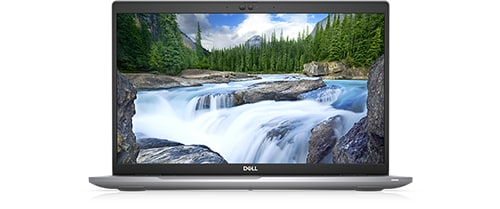
Latitude 5520
Hello.
For my edition work I need to have good GPU. Is it possible to connect eGPU through ThunderBolt 4.0 and getting a power from it?
No Events found!
Unsolved
1 Rookie
•
1 Message
0
1691
February 19th, 2023 12:00
Latitude 5520
Hello.
For my edition work I need to have good GPU. Is it possible to connect eGPU through ThunderBolt 4.0 and getting a power from it?
Top
ejn63
12 Elder
•
31.3K Posts
•
154.6K Points
0
February 19th, 2023 12:00
If you have the 11th generation CPU, you have Thunderbolt 4 -- if the 10th, it's Thunderbolt 3.
Some notes:
eGPUs are far from universally compatible, and Dell has no support for them on this model. Check with the eGPU manufacturer for compatibility questions.
eGPUs don't work well with the internal screen, and no they don't draw power from the system. They have their own power supply and they're best used with an external monitor.
Since it's not inconceivable you may have to try more than one eGPU before you find one that works, be sure you understand your retailer's restocking charge policies.
At best, eGPUs are a compromise -- they will never provide the same level of performance as a native desktop GPU card in a 16x PCIe slot in a desktop system. The decent ones are not inexpensive -- carefully compare the cost of one with the cost of a desktop system. You may find that a desktop system that's just a couple of years old works out to the same or even a lower cost than an external GPU box -- without the inherent compromises of an eGPU.
You're basically building a desktop system minus the mainboard with an eGPU anyway.