

1 Rookie
•
3 Posts
0
638
September 2nd, 2023 13:59
C2723H, webcam problem, cabling?
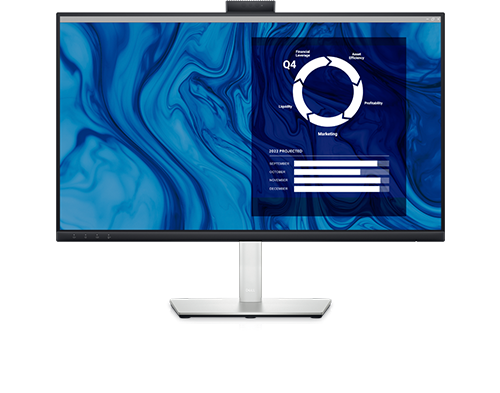
Dell C2723H Monitor
Hi all. Not a techie so bear with me. Connected my new C2723H monitor to my XPS via the Dell Dock UD22. All good. However, I want to use the webcam. When I depress the webcam on the top of the monitor I see the following message: "this function is inactive. To enable, connect your PC to the USB upstream port on the monitor". At present, the dock and the monitor are connected using the provided HDMI cable. When I swap that out for, e.g., the usb-a to usb-b I then get then the screen itself goes into sleep. What am I missing, both mentally and physically? One site I checked implied that I needed a USB-C cable. Is that so? So would that be USB-C into the hub and then what? Into the screen? USB-A? And if so, why wasn't this in the box? Thanks in advance.
DELL-Chris M
Community Manager
•
56.9K Posts
•
232.1K Points
0
September 2nd, 2023 19:50
A Dell declared USB-C monitor will have a USB-C video in port and provided USB-C to USB-C cable.
The Conference C2423H/C2723H monitors are different. They are designed to only accept PC DP or HDMI video signals which is why Dell provided the DP to DP cable and HDMI to HDMI cable.
The online C2723H User's Guide page 58 specifically states =
So in addition to the HDMI cable for video, you have to also connect the PC USB-A port to the C2723H #7 USB-B upstream port using the provided USB-A to USB-B cable.
If the PC does not have a USB-A port, you can try connecting the provided USB-A to USB-B cable to the UD22 USB-A port, other end into the C2723H #7 USB-B upstream port.
(edited)
SmillNL
1 Rookie
•
3 Posts
0
September 3rd, 2023 07:19
@DELL-Chris M Perect. Thanks. In two mins you've sorted something I spent an hour trying to work out!