

2 Posts
0
1054
October 28th, 2022 01:00
P3222QE, MacBook losing LAN connection when using 60Hz
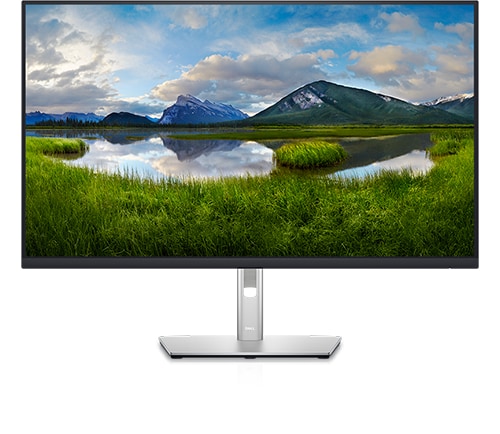
Dell P3222QE
Hey,
We've bought three identical P3222QE monitors. When connecting my Lenovo P14s running Windows OS, I can easily make it run. I get asked for the settings of always on USB and the increase image quality but reduce network speed.
No matter whether I use better image quality or better network speed, my computer just works flawlessly. 4K 60Hz and 1Gbps.
However, we have two MacBook users (2x MacBook Pro 13" 2019, Two Thunderbolt 3 ports (macOS Monterey 12.6)).
When they connect, they get prompted the same options on the P3222QE. When they choose the "better network", they only support 30Hz, but it seems there are no issues with the Ethernet connection.
If, however, they want to use 60Hz, they have to use the "better image" - and this is where the issue appear. Every now and then, the LAN connection simply drops. No packets are being transferred. Resetting the P3222QE, fixes the issue. Not viable solution.
It appears the macOS loses it lease, and then it self-provides an IP, that is not on our network. It is not related to the router's DHCP lease time, however.
When unplugging the LAN cable, the link is, obviously, interrupted. However, plugging in again, does not fix the issue either.
Unplugging the USB-C -> USB-C cable, does fix the problem, but it not a viable solution to unplug either.
We haven't been able to trace any cause related to the network's DHCP lease. Especially as it works flawlessly on Windows computers.
I seems as if, when choosing the reduce the network speed, to get the 60Hz, the monitor's built-in dock, doesn't forward the traffic and renews DHCP release. Or something like that.
Been looking for firmware upgrades and software upgrades for the P3222QE. Haven't found anything. Tried the two affected P3222QE with my computer, and there are absolutely no problems. So I assume it's some issue between the macOS and the P3222QE.
Anyone got any ideas?
DELL-Chris M
Community Manager
•
56.9K Posts
•
232.1K Points
0
October 28th, 2022 06:00
* Go back to the top of this Dell Monitors Forum
* Read through the Pinned post, "Dell monitor, Apple FAQ"
None of the Dell D, E, G, P, S, SE, Alienware monitors have full macOS support from Dell. As a consideration to macOS users, on some of these monitors we did provide a macOS firmware update.
* When we go to the online P3222QE drivers page, under "Operating system" it only shows Windows. This affirms that macOS is not tested or validated by Dell with the P3222QE.
* Read through the P3222QE threads on the Apple Forum. Start a new thread out there discussing your MacBook and P3222QE issues to see if other Apple users can offer advice and troubleshooting.
Tfremlev
2 Posts
1
October 28th, 2022 06:00
Got ya..
I've created a thread on the apple forum.
https://discussions.apple.com/thread/254325789