

Unsolved
1 Rookie
•
2 Posts
0
542
June 17th, 2023 03:00
S2421H, keeps getting black for few seconds
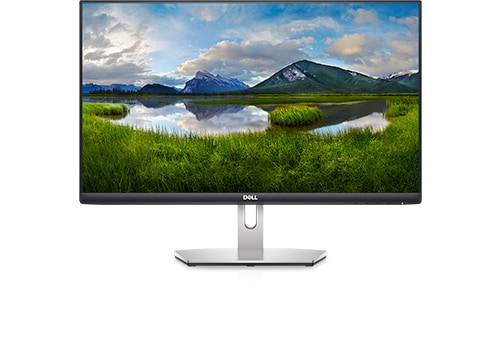
Dell S2421H
Hi
I purchased a brand new monitor S2421H in August 2022 and have been using it since. I use it as a secondary display for my office work through a Dell Latitude laptop. It was working all fine, but since last few days the screen gets blank intermittently for 1/2 seconds and then comes back. There is no pattern and it happens randomly.
Point to note is that when I connect it with my personal laptop (which is again a Dell laptop), it works without any issue.
I referred to a previous post where it was suggested to turn off the Input Source "Auto" which I did. But it is still not working.
I got my work laptop checked by IT Helpdesk and it has the latest display driver, so not sure what can suddenly cause this issue.
I have checked the HDMI cable, power cable and no issue with those.
If anyone has faced such situation or has any clue, please share input.
Thanks
BNEJason
4 Posts
0
June 17th, 2023 16:00
Whilst it's unlikely, I thought I'd share a fault we found at work.
We had users at work complaining about screens blanking out, randomly, after much hunting we found it was when 3G/4G devices under the monitor (Personal phone, or the work eftpos terminal) was transmitting to the towers, the radio was interfering with the monitor, caused a back screen.
DELL-Chris M
Community Manager
•
56.9K Posts
•
232.1K Points
0
June 18th, 2023 13:00
To receive assistance from Dell chat Technical support, they need to first verify the warranty status. Click the "Get Help Now" icon on the right to start a live chat session. Provide to them the private S2421H Service Tag.
Try the power button/no cable reset and retest.
* Turn the Latitude off
* Turn the S2421H off
* Disconnect every cable (including the power cable) from the S2421H
* Press the S2421H power button in for 8 seconds (clears any residual power in the circuits)
* Reconnect the power cable and one video cable to the S2421H and Latitude
* Turn the Latitude on, then the S2421H
(edited)
Raktim0210
1 Rookie
•
2 Posts
0
June 19th, 2023 07:00
Chris M
I have tried the below options with no luck.
1. Power button reset option as per the steps you mentioned.
2. I also compared the Display Adaptor driver version between my personal laptop (Dell Inspiron 15 3000 series, where the monitor is working just fine) and the office laptop (Dell Latitude 4520, where it is not working). The office laptop had older driver which I got updated to a relatively relative newer version based on Dell recommendation. But still not working. Both these laptop uses Intel(R) Iris(R) Xe Graphics.
3. I even ordered brand new HDMI cable just to make sure cable is not the issue.
But still not resolved. Not sure what else I can do.