

1 Message
0
759
February 26th, 2022 12:00
U2422H, install problem, keyboard and mouse issue
Installing my new U2422H using HDMI cable. The monitor comes on and is on the screen asking to choose which language to use. It shows to scroll up or down but my keyboard and mouse aren't functional so there's no way to choose and move to the next screen. What am I doing wrong?
No Events found!
DELL-Chris M
Community Manager
•
56.9K Posts
•
232.1K Points
1
February 26th, 2022 14:00
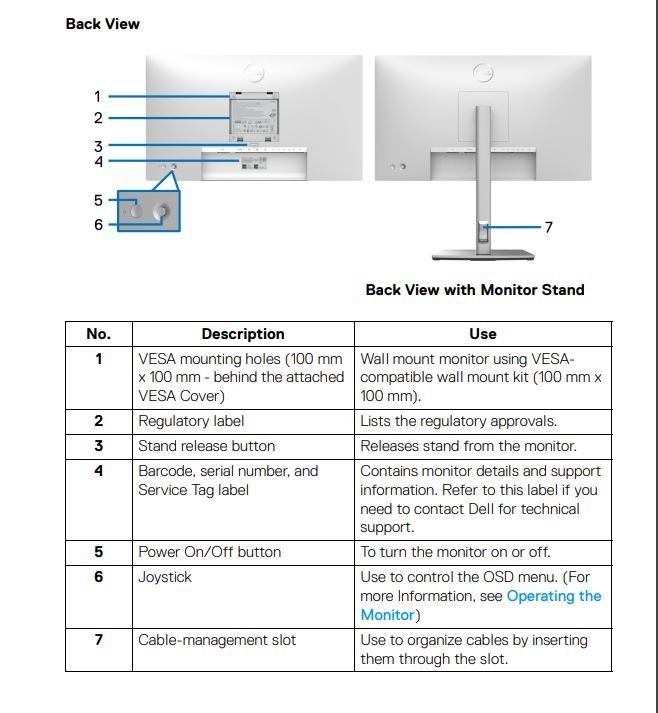
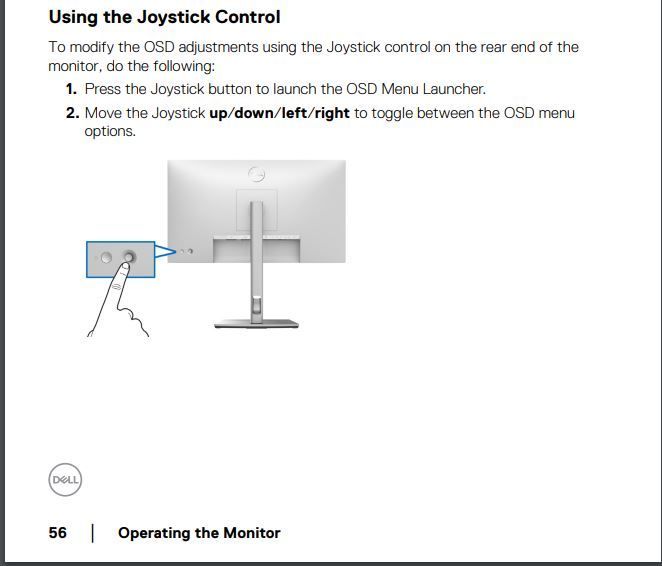
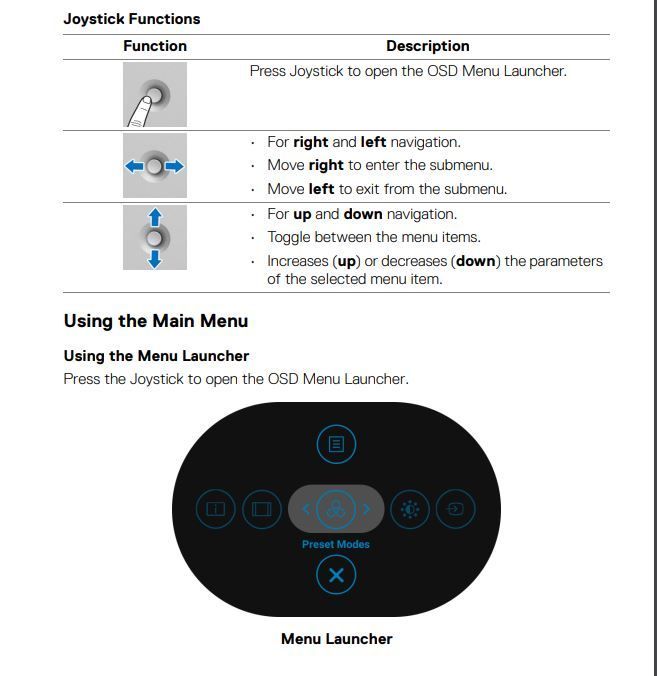
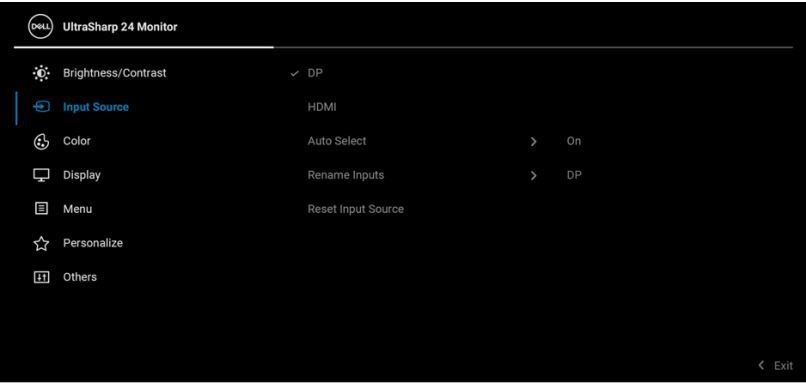
You do not use a PC mouse or keyboard to control an external monitors Menu. In the case of monitors (U2422H/U2422H WOST/U2422HX/U2422HE), you use the rear #6 joystick. Open the online User's Guide.
Page 11 =
Page 56 =
Page 57 =
Page 60 =
DELL-Cares
Moderator
•
27.8K Posts
•
610 Points
0
February 26th, 2022 12:00
Thank you! We have received the required details. We will work towards a resolution. In the meantime, you may also receive assistance or suggestions from the community members.
DELL-Cares
Moderator
•
27.8K Posts
•
610 Points
0
February 26th, 2022 12:00
Thank you! We have received the required details. We will work towards a resolution. In the meantime, you may also receive assistance or suggestions from the community members.