

1 Rookie
•
2 Posts
0
914
August 5th, 2022 02:00
U4919DW, Windows 11, screen resolution issues watching video
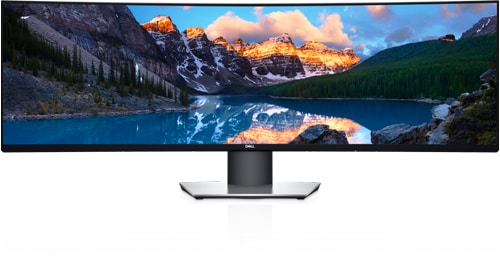
Dell U4919DW
Hello,
I've got this screen from work and I've hooked up my laptop, no issues, and a NUC7i7BNH, strange refresh rate incompatibility while installing. I needed to make an unattended installation because the screen was totally unreadable. It was showing the windows setup text (in the high left corner of the screen) with huge letters so the only thing I could do was watch video's of people who installed Windows 11 from start to end so I could use my keyboard to get a step further, impossible for me. So after the unattended all seemed well because Windows had installed the iGPU driver, yeah, but then things started to become funky. When viewing media in Edge, Firefox, VLC, etc. the screen went into funky flashing/distorted video mode. Media that is recorded in everything other than 21.9 format isn't accepted by this screen under Windows, why I know this? When I search on 21.9 format media on YT everything works great (and looks beautiful too!). With all the other resolutions the screen goes black, comes back again, repeats this or stays black. Another thing that happens is that viewing media directly starts with stripes in the lower part of the YouTube screen, every single video but sometimes when I resize the Edge windows the media is viewable for just 100ms or so.
Another thing the screen does is when I install DDM it gives a pulse effect as if the application is switching or validating the screen or its refresh rate. I've disabled DDC/CI on the screen to no avail and I also tried to set a registry setting that I found on the internet to turn of checking off. Didn't help so after I removed the application the screen stopped pulsing and I could resume my audio production work.
Because of the problems on this screen with this NUC I troubleshoot this with two version of Windows, 10 and 11. Same problem. I've installed all available display drivers for the Intel Iris Plus Graphics 650. I've installed the HDMI firmware upgrade again to be sure and as for the 088 firmware update, I installed that 2 times to be double sure. Intel says that the issue that they had is resolved so that's why I'm here.
But wait. I did also something completely different. I installed MacOS on the NUC. And I got not a single issue. From the start of the installation to the end. No matter what media I watched and where I watched, the screen remained working without a single black out, distortion or whatsoever. For obvious reasons I can't use MacOS because it's totally unsupported. And that just it. Why would a supported OS (for this screen) and unsupported hardware (for MacOS) work great with this screen while running a supported OS on supported hardware doing the complete opposite.
MacOS and the U4919DW seems to be better supported than Windows and the U4919DW. Any chance anyone can help me out here because I really like to have my good old NUC doing its thing. This NUC has 0 issues on a 40" Philips monitor and a LG C1. I'm not a mathematician but for this I can make an exception.
Before I forget, I also tried the OBS Studio trick found on this community. Unfortunately not working for me.
Thanks in advance,
Martin
Martin Kay
1 Rookie
•
2 Posts
0
August 5th, 2022 02:00
Or I put on my computer glasses, read all the available drivers/fixes and install the registry patch supplied by Dell to enable 5k in Windows . It's exactly where it belongs, in the driver section.
I only saw the monitor driver which I installed but never noticed that great registry file putting all issues to rest.
This topic can be closed now. Solved by user.
DELL-Chris M
Community Manager
•
56.9K Posts
•
232.1K Points
0
August 5th, 2022 04:00
Thanks for confirming the fix! Adding link to it for other U4919DW users.
U4919DW Patch Update = Intel HD Graphics 630 - to support resolution setting of 5120x1440