

1 Rookie
•
5 Posts
•
2 Points
0
1362
October 22nd, 2024 01:16
Dell Optiplex 7020 replace primary SSD with a SATA HDD
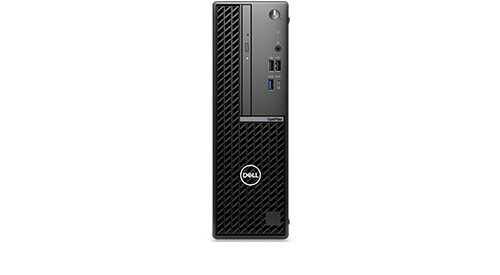
OptiPlex Small Form Factor 7020
I just purchased a NEW Dell Optiplex 7020 SFF which came with UEFI and Window 11 installed on SSD. Initially, I need to replace this primary SSD with a SATA HDD which has a bootable Windows 10 (This HDD comes from my old Optiplex 7020 SFF, and has large amount of User data and some Application Software installed). Under UEFI screen at Power On, I am able to disable SSD, enable SATA0 and SATA3, but not able to boot. It does not give an option to boot from any SATA port. One of the UEFI screen states "Intel Rapid Storage Technology (RST) Driver must be loaded to boot from the HDD". I have found an Intel RST Driver on the Dell support site, but now do not know where and how to install this Driver?! What do I need to do so that I can boot using this SATA Drive under this UEFI only supported NEW motherboard? Dell Tech Support was not of much help. Thank You in advance.
redxps630
11 Legend
•
16.3K Posts
•
82.7K Points
1
October 22nd, 2024 12:17
Since you found out the new 7020 is in AHCI, no need to do safe mode boot then.
in the new 7020, uninstall ssd for now, install old sata hdd.
Press F12 after power on. If the sata hdd has a bootable UEFI Window 10, F12 will show under UEFI boot device that the hdd is listed. If yes you can then choose it to boot from. If the hdd is not listed on F12 screen, then you need to connect it back to old 7020 SFF and do some work there to make it UEFI bootable.
redxps630
11 Legend
•
16.3K Posts
•
82.7K Points
1
October 22nd, 2024 12:22
If your sata hdd Windows 10 was installed in legacy bios in the old 7020, here are steps to convert it to UEFI compatible with prerequisite
This article explains how to convert existing Windows 10 Installation from Legacy MBR partition scheme to UEFI, using Microsoft's MBR2GPT.exe tool without losing any data.
https://answers.microsoft.com/en-us/windows/forum/all/convert-an-existing-windows-10-installation-from/aa8c2de3-460b-4a8c-b30b-641405f800d7
(edited)
redxps630
11 Legend
•
16.3K Posts
•
82.7K Points
1
October 22nd, 2024 02:16
first go into bios > sata operation and make sure it is AHCI and not RAID.
If it is RAID, change to AHCI, save changes, exit bios.
do you know whether your old 7020 SFF hdd Win 10 was installed in UEFI bios or legacy bios? If the latter, you would need to convert it to UEFI bios compatible before it can boot in new 7020 SFF.
remove new ssd physically, install old sata hdd.
then try safe boot to boot from old sata hdd from old 7020 sff.
https://www.dell.com/community/en/conversations/optiplex-desktops/how-to-safe-boot-after-changing-from-raid-to-ahci/6716d53eb33994192335c92c
do not install Intel RST.
(edited)
redxps630
11 Legend
•
16.3K Posts
•
82.7K Points
1
October 22nd, 2024 02:36
Re: replace this primary SSD with a SATA HDD which has a bootable Windows 10 (This HDD comes from my old Optiplex 7020 SFF, and has large amount of User data and some Application Software installed).
if you are not sure, go back to the old 7020 SFF and install the old sata hdd, assuming the old pc still works. enter bios of old 7020, verify that bios is set as UEFI and confirm sata hdd is still bootable.
kirit1
1 Rookie
•
5 Posts
•
2 Points
0
October 22nd, 2024 05:10
Yes, the old Optiplex 7020 is still functional, and bootable. It is fairly old (over 5+ years?) so I will need to check and setup BIOS as UEFI (if necessary). If I have to change to UEFI, then I will make sure it is bootable in that machine, and then bring the HDD over to the new machine. Thank You for prompt HELP!!
kirit1
1 Rookie
•
5 Posts
•
2 Points
0
October 22nd, 2024 05:19
@redxps630 1. Yes, HDD is in AHCI mode and not in the RAID mode. 2. I do not know whether the old HDD was installed in UEFI or BIOS. If BIOS, will convert to UEFI (and hope I don't run into issues here!) 3. Will not install Intel RST Driver. 4. Will do safe boot first with old HDD in old 7020 SFF first (and hope I don't run into issues here!). Thank You, again.
EdT586
1 Rookie
•
28 Posts
1
October 23rd, 2024 22:35
Since your SATA HDD was on a different motherboard with different hardware, you need something like Hiren's Boot CD to make your old SATA HDD to boot on your new OptiPlex 7020. You can also remove the SSD and see if the SATA HDD would boot from the SATA port, but normally it shouldn't because of the hardware differences.
bradthetechnut
9 Technologist
•
9.6K Posts
•
40.7K Points
1
October 25th, 2024 02:25
@kirit1 Win10 is adaptive. I doubt you'll have too much trouble with the transfer. It just may have to update drivers like chipset, display, and sound to name 3.
Last year, I transfered a Win10 SSD from an Optiplex 7010 (previous model) to a Precision 3620 and it just worked.
If we were talking about Win7, that would not be the case.
kirit1
1 Rookie
•
5 Posts
•
2 Points
0
October 25th, 2024 05:16
@EdT586 The old SATA HDD was partitioned uner MBR, and the new Optiplex 7020 is UEFI only (no legacy BIOS support, need GPT), so I had to go back to the old Optiplex, and execute mbr2GPT.exe. The process had some pre-requisites, but, fortunately, met all those requirements (phew!) and was able to convert to GPT format. Now the old SATA drive gets recognized, and is accessible, in the new Optiplex. Thank You for the suggestions.
kirit1
1 Rookie
•
5 Posts
•
2 Points
0
October 25th, 2024 05:19
@bradthetechnut Yes, it did work out a OK.... There were some pre-requisites to run mbr2GPT.ext, but, luckily, all the requirements were met (phew!), so it was very smooth, and the SATA drive now works in the new Optiplex. Thank You for the feedback.
redxps630
11 Legend
•
16.3K Posts
•
82.7K Points
0
October 25th, 2024 13:12
nice job.
Mbr2gpt.exe pre-requisites:
The MBR disk must have at most 3-partitions.
The OS must be 64-bit.
Bitlocker or encryption must be turned off.
There should be an Operating system on the disk.
One of the partitions must be active(confirm that from disk Management).
No dual boot.
Windows 10 version must be at least version 1703.
bradthetechnut
9 Technologist
•
9.6K Posts
•
40.7K Points
0
October 25th, 2024 23:47
@kirit1
Glad you got it working. :)