

1 Rookie
•
19 Posts
0
638
March 12th, 2024 19:47
Installed Video Card - BitLocker Pops Up
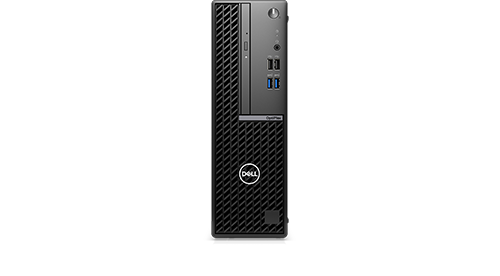
OptiPlex Small Form Factor 7010
Added a video card to OptiPlex Small Form Factor 7010. It now boots up with BitLocker. (removed video card and it boots just as before, bitlocker wasn't used before)
I know I need to change BIOS settings for the new hardware. Is this the TPM check? Under video/display I didn't see a setting that seemed to match what I needed. Does Boot Manager need to be disabled?
Thanks!
No Events found!
ejn63
12 Elder
•
31.4K Posts
•
154.9K Points
0
March 12th, 2024 21:12
You may need to disable secure boot if it's enabled, particularly if this is a non-Dell OEM video card. That's about the only change you'd need to make for the new card. You may be able to re-enable it after a successful boot cycle with the card installed, but it's also possible that depending on the card, you may have to leave secure boot disabled.
The system may have been staged for Bitlocker even if you haven't enabled it.
XPS_Man
7 Practitioner
•
2.4K Posts
•
12K Points
0
March 13th, 2024 02:34
Before replacing the card.
Assuming you are on win 11 Go to settings > Security> Device encryption > Turn off. For wait for it decrypt.
Now install your card, @ejn63 has a valid point, None OEM parts have their own firmware which may not talk to Dell BIOS properly. So disabling secure boot is a good option.
TechACE
1 Rookie
•
19 Posts
0
March 13th, 2024 18:01
Thanks everybody.
I booted the computer BIOS, found the Secure Boot Section and there are 2 choices (see pic)
-Enable Secure Boot - which is On
-Enable Microsoft UEFI CA - which is On
I turned off the 'enable secure boot' leaving the other 'enable Microsoft UEFI CA' on
Without the new video card installed it again booted to BitLocker
The 2nd optino 'enable Microsoft UEFI CA' has a number of warnings including 'cound render the system unable to boot'. This computer is a working accounting computer and it losing the hard drive is not a option.
Note also under Boot Configuration / Boot Sequence / Boot Mode: UEFI only it states 'NOTE: Legacy Boot mode is not supported on this platform'.
Suggestions please? Thanks again everyone for your time.
bradthetechnut
9 Technologist
•
9.6K Posts
•
40.6K Points
0
March 14th, 2024 00:39
Did you try the decrypt option as XPS_Man suggested?
TechACE
1 Rookie
•
19 Posts
0
March 14th, 2024 13:55
@XPS_Man Wrote: Go to settings > Security> Device encryption > Turn off
This is a Win 10 Pro computer. So your above steps are to get to BitLocker Manager? Which is turned off.
Thanks.
TechACE
1 Rookie
•
19 Posts
0
March 14th, 2024 17:05
@ejn63 Too get the right answers I must supply everybody with the right information. The user actually had 2 computers. The hidden one was a micro mounted behind a monitor. That is the one that was the Win 10 Pro with bitlocker turned off.
They manually move a monitor cable to hookup the other which needed a new video card because when they last plugged in the DP connector they bent the socket on the Optiplex mobo. This computer did have encryption turned on. Decrypting as we speak.
The small details can be crucial.
A huge thanks to you and everybody that helped!