

2 Posts
0
844
February 4th, 2023 18:00
OptiPlex 3010 SATA drive recognition problem in Win 10
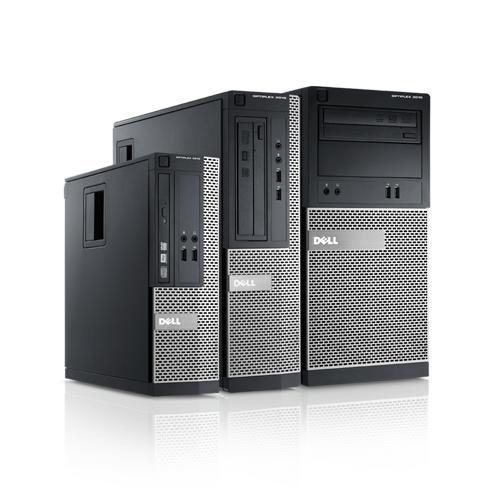
OptiPlex 3010
My Optiplex 3010 SATA ports were originally configured with an HDD and a DVD (2 of 4 ports used). I have previously reconfigured the SATA ports to add a cloned SSD and reuse the (cleaned) HDD as a data drive (now 3 of 4 ports used). The Optiplex recognized the reconfigured SATA ports and all was fine for over a year. I recently temporarily reconfigured the SATA ports to clone another SSD for a different computer (using it's HDD), but while the Optiplex System Setup recognizes the SATA ports correctly, Windows 10 does not see the reconfigured drives. I never relocated the boot drive, so Win 10 always boots and sees the C-drive, but I can't get Win 10 to "see" the other drives, even when I reconfigured the SATA ports back to the last working configuration (Dell System Setup always correctly sees the changes).
Can anybody tell me how to get Windows 10 to recognize the drives on the other SATA ports? Thanks.
spen86
2 Posts
0
February 5th, 2023 15:00
Thank you for your detailed response. I'm embarrassed to admit that it turned out to be a simple fix, and I wish I had thought of it sooner. All I had to do was disable the SATA ports that were not reported correctly to Windows (via Setup) and reboot, then go back into Setup and re-enable the ports so the change would be reported to Windows and then reboot. Took a lot of re-booting into Setup and then Windows to accomplish my task of cloning a drive for a laptop (switching drives in and out), but I got done what I needed and all systems are operating properly.
sam55todd
2 Intern
•
243 Posts
0
February 5th, 2023 00:00
Leaving loose/disconnected or defected cable (power or data) problems aside:
1) is drive as device visible via BIOS ?
2) are SATA ports enabled in BIOS?
3) Is PC passing Advanced diagnostics tests? (via F12 key on boot time)
4) In Windows empty devices might not be visible via "My Computer" explorer (depending on user settings)
5) If you have Windows operating system then is it visible via:
a) "Computer Management" - > "Device Manager" -> "Disk drives" ?
b) "Computer Management" - > "Disk Management" - it should be visible and "initialized"
(if not initialized then it will have small red icon next to it)
c) via Command line "Diskpart" program "list disk" command ?
there might be additional checks if system is configured in RAID mode (not AHCI)