

Unsolved
3 Posts
0
612
July 17th, 2023 23:00
Optiplex 3080 Tower having compatibility issues with monitors
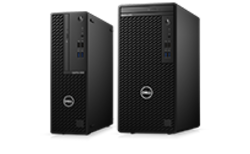
OptiPlex 3080 Tower
My dell 3080tower is having compatibility issues. It has totally refused to connect to any monitor. Once connected, the monitor displays this message "no system unit connected try pressing any key on the keyboard or moving the mouse" all the above options don't work, it can't even boot.
How can I possibly solve this issue?
No Events found!
Chino de Oro
11 Legend
•
8.4K Posts
•
46.4K Points
0
July 18th, 2023 18:00
For the monitor, what type of cable being used and which port it connected to.
For the computer, does it have any indication of operation, does power button LED lights up. Any light on the keyboard.
Any picture or description of the video port connection being used. Sometimes, the most basic things being overlook such as incorrect connection.
bradthetechnut
9 Technologist
•
9.6K Posts
•
40.6K Points
0
July 18th, 2023 19:00
In addition to what Chino said, if the monitors are known to work on a other system, you may need to pursue as warranty issue with Dell directly by using the "Get help now" button on the lower-right of screen.
Are you even able to access BIOS (F2) or the Boot Menu (F12) upon powering on, if the 3080 does power on?
ShiRach
3 Posts
0
July 18th, 2023 23:00
Unfortunately, I am unable to access BIOS and Boot menu because the monitor is literally showing nothing not even the Del logo when I power on the system unit
ShiRach
3 Posts
0
July 18th, 2023 23:00
Am using a VGA cable to connect the monitor to the system unit and it is connected in the VGA port.
For the case of the computer, true the power button LED lights up very well and both the keyboard and mouse are actively on.
So for the video port being connected, basically the system unit has no VGA port designed for it so, I use an HDMI to VGA adapter to ensure a connection.
But in the beginning it was connecting very well but every thing changed when I attempted to update the PCI data processor and system controller. That's when everything changed.
Chino de Oro
11 Legend
•
8.4K Posts
•
46.4K Points
0
July 18th, 2023 23:00
If your monitor setup was working before, then it is not an incorrect use of connection. However, there is a small chance of the HDMI to VGA adapter is failing.
Some things are not quite clear for me when you said "attempted to update the PCI data processor and system controller". Can you provide a link or pointing to the driver, firmware which you ran to update.
The first step you can try is clearing CMOS settings. Also, removing all external USB device during testing, except for mouse and keyboard.
bradthetechnut
9 Technologist
•
9.6K Posts
•
40.6K Points
0
July 19th, 2023 14:00
"attempted to update the PCI data processor and system controller". Also, were you updating from Device Manager?