

Unsolved
1 Rookie
•
2 Posts
0
1544
December 1st, 2023 20:05
OptiPlex 3090 Not booting from USB

OptiPlex 3090 Small Form Factor
I'm trying to get an OptiPlex 3090 to boot from USB, and I'm having a problem. The BIOS doesn't include a boot option for USB, and I don't seem to be able to add one. Anyone have any suggestions?
No Events found!
Chino de Oro
11 Legend
•
8.5K Posts
•
46.5K Points
1
December 1st, 2023 20:37
With the bootable USB plugs in, tapping F12 at boot will give you access to boot selection menu, including the USB.
cchamb2
1 Rookie
•
2 Posts
0
December 1st, 2023 21:19
@Chino de Oro It does not. When I started, the USB boot option did not appear and the BIOS did not have a boot option for USB. I'm trying to add it, and the File System List for the entry I'm adding is exactly the same entry for the Windows Boot Manager. After I add it, I test it, and when I select USB from the Selective Boot Menu it promptly boots into Windows. That's not what I need.
Chino de Oro
11 Legend
•
8.5K Posts
•
46.5K Points
0
December 1st, 2023 22:32
It has to do with how you prepared the bootable USB. For testing, use Windows Creation Tool to make a Windows installation USB and verify if both BIOS and F12 can list it as bootable device.
Wycliff143
1 Rookie
•
1 Message
•
2 Points
0
September 18th, 2024 17:33
@Chino de Oro when I try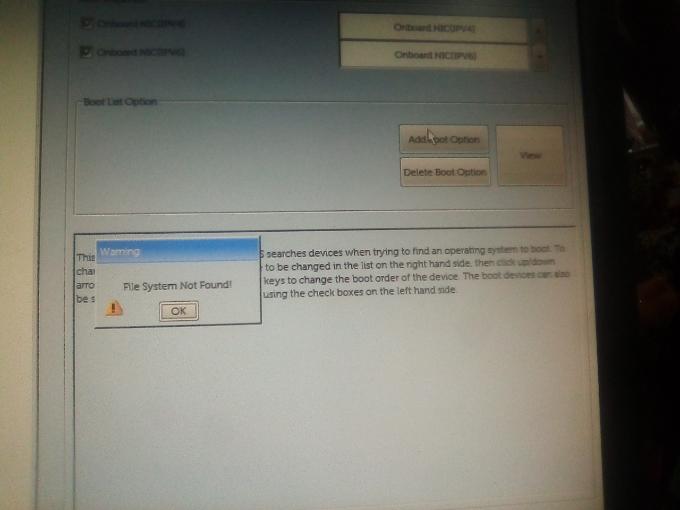
Chino de Oro
11 Legend
•
8.5K Posts
•
46.5K Points
0
September 19th, 2024 02:11
@Wycliff143 , your screenshot is not from one time boot menu. Hence the reason you can't see your bootable USB.
If you have different query for different system, start your own thread to gain better attention. The OP in this thread never came back to report the result after received the answer, making this thread unhelpful to the community and users with similar questions.