

Unsolved
1 Rookie
•
2 Posts
0
2711
October 25th, 2022 07:00
Optiplex 7000 & 7090 MFF DP-HDMI issues
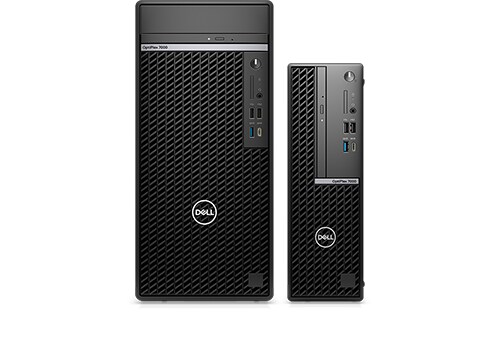
OptiPlex 7000
Hello, I'm writing to see if anyone has had the same experience with the 7000 and 7090 (MFF) that I've had. Our typical use case for these is in a classroom where we have one output sent to a Dell monitor and the other sent to an AV switcher. Typically we'll use DisplayPort to HDMI cables to connect to both displays.
We started seeing problems with the 7090 where a brand of cables (covid) we had no issues with on previous models was presenting issues. In this case, if the PC ever lost power it would not display until unplugging and re-plugging the cable into the back of the PC (doing this on the HDMI end doesn't help). We eventually switched to using a different brand of cable (comprehensive) which solved the problem.
We are now starting to deploy 7000s and we're seeing a different issue. The comprehensive brand cables which we thought were our savior aren't working at all. When turning on the computer the Dell logo will display briefly, then the monitor will show a sleep message as if I've disconnected the cable. The PC displays fine if I use DP-DP (which many of our displays do not support) or the covid brand cable that was problematic on the 7090.
Another thing to mention, our 7000s have two DisplayPorts and one HDMI port. The behavior is consistent whether we use both DisplayPorts or one DP and one HDMI. I'll also mention that both cables mentioned have been tested with older models (7080 and older) with no issues at all.
So, has anyone else seen this behavior? Is there a DP-HDMI cable we can buy that works reliably on all models? Is there a fix I don't know about? I've tried updating BIOS and video drivers. I feel like I'm going crazy so if anyone has ideas please let me know.
redxps630
11 Legend
•
16.1K Posts
•
82.1K Points
0
October 25th, 2022 08:00
Your DP to hdmi cable is possibly passive? You can try active adapter.
Active DisplayPort adapters have a chip to boost the performance of that device. If there is no chip, the adapter is considered passive. Basically, if the adapter includes a little box that houses the conversation chip it is active.
It is better to use straight hdmi to hdmi cable. If no better solution found you have option to add a second hdmi video port to MFF.
redxps630
11 Legend
•
16.1K Posts
•
82.1K Points
0
October 25th, 2022 10:00
That heavy duty cable looks like a passive converter. here is spec http://compcontent.com/specs/pdfs/DISP-HD-xxST.pdf
There is no mention of active anywhere in spec. it says 4k@ 30hz. An active adapter should be able to do 4k@ 60hz. So I think you have got an overpriced passive cable. Normally it costs $7 each.
https://ivanky.com/blogs/news/displayport-to-hdmi-do-i-need-an-active-displayport-cable
Yes it worked before but when you have issue now and no definite solution (add a hdmi video port), you can try one active adapter + hdmi to hdmi cable.
daisyd
1 Rookie
•
2 Posts
0
October 25th, 2022 10:00
This is the product page for the cable: https://comprehensiveco.com/store/p/17618-Standard-Series-DisplayPort-to-HDMI-High-Speed-Cable-6ft.html
It's got a pretty beefy connector so I assume that's what you're referring to.
This cable also works just fine for every model Optiplex I've tested up until the 7000.
I agree straight HDMI to HDMI is best, but that's not really an option. We've got 20+ of these PCs already and we need them to be versatile for whatever the existing system requires.