
Unsolved
1 Rookie
•
2 Posts
0
44
March 8th, 2026 18:09
R730XD virtual disk creation fails with error PR21
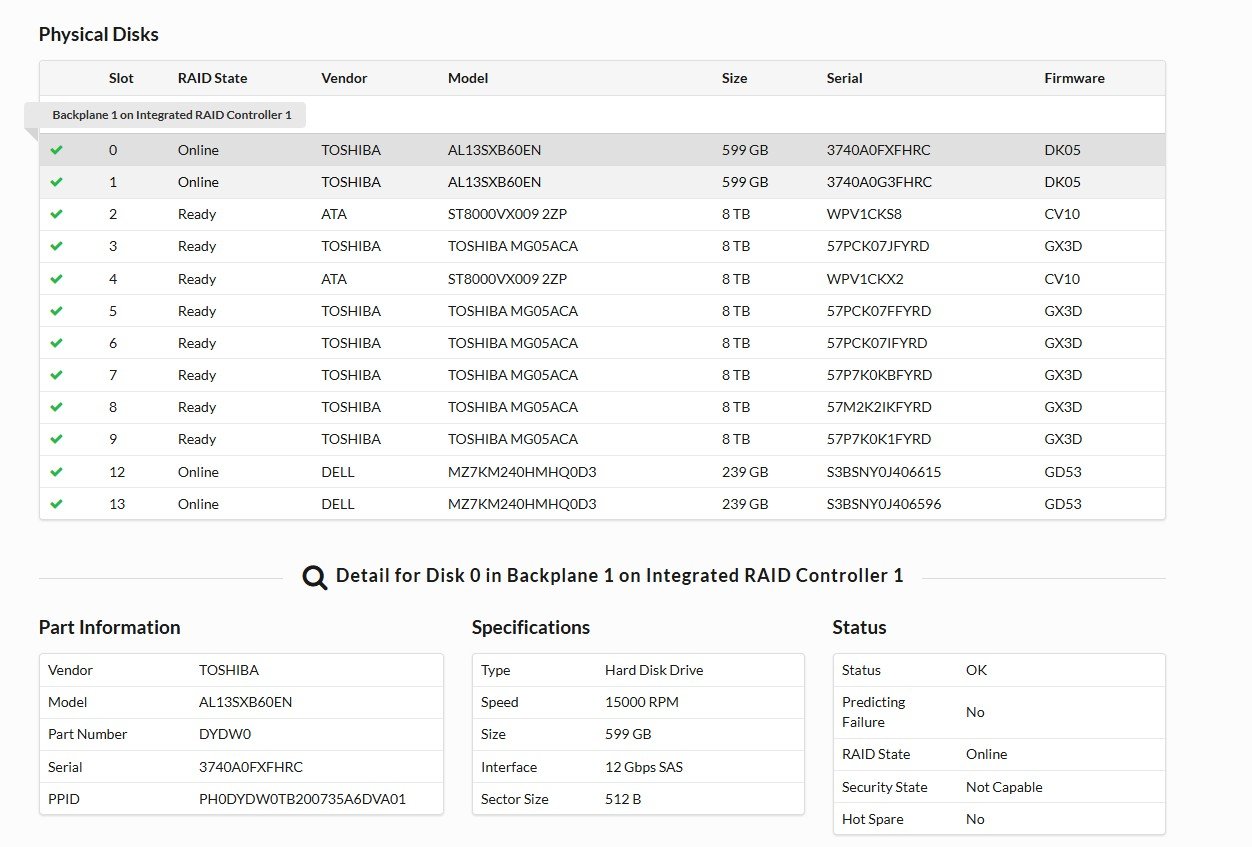
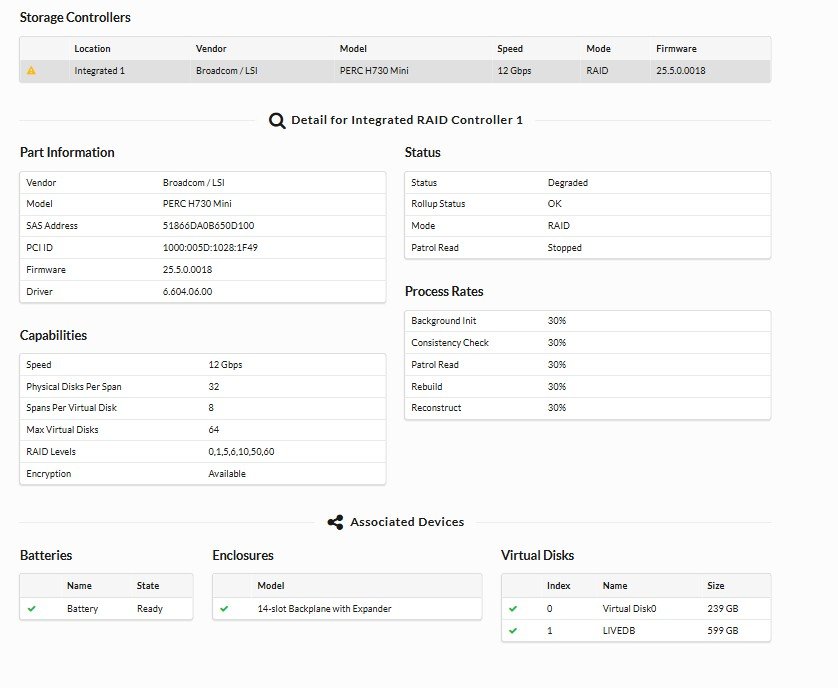
I am trying to create a virtual disk (using disks 2–9) on a Dell R730 with a PERC H730P Mini controller through iDRAC 8, but the process fails immediately with error PR21. All foreign configurations have been cleared, and all disks show as ready and healthy. There are currently two existing virtual disks on the controller.
Any thoughts or suggestions would be greatly appreciated. Thank you in advance.


DELL-Charles R
Moderator
•
4.7K Posts
0
March 10th, 2026 18:36
Hello,
With PR21 Message - Job failed. The specified job did not complete successfully.
Have you checked in the Lifecycle Log for more details associated with this failure?
Next we would want to verify the drives are Dell validated.
If you could take a picture of the drive labels and post them in the thread I can check if they are validated by Dell
Be sure to get the entire label that shows the Dell part number ( DP/N ) number.
Try removing PD2 and PD4 see if you can make your virtual disk of the remaining disk.
You may also try create the VD from the PERC BIOS (Ctrl+R) during POST and not use the iDRAC.
Pouria.Jo
1 Rookie
•
2 Posts
0
March 10th, 2026 19:05
@DELL-Charles R
Thank you for your response.
I received the TSR report and checked the Lifecycle logs, which indicate that the job failed.
I replaced two disks again in slots 2 and 4 with Toshiba N300 Pro NAS 8TB (7200 RPM, 512 MB Cache, SATA 6 – model HDWG780XZSTB), but the same issue still occurs.
I also attempted to erase the existing data from the old disks. The erase process is still in progress, and once it is completed, we will try again to create the virtual disk.
I tried to create the virtual disk from the PERC BIOS (Ctrl+R) during POST, but the Ctrl+R option does not work during the server boot process.
Additionally, I updated the BIOS and iDRAC firmware, but, the PERC H730 firmware did not update.
Unfortunately, the operating system virtual disk is on the same RAID controller, so we cannot clear the entire PERC H730 configuration.
DELL-Charles R
Moderator
•
4.7K Posts
0
March 10th, 2026 19:16
Try it with only the TOSHIBA MG05ACA drives and see now it goes.
I don't see this part number in the Dell database: HDWG780XZSTB