

1 Rookie
•
8 Posts
8
2774
October 21st, 2024 23:32
Support Assist Hangs
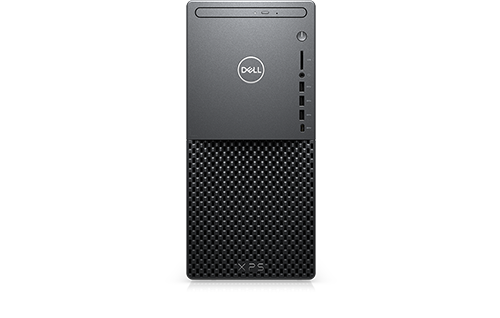
XPS 8940
Dell Support Assistant software is not working properly. I believe it is related to a recent BIOS update. The message "We Can't continue with this action until your PC restarts. Restart, then try again." continually appears when checking for updates. Restarting the system results in the same message.
No Events found!
DELL-Nat M
Community Manager
•
3.7K Posts
•
21K Points
3
December 4th, 2024 11:21
Hi everyone,
A new version of Support Assist is available today. Please install the latest version and test it.
Explore SupportAssist for Home PCs | Dell US
If you continue to experience this issue after updating, let us know in this thread.
(edited)
philly5sai
1 Rookie
•
2 Posts
•
2 Points
1
November 4th, 2024 22:30
So uhh @dell any word on this? Brand new machine and this happens to me.
DELL-Nat M
Community Manager
•
3.7K Posts
•
21K Points
0
November 5th, 2024 13:59
Hi everyone,
In order to help the engineering team replicate and identify the issue, please provide the following information:
Your input is invaluable to us. Thank you for your cooperation!
dstyltduk
1 Rookie
•
2 Posts
•
2 Points
0
November 7th, 2024 16:50
SA: 4.0.3
Windows: 10.0.22361
I have replied but I tried to edit it and accidentally deleted it. In any event, as I finished posting I noticed that suddenly Windows Update wanted a restart to finish installing firmware version 1.8.0; So I restarted and it duly flashed the UEFI/BIOS but SA still won't check for updates with reason: "We can't continue this action until your PC restarts. Restart, then try again."
DELL-Nat M
Community Manager
•
3.7K Posts
•
21K Points
2
November 12th, 2024 11:35
Hi everyone,
Just a quick update: Dell’s engineering team is working on a new SA version. We’ll provide more information as soon as it’s available.
Alien74
1 Rookie
•
3 Posts
0
November 16th, 2024 10:35
@DELL-Nat M Yes, please go on for the new version of SA. My system: Area-51m R2 with Windows 11. SA is also hanging in my case regarding the Software-Update-Check, the rest of the routine (e.g. Hardwarescan, etc.) is running and working well. Also no more Dell Client Management Service installed, I saw. It cannot be re-installed with W11, neither the package itself, nor with re-installing SA. Thank you for your help!
P.S.: Though W11 was not the origin-OS on my machine (was W10), W11 is working very well with all the other Dell-drivers. Only problem is the explained one above with SA and Client Management Service.
(edited)
Alien74
1 Rookie
•
3 Posts
0
November 16th, 2024 17:22
more_dell
1 Rookie
•
3 Posts
•
2 Points
0
November 19th, 2024 22:38
Hi, same issue but on XPS 15 9530
looperone
1 Rookie
•
4 Posts
•
3 Points
0
November 19th, 2024 22:58
Same problem Latitude 7350 Detachable. This is kind of ridiculous. Works fine on Precision 5820.
Phillip Nguyen91
1 Rookie
•
2 Posts
•
2 Points
0
November 20th, 2024 16:53
@looperone same problem but on Alienware M15. Meanwhile work fine on Dell G3
chasem72
1 Rookie
•
7 Posts
0
November 20th, 2024 18:57
I'm having the same issue on my Alienware Auror Ryzen Edition (R10).
I tried uninstalling and reinstalling Support Assist, and that didn't work. It was working fine a couple of weeks ago.
philly5sai
1 Rookie
•
2 Posts
•
2 Points
0
November 20th, 2024 19:22
I just did a fresh install of the entire system and now it works. Hardly the ideal solution but no progress was being made here.
btw it didn’t work out of the box, unfortunately experience to say the least.
bubzzzzzz
1 Rookie
•
18 Posts
0
November 23rd, 2024 15:47
I am also having this problem. AuroraR12 Bios update 1.1.27 running windows 11 and
AuroraR8 Bios update 1.0.26 running windows 10 and get this error.
I uninstalled restarted then reinstalled support assist on the AuroraR8 and there wasn't any improvement.
Made sure windows was up to date.
bubzzzzzz
1 Rookie
•
18 Posts
0
November 23rd, 2024 16:09
This is a screenshot of the issue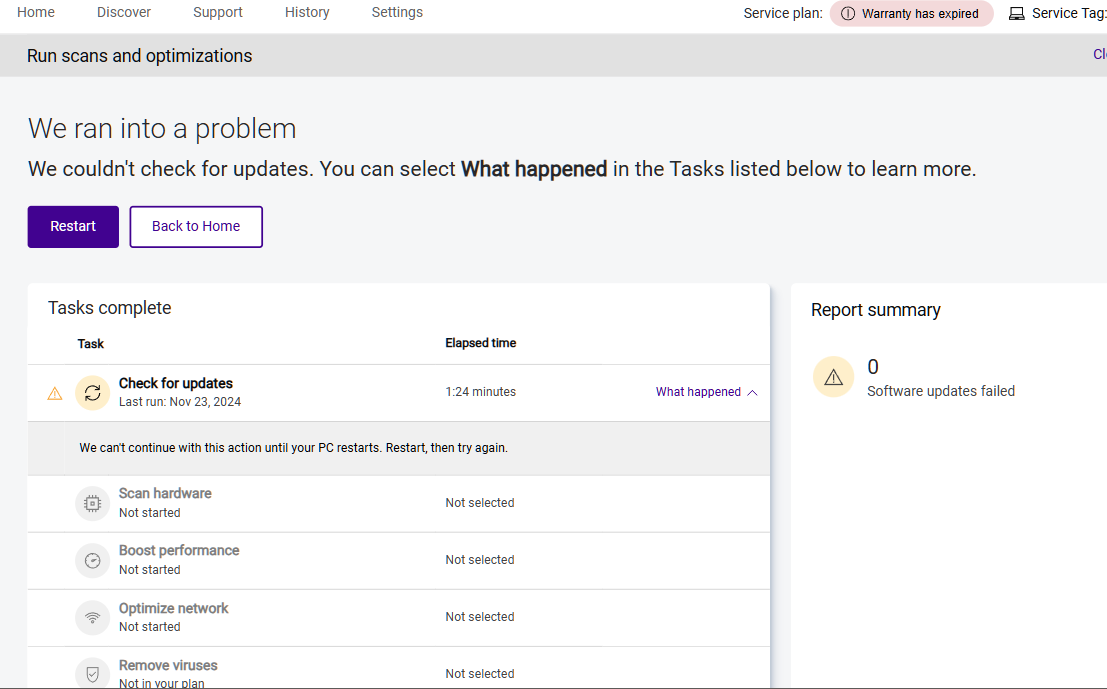
bubzzzzzz
1 Rookie
•
18 Posts
0
November 23rd, 2024 16:13
@DELL-Nat M any update on this, the problem persists